Industrial LoRaWAN® Temperature & Humidity Sensor
for Cold Storage, Pharma Warehouses, Server Rooms and Greenhouses

The MacSync LTS X1 is a factory-calibrated LoRaWAN® temperature and humidity sensor, ±0.3 °C and ±3 % RH, on a 19 Ah battery or 9–36 V DC
Made in Pune, India · WPC compliant · IN865 ready
Made in Pune, India ·
WPC compliant · IN865 ready
MacSync LTS X1
MacSync LTS X1 Highlights
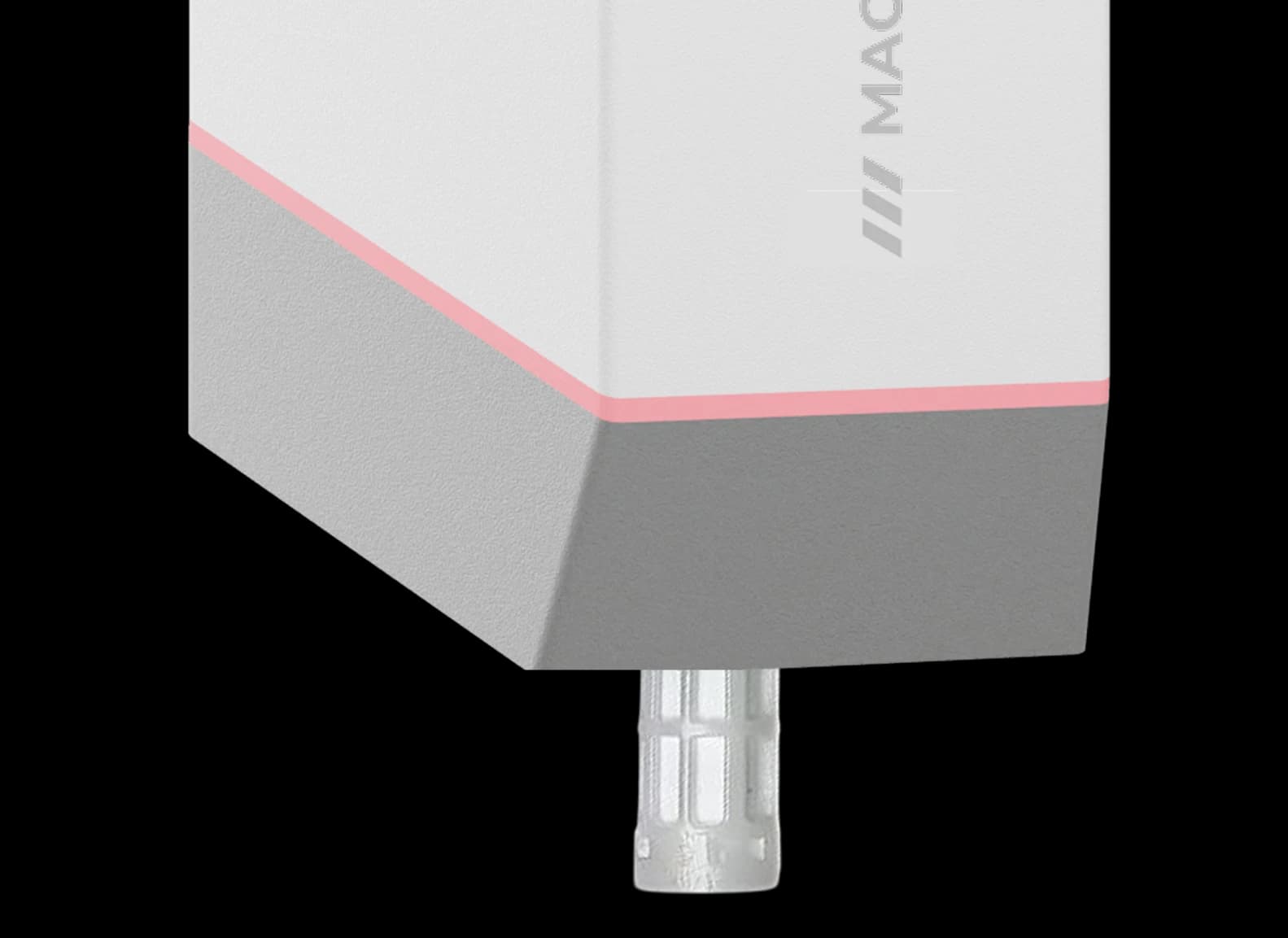
Every unit is calibrated before it ships: ±0.3 °C from 0 to +70 °C and ±0.6 °C below zero, ±3 % RH from 10 to 90 % RH, read at 0.1 °C and 0.5 % RH resolution.
Order the internal sensor for ambient monitoring, or the external probe variant so the transmitter stays outside a freezer, chamber or enclosure while the probe sits inside.
The battery variant is rated for about 2 years at 5-minute reports, 4 years at 15 minutes and 7+ years at hourly reports. The DC variant suits AHUs, panels and plant rooms with a supply.
Set a temperature or humidity threshold in the app and the sensor sends an event uplink as soon as a reading leaves it, without waiting for the next scheduled report.
LoRaWAN® reaches about 2 km across a built-up site and up to 8 km with a clear line of sight, so one gateway collects every cold room, store and rack on a campus.
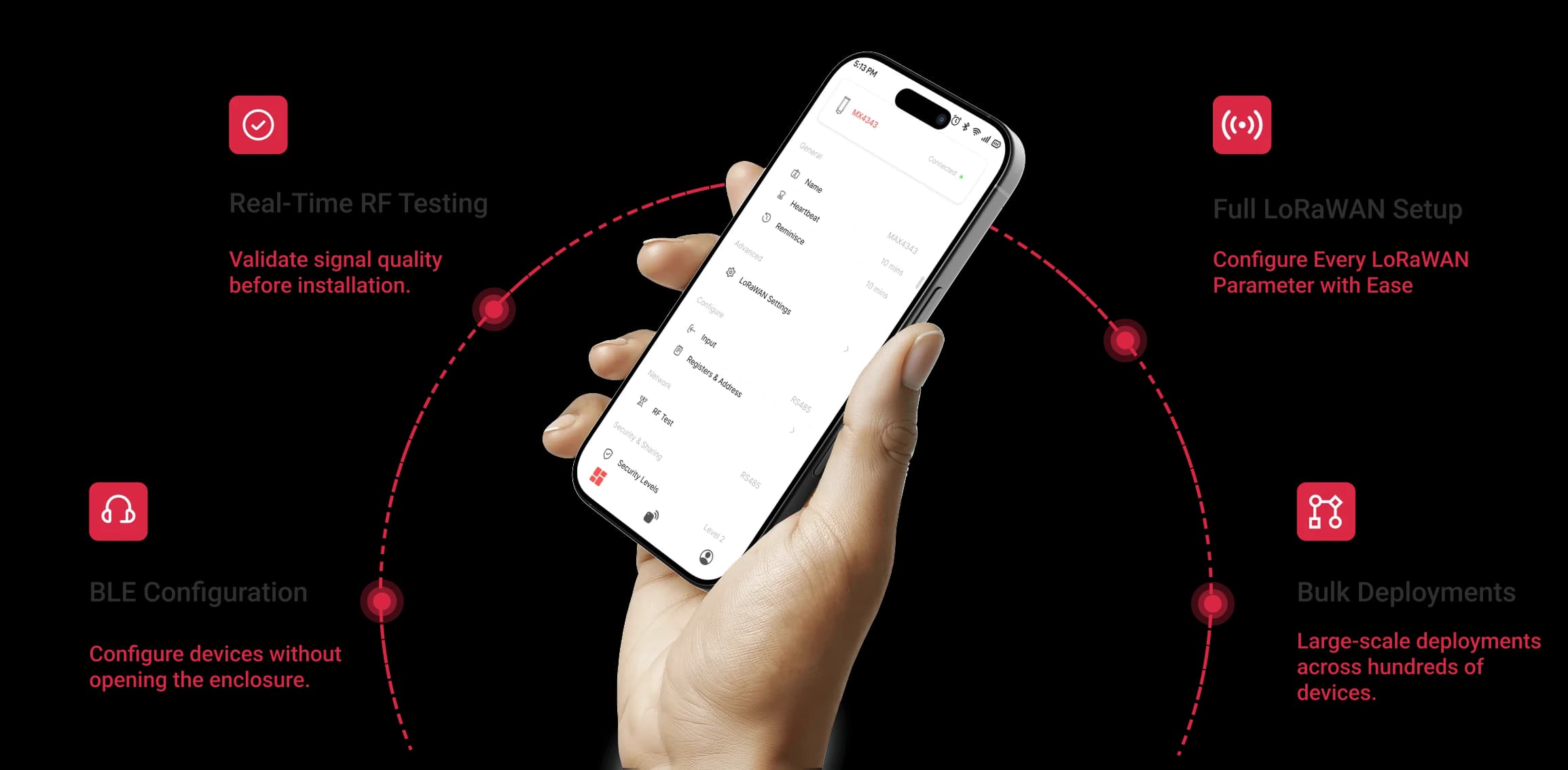
The Maya app pairs over Bluetooth to set the reporting interval, the thresholds and the band, and shows live readings on the spot. Later changes arrive as downlinks from the network server.
Samples are stored on the sensor as well as sent, so a gateway outage or a reefer that leaves coverage does not open a gap in the record. The log is read back in the Maya app.
No power cable, no data cable and no conduit into a refrigerated space. The clip screws to a wall or straps to a pole and the sensor slides in and locks.
A glass-filled nylon housing rated IP65, IP67 to order, working from −40 to +80 °C, with thermal isolation that keeps the reading steady next to plant.
About 175 g, small enough to sit between racks, on a cold-room wall or inside a panel, and light enough for a zip tie on a pole.
In plain terms
What Is a LoRaWAN Temperature and Humidity Sensor?
The short answer
A LoRaWAN temperature and humidity sensor is a battery-powered device that measures the temperature and relative humidity of a space and sends the readings over a LoRaWAN® network to a gateway that may be kilometres away. Because one gateway serves many sensors, a cold store, warehouse or campus can be monitored without mains power, Wi-Fi coverage or a SIM at each point.
Temperature
- ±0.3 °C
Accuracy from 0 to +70 °C
- −30 to +70 °C
Measurement range
- 0.1 °C
Resolution
Humidity
- ±3% RH
Accuracy from 10 to 90% RH
- 0–100% RH
Measurement range
- 0.5% RH
Resolution
Radio
- v1.0.4
LoRaWAN® version, Class A by default
- 5 bands
IN865, RU864, EU868, US915 and AU915
- 23 dBm
Transmit power at 865 MHz
Reporting
- 3 modes
Periodic, event-based or hybrid
- 1 min – 24 h
Sampling interval, configurable
- 2 alerts
Temperature and humidity thresholds
Power
- 19 Ah
Li-SOCl₂ battery
- 9–36 V
DC-powered variant
- ~100 µA
Sleep current
Enclosure
- IP65
Standard, with an IP67 option
- −40 to +80 °C
Operating temperature
- ~175 g
Glass-filled nylon housing


MacSync LTS X1
The MacSync LTS X1 is the industrial version: factory calibrated, in an IP65 housing rated from −40 to +80 °C, on a 19 Ah battery or 9–36 V DC. It is ordered with an internal sensor or an external probe, so the transmitter can stay outside a freezer or chamber while the probe sits inside.
Measures −30 °C to +70 °C, accurate to ±0.3 °C from 0 to +70 °C and ±0.6 °C below zero.
Measures 0 to 100% RH, accurate to ±3% RH between 10 and 90% RH and ±5% RH outside that band.
LoRaWAN® v1.0.4, Class A by default and Class C configurable, on IN865, RU864, EU868, US915 and AU915.
Periodic, event-based or hybrid, with temperature and humidity threshold alerts and sampling from 1 minute to 24 hours.
A 19 Ah Li-SOCl₂ battery, or a 9–36 V DC variant, with about 100 µA drawn in sleep.
An IP65 glass-filled nylon housing with an IP67 option, for pole or wall mounting.
The same device is searched for as a wireless temperature and humidity sensor, a LoRaWAN temperature data logger, a cold storage temperature sensor or a remote humidity monitor. It is an end device that reports to a LoRaWAN® gateway; it is not a gateway, a Wi-Fi logger or a Bluetooth beacon.
Get a quote
Need a quote for the MacSync LTS X1?
Tell us how many you need and where they are going. A product engineer replies within one working day with availability, lead time and the right variant for your site.
- Reply within one working day
- Designed and built in Pune, India
- WPC compliant, RoHS conformant
Downloads
MacSync LTS X1 Datasheet, User Guide and Setup Pages
The datasheet, the user guide, the online manual with the mounting and alert-setup pages, and the decoder repository, in one place.
Product Datasheet
PDF · full technical specifications
User Guide
PDF · installation and configuration guide
User manual (online)
Overview, specifications, live values, mounting and FAQs
Alert and sampling setup
Threshold triggers and sampled uplinks in the Maya app
Mounting guide
Wall bracket with the drilling template, pole mounting with zip ties
Payload decoder and encoder
GitHub: uplink decoders for The Things Stack, ChirpStack v4 and Milesight gateways, plus a downlink encoder
In focus
What Sets the MacSync LTS X1 Apart for Climate Monitoring
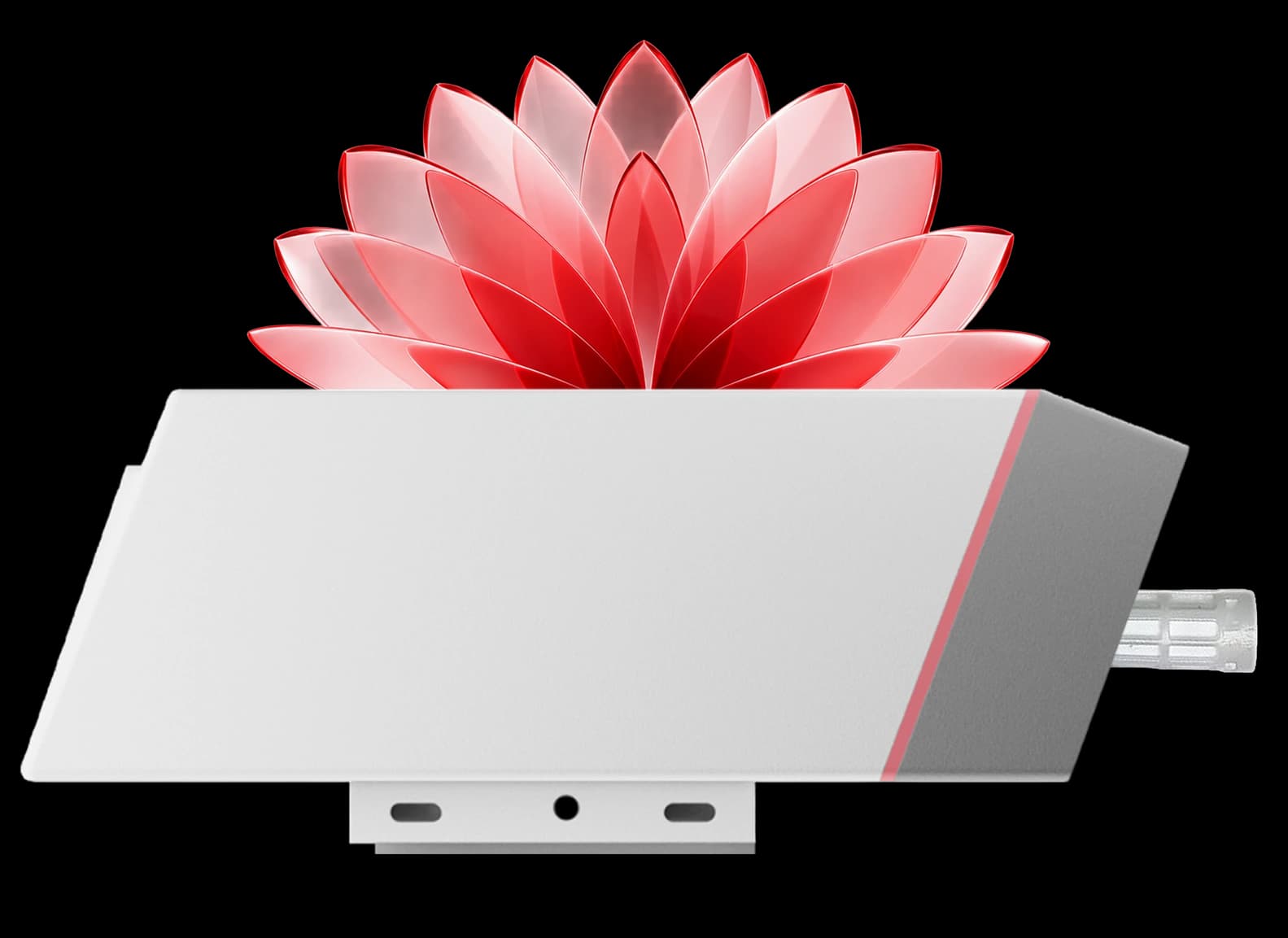
With the external probe variant the radio and the battery stay in the aisle, where the signal is strong and the cell is warm, while the probe reads inside a freezer, a chamber or a fridge.
01 / 05
Works with
±0.3 °C and ±3 % RH, Calibrated Before It Leaves the Factory
Accuracy that holds from a −30 °C freezer to a +70 °C plant roomAccuracy that holds from a −30 °C freezer to a +70 °C plant room

Where it fits
Cold Storage, Pharma Stores and Server Rooms: Where the Sensor Is Installed
Cold rooms, chillers and freezers
A sensor per cold room reports the temperature at the interval your records need and sends an alert the moment a door is left open or a compressor trips. For freezers, the probe variant keeps the transmitter in the aisle.

Pharma stores and warehouses
Temperature and humidity at every rack, mezzanine and dock, logged on the server for the storage conditions a quality programme asks for, with one gateway covering the whole shed.

Server rooms, panels and plant rooms
A sensor at rack level catches a failing air conditioner or a humid night before condensation reaches the hardware; the DC variant runs from the panel supply where one exists.

Cold rooms, chillers and freezers
A sensor per cold room reports the temperature at the interval your records need and sends an alert the moment a door is left open or a compressor trips. For freezers, the probe variant keeps the transmitter in the aisle.
Pharma stores and warehouses
Temperature and humidity at every rack, mezzanine and dock, logged on the server for the storage conditions a quality programme asks for, with one gateway covering the whole shed.
Server rooms, panels and plant rooms
A sensor at rack level catches a failing air conditioner or a humid night before condensation reaches the hardware; the DC variant runs from the panel supply where one exists.
Cold rooms and freezers
Monitoring a Freezer or Cold Room with a LoRaWAN Sensor: Four Things to Get Right
The questions that come up on every cold-chain site, answered from the datasheet and from installations.
Cold rooms and freezers
The questions that come up on every cold-chain site, answered from the datasheet and from installations.
Keep the transmitter out of the metal box
A walk-in freezer or a steel-lined chamber attenuates the radio and chills the battery. The probe variant puts only the probe inside; the transmitter and the 19 Ah cell stay in the aisle.
Mount it where the stock is
Away from the evaporator outlet, the door and the lights, at the height of the goods. A sensor by the cooler reads the cooler; one by the door reads every opening.
Expect humidity near saturation
A cold room runs at 90 to 100 % RH, where the specification widens to ±5 % RH, and condensation is outside the operating condition. Read a wet room with the probe variant, transmitter outside.
Set the alert band, not only the interval
A high and a low limit with a check interval of your choice gives an alarm uplink within minutes of an excursion and a clear uplink when it ends, while the periodic report keeps the record.
Still doing clipboard rounds of the cold rooms? A sensor in each one reports for you.
Book Live Demo NowFree planning tools
Size your deployment before you order the hardware
Free engineering calculators for coverage, range and battery life — built on measurements from our own deployments rather than textbook models, which is why the answers tend to be smaller and a good deal more useful. Nothing here quotes a range we have not actually achieved.
No sign-up, no email, nothing to install. More on the way for Wi-Fi and BLE.
Hardware
IP65 Housing for Cold Rooms, Plant Floors and Outdoor Sheds
The glass-filled nylon housing is rated IP65 as standard and IP67 to order, and the sensor works from −40 to +80 °C, so it goes into a chiller, a dusty plant floor or a poultry shed as it is. Thermal isolation inside the housing keeps the reading steady beside compressors and ducting.

Ready to put a sensor in every cold room and store? Ask for a quote or a pilot kit.
At a glance
MacSync LTS X1 LoRaWAN Temperature & Humidity Sensor Specifications
The key figures in one view: sensing, radio, power, protection and the network servers it joins.

±0.3 °C
temperature accuracy
−30 to +70 °C range · 0.1 °C resolution
±3 % RH
humidity accuracy
0–100 % RH range · 0.5 % RH resolution
19 Ah
battery variant
7+ years at hourly · or 9–36 V DC variant
IP65
enclosure
IP67 option · −40 to +80 °C
v1.0.4
LoRaWAN®
Class A, Class C via the app · IN865 to AU915 · 23 dBm
Maya
setup over Bluetooth
Interval, limits, live values, signed updates
Features
Built into the MacSync LTS X1: Sensing, Radio, Power and Setup
Three Reporting Modes
Set how each sensor reports, in the Maya app
Reports on the interval you set, from a minute to a day
Kilometres of LoRaWAN® range
About 2 km across a built-up site from the internal antenna; one gateway collects every zone
Years on one cell, or powered
About 2 years at 5-minute reports, 4 years at 15 minutes and 7+ years at hourly, or a powered variant
Internal sensor or external probe
Ambient air, or a probe into a freezer, chamber or enclosure with the transmitter outside
Calibrated before shipping
±0.3 °C and ±3 % RH out of the box, with 0.1 °C and 0.5 % RH resolution
Secure by design
AES-128 LoRaWAN® encryption, OTAA activation, secure boot and signed over-the-air updates
Macnman Maya app
Interval, limits, band, live values and firmware updates from a phone over Bluetooth
Any LoRaWAN® network server
ChirpStack, The Things Stack, LORIOT, Orbiwise, Netmore or a private server
Capabilities
Readings Kept on the Device Through an Outage
Samples are stored on the sensor as well as sent, so a gateway outage, a server restart or a reefer that leaves coverage does not open a gap in the temperature history. Once the link is back, the network server holds the long-term record, and the on-device log can be read in the Maya app.

Before you order
Send Us the Zone List and We Confirm the Variants
Four details are enough for an engineer to reply with the variant for each zone, the reporting interval and the gateway count.
Before you order
Four details are enough for an engineer to reply with the variant for each zone, the reporting interval and the gateway count.
Zones and their limits
Cold rooms, freezers, stores, racks or sheds, with the temperature and humidity band each one must stay in.
Ambient or probe
Whether the sensor reads the air where it hangs, or a probe must go into a freezer, chamber or enclosure.
Power at the zone
A supply nearby points to the 9–36 V DC variant; none points to the 19 Ah battery variant.
Network and server
An existing LoRaWAN® gateway and network server, or a new one; or MacTalk to a MacSet controller with no gateway.
Ready now: Get a quote · Request a pilot kit · Partner programme
Planning a LoRaWAN network for a site? Start with the gateway and coverage calculator.
Customize it !Architecture
LoRaWAN Network Architecture: Sensor, Gateway, Network Server and Dashboard

Outcomes
What a Sensor in Every Zone Changes: Four Outcomes
The readings are a trigger as much as a record: alerts, storage logs and HVAC decisions all act on them. This is what sites get out of the sensor.
Outcomes
The readings are a trigger as much as a record: alerts, storage logs and HVAC decisions all act on them. This is what sites get out of the sensor.
Stock saved before a limit is passed
A threshold uplink reaches the duty phone while a cold room is still inside its band, so the response is a door check or a service call, not a write-off.
Storage records without clipboard rounds
Timestamped temperature and humidity from every zone sits on the network server, ready to export when an auditor or a customer asks for the storage history.
Hotspots found before hardware fails
Rack-level readings show a rising aisle or a humid corner days before it becomes a fault, with an event uplink the moment the limit is crossed.
Cooling trimmed to what the room needs
Room-by-room data shows where chillers and dehumidifiers overshoot, so set points are raised with evidence and the energy bill follows.
How it works
How to Set Up LoRaWAN Temperature and Humidity Monitoring in Five Steps
Step 1 of 5
Pick the zones
One sensor per cold room, store, rack row or shed. Choose the internal sensor for ambient air and the probe variant for freezers and chambers.
Bracket on the wall, clip on the pole
No cable into the refrigerated space: the bracket screws to the wall with the template from the box, or the clip straps to a pole.
Set interval and limits in Maya
Over Bluetooth: the reporting interval, the high and low limits for temperature and humidity, and the band. Live values confirm the placement.
Readings reach the gateway
Periodic reports and threshold alerts travel over LoRaWAN® to a gateway up to kilometres away; one gateway serves the whole site.
Dashboards, alerts and records
The network server decodes the uplink and passes it to your dashboard, alert rules and storage records over MQTT or HTTPS.
Reporting modes
Periodic, Threshold and Hybrid Reporting: Which Mode for Which Zone
The sensor samples and reports on the schedule you set in the Maya app, from once a minute to once a day. A fixed interval gives a predictable record and a predictable battery life.
Note: Storage programmes usually run 5 to 15 minutes; ambient monitoring runs hourly.
Set a high and a low limit for temperature and for humidity. The sensor checks the reading at an interval you choose, from every 5 seconds to every 18 hours, and the moment a reading leaves the band it sends an alarm uplink, followed by a clear uplink when the reading is back inside. An excursion is known in minutes rather than at the next report. Note: Alerts run alongside either of the other modes.
Steady periodic records plus instant alerts, which is how most cold storage and pharma sites run it. Sampling takes 2 to 12 readings between uplinks and sends them together, each with its own timestamp, so the record keeps the detail of a 5-minute trend while the battery pays for one uplink every 15 or 30 minutes. Note: Readings are also kept on the device, so an outage does not open a gap.
How many sensors, how many gateways, how long on a battery? The planning tools answer all three.
Customize it !Cloud & LNS
Works with Any LoRaWAN® Gateway and Network Server
Readings in ChirpStack, The Things Stack or Your Own Server
The MacSync LTS X1 is a standard LoRaWAN® v1.0.4 end device with OTAA activation. Register it on ChirpStack, The Things Stack, LORIOT, Orbiwise, Netmore or a private server, add the decoder, and each reading arrives as temperature and humidity values that MQTT or HTTPS carry on to your dashboard, SCADA or quality system.

Build the network: Setu X1 indoor LoRaWAN gateway · MacLink Gen-2 outdoor LoRaWAN gateway · Gateway and coverage calculator · LoRaWAN battery life calculator
Device-to-device
No Gateway? MacTalk Device to Device
A MacTalk variant sends the reading straight to another Macnman device
The MacTalk variants (SKU 8103 and 8104) send temperature and humidity directly to a MacSet controller or another Macnman device over LoRa, with no gateway, SIM or internet.

No gateway
Two devices, one LoRa link, no network server.
Local control
A MacSet controller switches a fan or alarm on the reading.
Battery or DC
MacTalk versions on the 19 Ah cell or 9–36 V DC.
Rolling out across several sites? Ask about a pilot kit and the partner programme.
Customize it !RF performance
Stable Readings Beside Compressors, Chillers and HVAC Plant
The internal antenna and the LoRa® radio hold the link through the interference of a plant room, and thermal isolation inside the housing keeps the temperature reading from drifting with the heat of a nearby compressor or duct.
Installation
Wall or Pole Mounting Beside the Zone You Measure
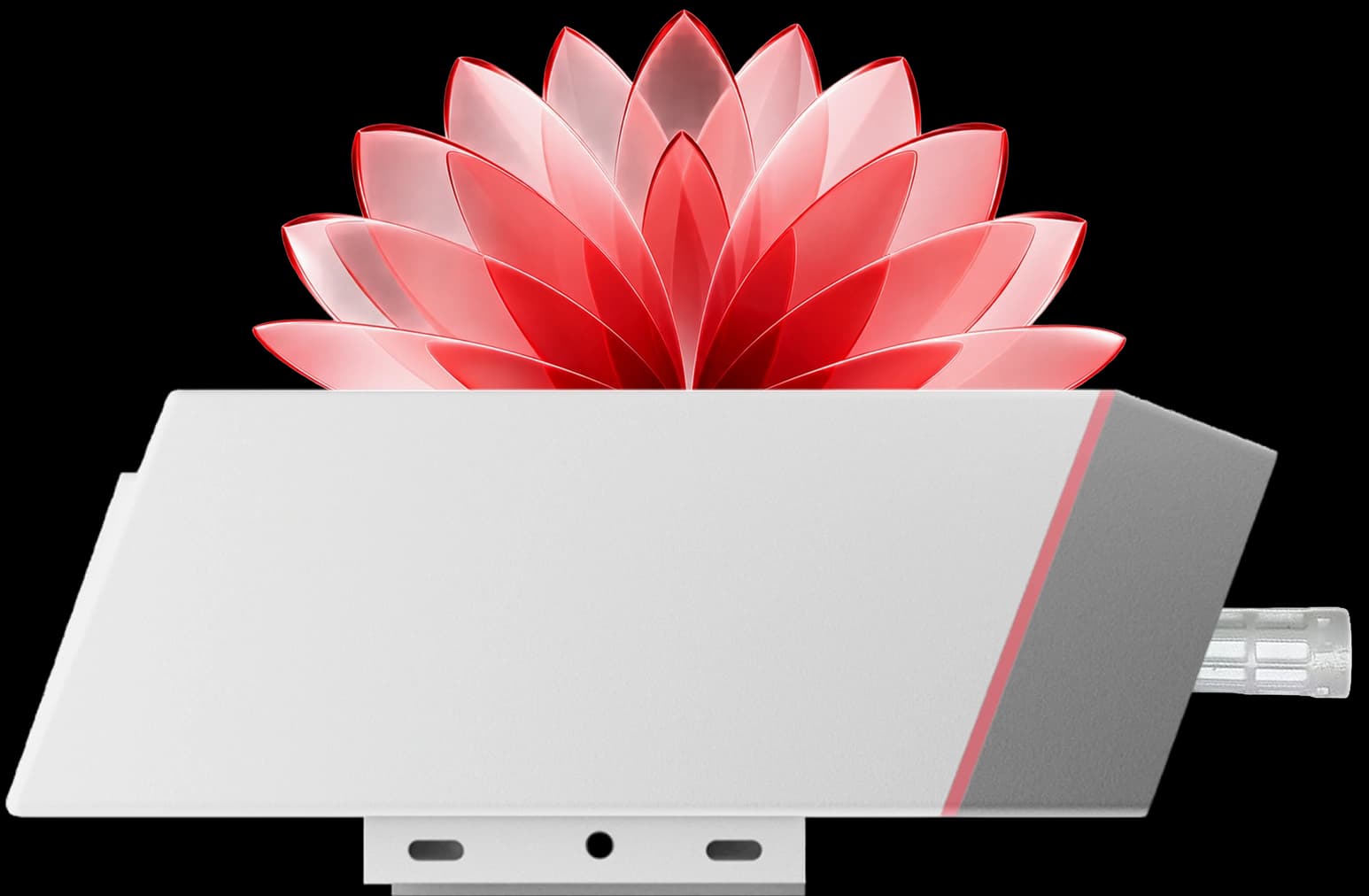
The bracket screws to a wall using the drilling template in the box and the sensor slides in and locks. On a pole, the mounting clip is held by plastic or stainless steel zip ties, so the sensor sits at rack height, on a cold-room wall or on a greenhouse post, and the probe reaches the zone it measures.
The sensor slides into a wall bracket or straps to a pole with zip ties , so it sits at rack height or on a cold-room wall and the probe reaches the zone it measures.
Installation
Installed in Minutes, Reporting for Years
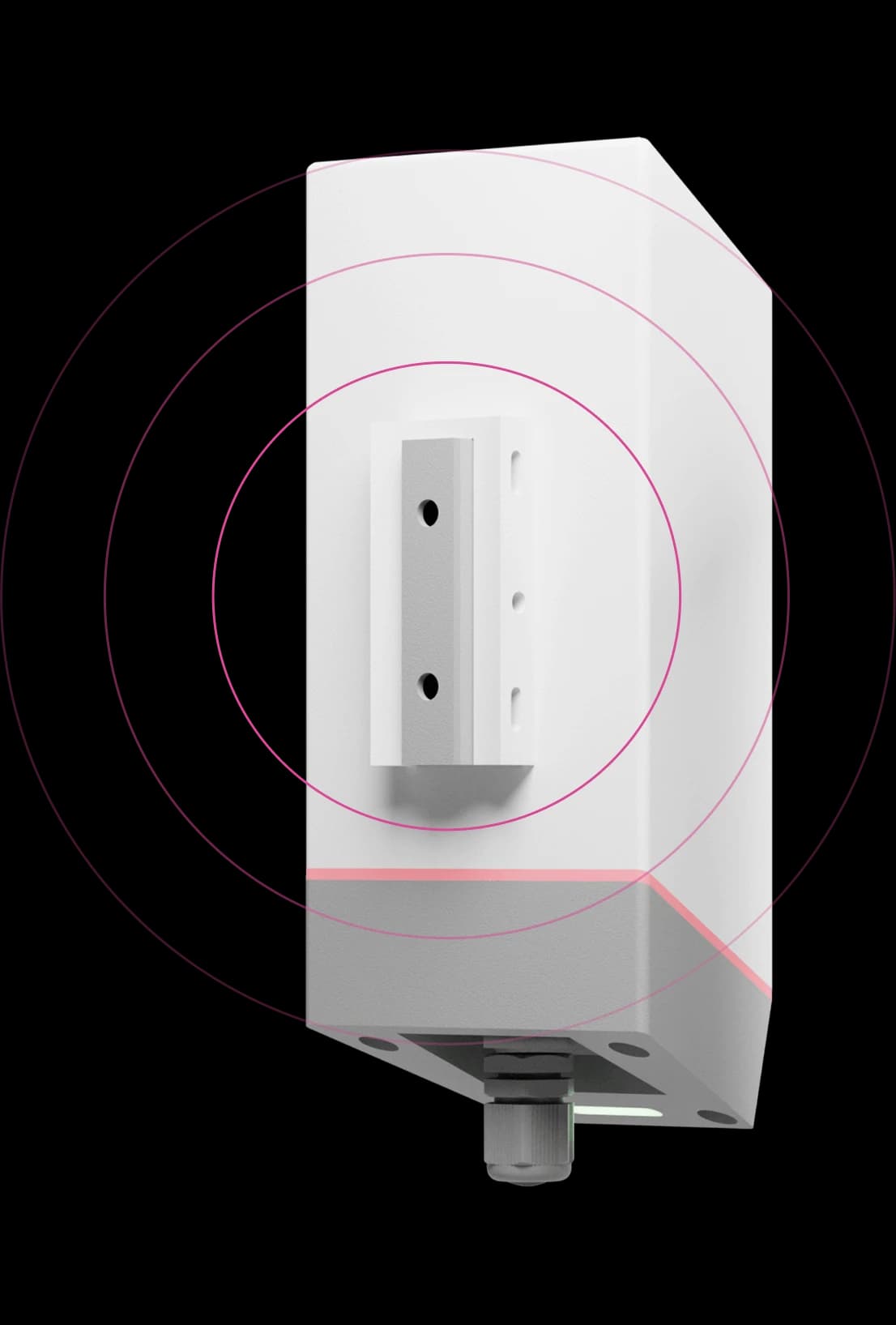
Stick the template, fix the bracket
The tape in the box marks the two holes; drill them, screw the bracket on, or strap the clip to a pole with zip ties.
Slide the sensor in
It slides down into the bracket until it locks. With the probe variant, route the probe into the fridge, freezer or chamber you are measuring.
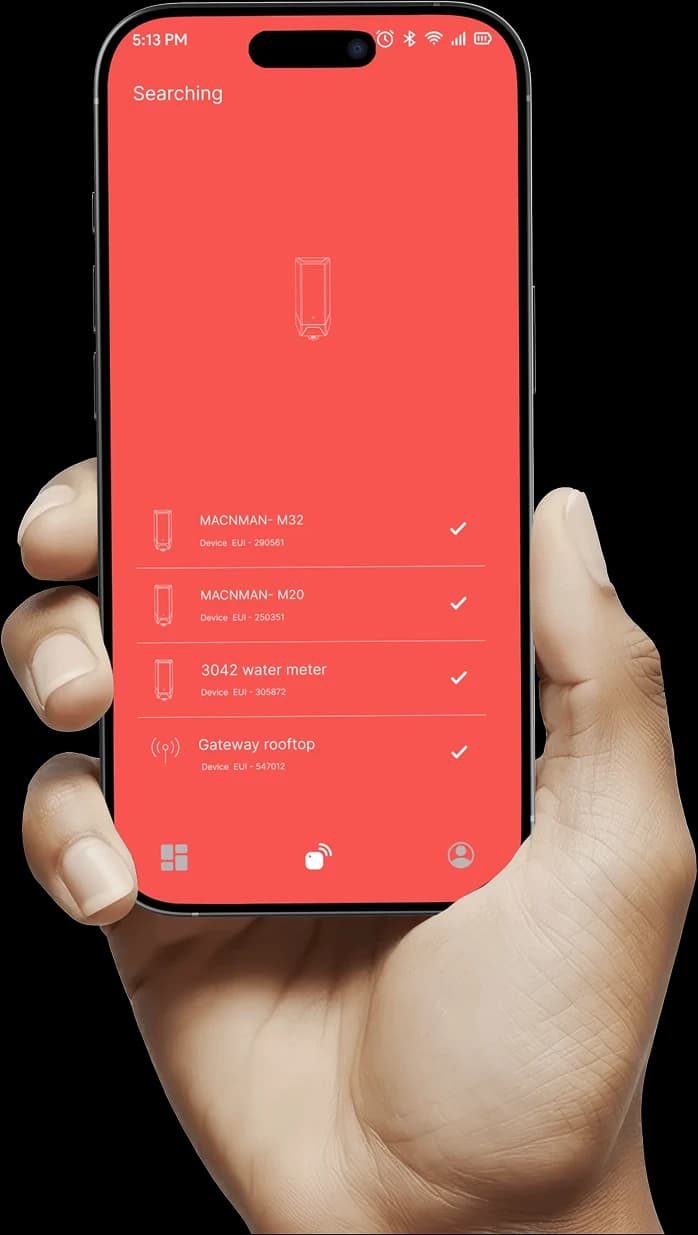
Pair with Maya over Bluetooth
Set the reporting interval, the temperature and humidity limits and the band, and check the live reading on the spot.

Watch the first uplink arrive
Register the DevEUI and keys on ChirpStack, The Things Stack or your private server, add the decoder, and the first reading appears within the interval you set.
Range & reliability
How Far Does a Wireless LoRaWAN Temperature Sensor Transmit?
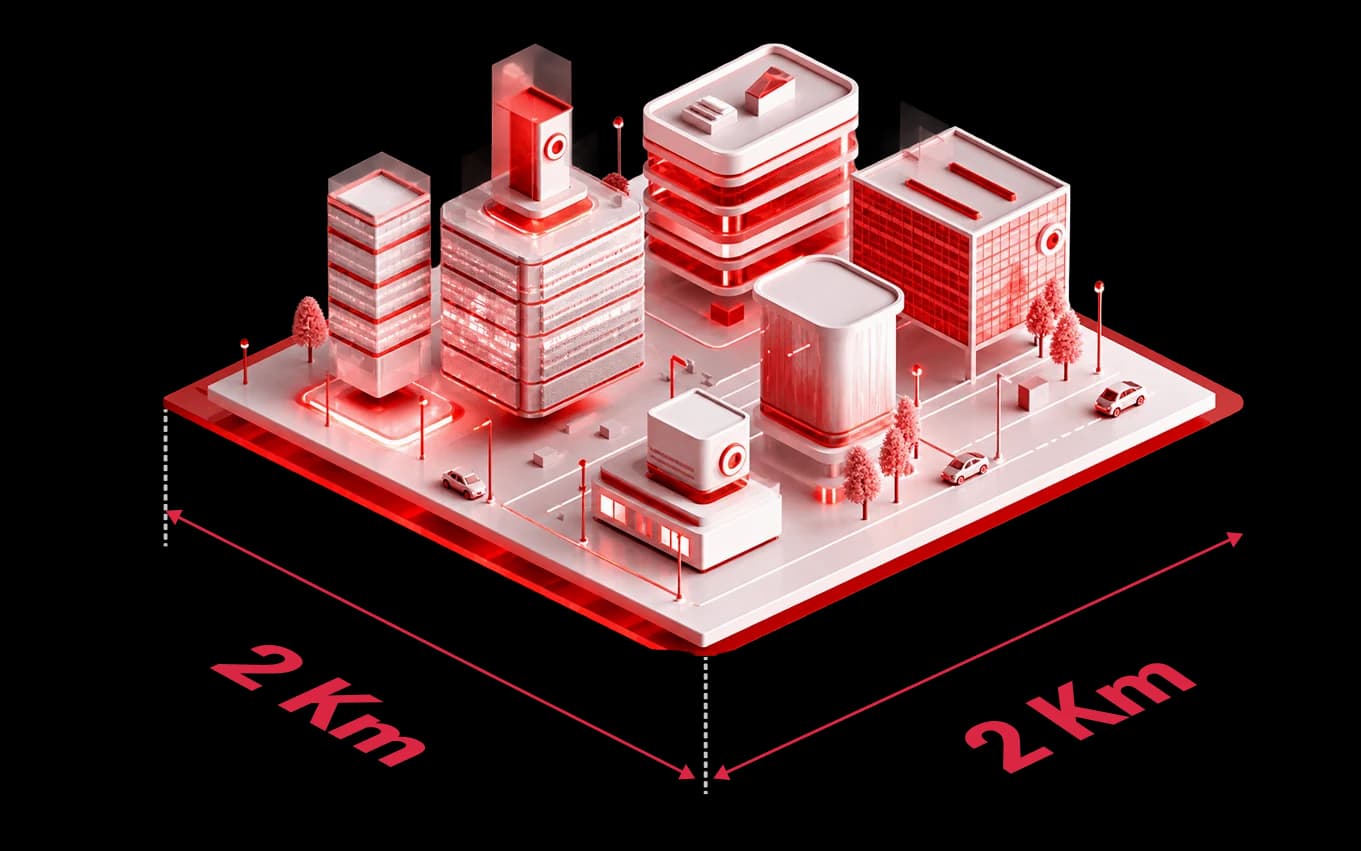
About 2 km across a built-up site and up to 8 km with a clear line of sight
From its internal antenna at 23 dBm the MacSync LTS X1 reaches a gateway through warehouse walls, racking and cold-room panels, so one gateway on the roof collects every zone on the site. Real range depends on the gateway height and what stands in between; the Maya app shows the signal at the mounting point before the clip is screwed on.
Made in India
A LoRaWAN temperature and humidity sensor made in Pune, India
Sites in India get the IN865 plan as standard, a WPC compliant radio, and an engineer in Pune who answers during the Indian working day. Projects abroad take the same sensor on EU868, US915, AU915 or RU864.
Made in India
Sites in India get the IN865 plan as standard, a WPC compliant radio, and an engineer in Pune who answers during the Indian working day. Projects abroad take the same sensor on EU868, US915, AU915 or RU864.
IN865 as standard
Shipped on the 865–867 MHz LoRaWAN® plan for India; another regional plan is set when ordering.
WPC compliant radio
The LoRaWAN® radio is WPC compliant for use in India and the hardware conforms to RoHS.
Built in Pune
Designed, assembled and calibrated at one site in Pune, where the support engineers also sit.
Which sensor
Which Macnman Temperature Sensor Do You Need: LoRaWAN, Wi-Fi or RTD Probe?
Three Macnman sensors measure temperature. Choose by the network the site has and by whether an ambient reading or a probe into a process is needed.
| Criterion | MacSync LTS X1 (LoRaWAN®) | MacSync WT1 (Wi-Fi) | MacSync LRTD X1 (LoRaWAN® RTD) |
|---|---|---|---|
| Network | LoRaWAN® v1.0.4 through a gateway, or MacTalk device to device | Existing 2.4 / 5 GHz Wi-Fi to MQTT or HTTPS, with no gateway | LoRaWAN® v1.0.4 through a gateway |
| Measures | Air temperature and relative humidity | Air temperature and relative humidity | Temperature from a PT100 probe, −200 to +850 °C |
| Accuracy | ±0.3 °C · ±3 % RH | ±0.3 °C · ±3 % RH | ±0.2 °C typical |
| Probe | Internal sensor or external probe | Internal sensor or external probe | External PT100 probe |
| Power | 19 Ah battery or 9–36 V DC | Battery | Battery or DC |
| Choose it for | Cold rooms, stores, sheds and sites spread over a campus, kilometres from the gateway | Rooms and labs inside a building that already has Wi-Fi and no LoRaWAN gateway | Ovens, pipelines, freezers and processes where the sensor must sit on or in the medium |
| SKUs | 8101 battery · 8102 DC · 8104 / 8103 MacTalk · 8105 BLE | See the Wi-Fi sensor page | See the RTD sensor datasheet |
A CO₂ sensor with temperature and humidity is on its own page for ventilation and air-quality jobs.
See also: Compare all MacSync LTS X1 versions · MacSync WT1 Wi-Fi temperature and humidity sensor · LoRaWAN CO₂, temperature and humidity sensor
Accuracy
Temperature and Humidity Accuracy by Range
The datasheet figures, band by band. The sensor is factory calibrated; the figures hold without a field adjustment.
| Reading | Range | Accuracy | Resolution | Where it matters |
|---|---|---|---|---|
| Temperature, above freezing | 0 to +70 °C | ±0.3 °C | 0.1 °C | Vaccine fridges at 2 to 8 °C, pharma stores at 15 to 25 °C, server aisles |
| Temperature, below freezing | −30 to 0 °C | ±0.6 °C | 0.1 °C | Freezers and cold rooms at −18 to −25 °C, with the probe variant |
| Humidity, mid range | 10 to 90 % RH | ±3 % RH | 0.5 % RH | Warehouses, archives, greenhouses and plant rooms |
| Humidity, extremes | Below 10 % or above 90 % RH | ±5 % RH | 0.5 % RH | Dry rooms and saturated cold rooms; condensation is outside the operating condition |
Operating humidity is 0 to 100 % RH non-condensing. For process temperatures beyond −30 to +70 °C, the MacSync LRTD X1 RTD sensor reads a PT100 probe from −200 to +850 °C.
Internal or external probe
Internal Sensor or External Probe: Which Variant to Order
Both variants share the same radio, battery options, housing and accuracy specification. They differ in where the sensing element sits.
| Criterion | Internal sensor | External probe |
|---|---|---|
| Where the element sits | Inside the sensor housing, reading the air around it | On a lead from the housing, inside the space it measures |
| Zones it suits | Cold rooms and chillers at 2 to 8 °C, pharma stores, warehouses, server rooms, sheds and greenhouses | Freezers, fridges, chambers, incubators, panels and any lined box the radio should stay out of |
| Where the transmitter goes | On the wall or pole in the zone itself | Outside the zone, in the aisle or beside the door, with the lead through the seal or a gland |
| Radio and battery | Both inside the zone; check the signal at the spot with the Maya app | Both outside the cold and outside any metal lining, which helps the link and the cell |
| Accessory | Mounting clip in the box | Mounting clip in the box; IP68 cable extender ordered separately |
| Specification | −30 to +70 °C · ±0.3 °C from 0 to +70 °C · 0 to 100 % RH · ±3 % RH | Same datasheet specification; probe length and material are confirmed when ordering |
For a process that runs beyond −30 to +70 °C, such as an ultra-low freezer, an oven or a pipeline, the MacSync LRTD X1 reads a PT100 probe from −200 to +850 °C.
Battery life
Battery Life of the LoRaWAN Temperature Sensor by Reporting Interval
Datasheet estimates for the 19 Ah battery variant. The reporting interval is the main lever; pick the interval your records need and read across.
| Reports every | Datasheet estimate | Uplinks per day | Typical use |
|---|---|---|---|
| 5 minutes | About 2 years | 288 | Vaccine fridges and freezers where the record must show every few minutes |
| 15 minutes | About 4 years | 96 | Cold rooms, pharma stores and warehouses on a routine storage programme |
| 60 minutes | 7+ years | 24 | Ambient monitoring of sheds, greenhouses, server rooms and archives |
Estimates from the MacSync LTS X1 datasheet for the 19 Ah Li-SOCl₂ cell; a threshold alert adds an uplink only when a limit is crossed. Cold sites, confirmed uplinks and weak links shorten the figures. The LoRaWAN battery life calculator on this site estimates other intervals; where a supply exists, the 9–36 V DC variant removes the question.
Application map
Cold Room, Freezer, Pharma Store, Server Room and Greenhouse: How the Sensor Is Used
Each row is a zone found on most Indian storage, pharma, food and facility sites, with the variant that suits it and how it is usually set to report.
| Zone | What is watched | Variant and placement | Reporting |
|---|---|---|---|
| Cold room or chiller, 2 to 8 °C | Air temperature and door-open excursions | Internal sensor on the wall away from the evaporator, or the probe variant | Every 5 to 15 minutes, alert above 8 °C and below 2 °C |
| Freezer, −18 °C and below | Core air temperature | External probe inside, transmitter outside in the aisle | Every 5 to 15 minutes, alert the moment the core air warms |
| Pharma store, 15 to 25 °C | Temperature and humidity across racks | Internal sensor, one per zone and one by the door | Every 15 minutes, alerts on both limits |
| Warehouse or FMCG store | Humidity and heat at mezzanines and docks | Internal sensor, pole or wall mounted | Every 15 to 60 minutes |
| Server room or panel | Rack inlet temperature and humidity | Internal sensor at rack height; DC variant from the panel supply | Every 5 to 15 minutes, alert on inlet temperature and humidity |
| Greenhouse or poultry shed | Air temperature and humidity for ventilation | IP65 internal sensor on a post, shaded | Every 15 to 60 minutes, alert on heat |
| AHU or plant room | Supply and return air conditions | DC variant on the duct or wall | Every 5 to 15 minutes |
| Museum, archive or lab | Humidity drift and temperature swing | Internal sensor, wall mounted | Hourly, alert on humidity |
Limits and intervals are typical starting points, not regulatory values; set them to the limits your own programme specifies. Send us the zone list and we confirm variants and intervals.
Related: Smart building solutions · Smart industry solutions · Smart agriculture · LoRaWAN washroom odour sensor
What is sent
What Each LoRaWAN Uplink Carries: Temperature, Humidity, Battery and Time
Every telemetry uplink ends with the battery level and a UTC timestamp, so the server knows the state of the cell and can place a stored reading at the time it was taken. The published decoder turns each frame into named values.
| Uplink | What it carries | When it is sent |
|---|---|---|
| Heartbeat (FPort 2) | Temperature and humidity to 0.01 resolution, a sensor status flag, battery in %, UTC time | At every reporting interval |
| Sampling (FPort 3) | 2 to 12 readings of temperature, humidity or both, oldest first, with battery and time | At the reporting interval, when sampling is on |
| Trigger (FPort 4) | ALARM or CLEAR, which limit, the reading and the low and high limits | The moment a reading leaves the band, and again when it returns |
| Boot (FPort 5) | Firmware and hardware version | Once after each join |
| Config ACK (FPorts 16 to 21) | The setting now stored, with the battery level | After each downlink command is applied |
Frame formats are those implemented in the published MacSync-LBS-TH-X1 codec for The Things Stack, ChirpStack v4 and Milesight gateways.
Remote control
Downlink Commands: Interval, Alert Limits and Sampling from the Network Server
Settings made in the Maya app on site can be changed later from the network server. In Class A, the default, a command is delivered after the sensor's next uplink.
| FPort | What it sets | Range | Typical use |
|---|---|---|---|
| 16 | Reporting interval | 60 s to 86,399 s | Slow a quiet store to hourly, speed up a cold room during a heat wave |
| 17 | Adaptive data rate on or off | 0 or 1; the sensor restarts | Fix the data rate on a site with a weak or variable link |
| 18 | Confirmed or unconfirmed uplinks | 0 or 1 | Confirmed reports for a critical freezer, at a cost in battery |
| 19 | ADR, spreading factor and message type together | SF7 to SF12 when ADR is off | Pin a far sensor to a long-range spreading factor |
| 20 | Alert limits: trigger 1 or 2, temperature or humidity, low and high, check interval, on or off | Check interval 5 s to 65,535 s | Tighten the band for a vaccine fridge, open it for a loading bay |
| 21 | Sampling: temperature, humidity or both, readings per uplink, on or off | 2 to 12 readings per uplink | Keep a 5-minute trend while uplinking every half hour |
FPorts and ranges as implemented in the published codec, which also contains the matching downlink encoder. The older user-manual page documents the interval change on FPort 6 with a JSON payload for earlier firmware; use the format that matches your unit.
Compared
MacSync LTS X1 vs Milesight EM300-TH vs Dragino LHT65N vs SenseCAP S2101
The LoRaWAN® temperature and humidity sensors most often shortlisted together, on the figures each manufacturer publishes. Checked 11 October 2026; where a page does not state a figure, the cell says so.
| Criterion | Macnman MacSync LTS X1 | Milesight EM300-TH | Dragino LHT65N | Seeed SenseCAP S2101 |
|---|---|---|---|---|
| Temperature | −30 to +70 °C · ±0.3 °C from 0 to +70 °C, ±0.6 °C below 0 °C | −30 to +70 °C · ±0.3 °C from 0 to +70 °C, ±0.6 °C below 0 °C | Built-in sensor −40 to +85 °C · typically ±0.3 °C | −40 to +85 °C · accuracy not on the pages checked |
| Humidity | 0–100 % RH · ±3 % RH from 10 to 90 %, ±5 % outside | 0–100 % RH · ±3 % RH from 10 to 90 %, ±5 % outside | 0–96 % RH · typically ±3 % RH | 0–100 % RH · accuracy not on the pages checked |
| Probe | Internal sensor or external probe variant | Integrated sensor only | External probe input, ±0.5 °C from −10 to +85 °C | Integrated sensor |
| Battery | 19 Ah Li-SOCl₂ · about 2 / 4 / 7+ years at 5 / 15 / 60-minute reports | 4,000 mAh ER18505, 8,000 mAh optional · over 10 years at 10-minute reports on SF7, about 5.8 years on SF10 EU868, lab conditions | Built-in 2,400 mAh · up to 10 years depending on the interval | ER34615 D-size Li-SOCl₂, replaceable · life not on the pages checked |
| DC-powered version | 9–36 V DC variant | Battery only | Battery only | Battery only on the pages checked |
| Enclosure | IP65, IP67 option · −40 to +80 °C · ~175 g | IP67 · −30 to +70 °C · 95.6 g | IP rating and operating temperature not on the page checked | IP66 · −40 to +85 °C · 280 g |
| LoRaWAN | v1.0.4 · Class A, Class C via the app · OTAA | Class A · OTAA and ABP | v1.0.3 · Class A | v1.0.2 · Class A |
| IN865 for India | Standard, WPC compliant | In the band list | By order code; not in the feature band list | IN865-867 listed |
| Configuration | Maya app over Bluetooth · downlink | NFC app · downlink | AT commands · downlink | Bluetooth 5.0 app |
| Readings kept on the device | Yes, read back in the app; count not published | 2,800 entries | 3,328 records | Not on the pages checked |
| Manufacturer | Macnman, Pune, India | Milesight, Xiamen, China | Dragino, Shenzhen, China | Seeed Studio, Shenzhen, China |
Figures for the other products are taken from their manufacturers' product pages, documentation and The Things Network device repository, checked on 11 October 2026, and may change. Milesight, Dragino, Seeed and SenseCAP are trademarks of their respective owners.
FAQ
MacSync LTS X1 LoRaWAN Temperature & Humidity Sensor: Frequently Asked Questions
It measures the air temperature and relative humidity of a space and sends the readings over LoRaWAN® to a gateway that may be kilometres away, so cold rooms, pharma stores, warehouses, server rooms and sheds are monitored without mains power, Wi-Fi or a SIM at each point. The MacSync LTS X1 is the industrial version: factory calibrated, IP65, on a 19 Ah battery or 9–36 V DC, with an internal sensor or an external probe.
±0.3 °C from 0 to +70 °C and ±0.6 °C from −30 to 0 °C, with 0.1 °C resolution; ±3 % RH from 10 to 90 % RH and ±5 % RH outside that band, with 0.5 % RH resolution. Each unit is factory calibrated, so these figures apply out of the box without a field adjustment.
Every MacSync LTS X1 is calibrated at the factory before it ships. If your quality programme needs a calibration certificate or a periodic recalibration schedule, tell us when you order and we will set out what can be supplied for your batch.
Yes. The internal sensor measures down to −30 °C and the housing works from −40 to +80 °C, so a chiller or cold room at 2 to 8 °C takes the standard unit on the wall. For a freezer, order the external probe variant: the probe goes inside while the transmitter and the battery stay in the aisle, where the radio signal is stronger and the cell is warmer.
A fridge or chamber takes the external probe variant, with the probe inside and the transmitter mounted beside the door. A pharma store or warehouse at 15 to 25 °C takes the internal sensor, one per zone and one near the door. Both are read at the interval your programme specifies, with threshold alerts on the high and low limits.
Not with this sensor: its measuring range is −30 to +70 °C. For an ultra-low freezer, a blast chiller, an oven or a pipeline, use the MacSync LRTD X1, a LoRaWAN RTD sensor that reads a PT100 probe from −200 to +850 °C with the same radio, battery options and Maya app setup.
The datasheet estimates for the 19 Ah Li-SOCl₂ cell are about 2 years at 5-minute reports, about 4 years at 15-minute reports and 7+ years at hourly reports, because the sensor sleeps at about 100 µA between readings. A threshold alert adds an uplink only when a limit is crossed. Where a supply exists, the 9–36 V DC variant removes the question.
Li-SOCl₂ cells are used because they keep working well below zero, and the housing is rated to −40 °C. Cold does reduce the charge a cell can deliver, so for a freezer we recommend the probe variant, which keeps the battery outside in the aisle, and for a continuously cold mounting point we size the interval with you. Ask for an estimate for your temperature and interval.
Yes. The 19 Ah cell connects to the board inside the housing and is swapped on site for a cell of the same type, so the sensor stays where it is mounted; the user manual shows the procedure.
From the internal antenna at 23 dBm, about 2 km across a built-up site and up to 8 km with a clear line of sight to the gateway. Inside a warehouse the signal passes walls and racking, so one gateway on the roof usually serves the whole site. Mount the gateway high and use the Maya app's network test to check the signal at each mounting point.
Out of a panelled cold room, usually yes; out of a steel freezer or a walk-in with a metal lining, often not. That is the reason for the external probe variant: the transmitter stays outside the metal box and only the probe goes in. Check the signal at the intended spot with the Maya app before fixing the bracket.
Hundreds at a routine interval. A reading every 15 minutes is a short uplink, and a LoRaWAN® gateway receives on several channels at once, so a site with cold rooms, stores and racks normally needs one gateway for coverage, not for capacity. The gateway and coverage calculator on this site works it out for your interval and area.
Yes, unless you choose a MacTalk variant. Any LoRaWAN® gateway works: the Setu X1 indoors or the MacLink Gen-2 outdoors from Macnman, or a gateway you already run. The MacTalk variants (8103 and 8104) send the reading straight to another Macnman device, such as a MacSet controller, with no gateway at all.
Any standard one. The MacSync LTS X1 is a LoRaWAN® v1.0.4 device with OTAA activation and AES-128 encryption, so it joins ChirpStack, The Things Stack, LORIOT, Orbiwise, Netmore or a private server. From the server the decoded readings travel on by MQTT or HTTPS to your dashboard, SCADA or quality system.
Yes, published on GitHub in the Macnman decoder repository: one codec file each for The Things Stack, ChirpStack v4 and Milesight gateways, each with the uplink decoder and the downlink encoder, plus a stand-alone encoder. The link is in the downloads section. Each uplink decodes to temperature, humidity, battery percentage and a UTC timestamp, and a sampling frame to its list of readings.
In the free Macnman Maya app over Bluetooth: pair with the sensor, set the reporting interval from 1 minute to 24 hours, choose periodic, threshold or hybrid reporting, and enter the high and low limits for temperature and humidity. Live values show on the phone, so the placement is checked on the spot. Once the site is live, the interval, the limits and the sampling count can be changed by downlink from the network server; the downlink table on this page lists the commands.
The sampling interval is how often the sensor takes a reading; the reporting interval is how often it sends. In sampling mode the sensor takes several readings between uplinks and sends them together, so the record keeps the detail of a 5-minute trend while the battery pays for an uplink every 15 or 30 minutes.
They are kept on the sensor as well as sent, so an outage does not open a gap in the history. The stored log is read back in the Maya app. Your network server and dashboard hold the long-term record once the link is back.
Every telemetry uplink carries the battery level in percent and a UTC timestamp, so the dashboard can show both per sensor. Set an alarm on the server for a sensor that has not reported within two or three intervals, which catches a dead battery, a blocked signal or a removed unit, and a second alarm on the battery percentage so the cell is swapped before it runs out.
It provides the readings: timestamped temperature and humidity at the interval you set, delivered to your network server and platform, where the storage history, reports and alert logs are kept. Whether that record satisfies a given standard depends on the limits, intervals and retention your programme specifies, so set those with your quality team and we will confirm the sensor settings.
It reports temperature and relative humidity; dew point is calculated from those two on the server or dashboard. The sensor's operating condition is 0 to 100 % RH non-condensing, so a zone that runs saturated for long periods, such as a wet cold room, is better read with the external probe variant with the transmitter outside.
Because the air in a cold room is often at or near saturation, and once water condenses on a sensing element it reads 100 % until it dries. The specification above 90 % RH is ±5 % RH and the operating condition is non-condensing, so a wet room is better read with the external probe variant, which keeps the transmitter outside. A sensor that has been wetted usually recovers as it dries, but repeated condensation shortens its life.
Usually placement. A sensor near an evaporator, a door or a sunlit wall reads that spot, not the room average, and a probe takes a few minutes to settle after a door opening. Mount the sensor where the stock is, away from the cooler outlet, let it settle, then compare at the same height and time.
Yes, Class C is set in the Maya app. For a battery sensor it is rarely worth it: a temperature sensor sends alerts on its own and needs few commands, and Class C keeps the receiver open, which shortens battery life. Class A, the default, delivers a downlink after the next uplink, which is enough for an interval change.
Wi-Fi loggers need coverage inside every cold room and a password on every unit, and Wi-Fi drains a battery far faster. GSM loggers need a SIM and a data plan at every point and coverage inside the building. LoRaWAN® needs one gateway on the roof and then reaches every zone for years on a battery, which is why it suits a site with many cold rooms or a store spread over a campus. For a few rooms in a building that already has Wi-Fi and no gateway, the MacSync WT1 Wi-Fi sensor is the simpler choice.
Both, in practice. The names overlap: a LoRaWAN temperature data logger and a LoRaWAN temperature sensor both report readings over the network, and the MacSync LTS X1 also keeps readings on the device. What it is not is a stand-alone USB logger that is collected and downloaded by hand.
Yes. The glass-filled nylon housing is IP65 as standard with an IP67 variant to order, and the sensor operates from −40 to +80 °C. Outdoors, mount it shaded on a post or wall; a sensor in direct sun reads the sun, not the air.
On a wall, stick the reference tape from the box where the sensor will go, drill on its two marks and screw the bracket on; the sensor slides down into the bracket until it locks. On a pole, thread plastic or stainless steel zip ties through the mounting clip and pull them tight. No cable runs into the zone, so a sensor is moved when the racking changes.
183 × 62 × 43 mm and about 175 g, in a matte white glass-filled nylon housing with an internal antenna. It sits between racks, on a cold-room wall or inside a panel, and a zip tie holds it on a pole.
Five, all with the same sensing. 8101 MacSync-L-TH-BS-X1 is the LoRaWAN® battery variant for cold rooms, stores and sheds with no supply. 8102 MacSync-L-TH-PS-X1 runs on 9–36 V DC for AHUs, panels and plant rooms. 8104 and 8103 are the MacTalk device-to-device variants on battery and DC, for sites with no gateway. 8105 MacSync-B-TH-BS-X1 reads over Bluetooth to a phone, for local logging. Add the external probe where the sensor must reach into a freezer or chamber.
Not by itself; it reads and reports. Switching is done by the network server's rules, or on site by a MacSet controller that receives the reading over MacTalk and drives its relays, with no gateway in between.
On IN865, the 865 to 867 MHz plan for LoRaWAN® in India, with a WPC compliant radio. The MacSync LTS X1 is designed, built and calibrated by Macnman Technologies in Pune and conforms to RoHS; for projects outside India the same sensor is supplied on RU864, EU868, US915 or AU915.
On the figures the manufacturers publish, the sensing accuracy of the EM300-TH is the same as the MacSync LTS X1 and the LHT65N is close. The differences are around the sensing: the MacSync LTS X1 is also supplied as a 9–36 V DC variant and as MacTalk variants with no gateway, has an operating range to +80 °C, is configured from a phone app, and is made in India for IN865 with support from Pune. The comparison table on this page gives the figures and the full comparison page lists the sources.
The sensor, a mounting clip, mounting screws, a user manual and a warranty card; an IP68 cable extender and a power adapter are ordered separately. Macnman hardware carries a two-year limited warranty against manufacturing defects from the invoice date; the battery is a consumable and is not covered.
More from Macnman
What Else Do We Build at Macnman
 New
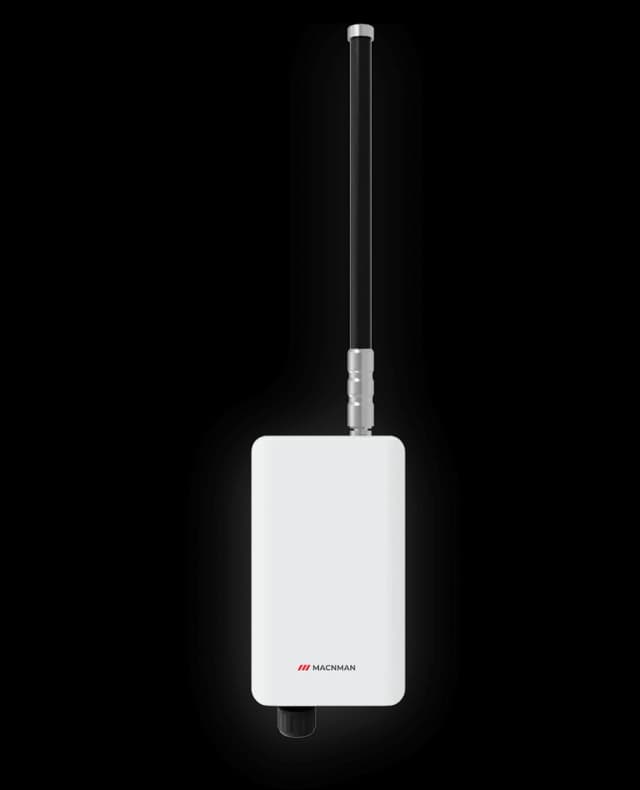
NewMaclink Gen-2
LoRaWAN Outdoor Gateways
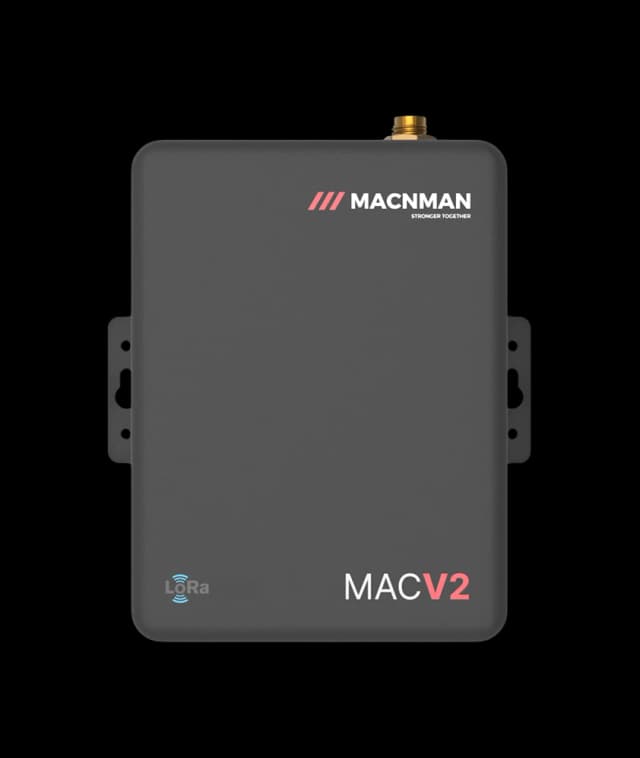
MacEge 4G Mini Gateway
4G Lte Gateways
 Hot Selling
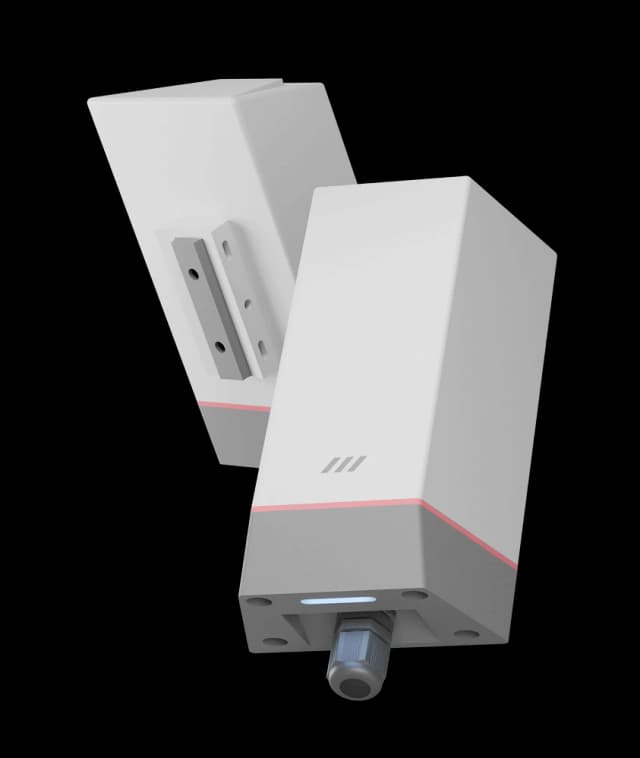
MacSync LX1
RS485 Modbus to LoRaWAN Converter
MacSync LX1
Analog 4-20mA to LoRaWAN Converter
 New
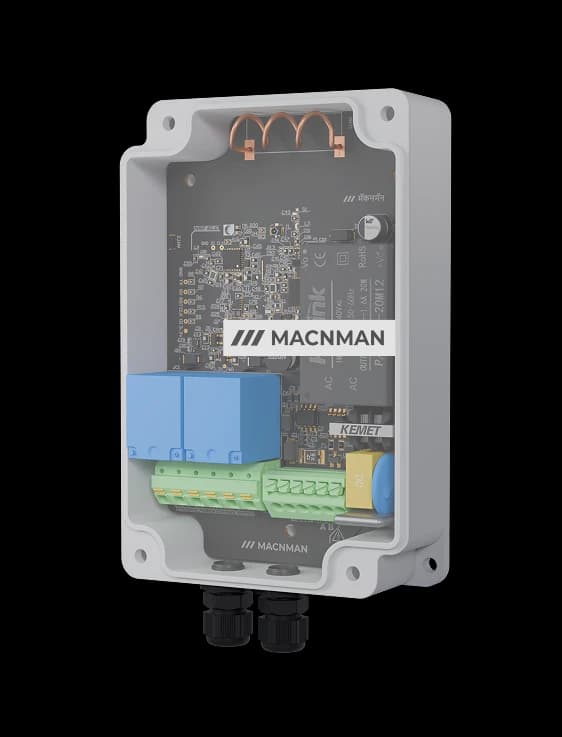
NewMacSet
RS485/Analog + Relay Output
 Hot Selling
Setu X
LoRaWAN Indoor Gateways
NewMaclink Gen-2
LoRaWAN Outdoor Gateways
MacEge 4G Mini Gateway
4G Lte Gateways
Hot SellingMacSync LX1
RS485 Modbus to LoRaWAN Converter
MacSync LX1
Analog 4-20mA to LoRaWAN Converter
NewMacSet
RS485/Analog + Relay Output
Hot SellingSetu X
LoRaWAN Indoor Gateways
Let‘s make it easy - reach out now!
Let’s bring it to life!
Let‘s Make it Easy
Reach Out Now


We are always ready
to help and
answer your
questions
Call
+91 7972856163
+91 9096830856
Location
Office-15 Bibwewadi, Pune, Maharashtra 411037
Get in Touch
Define your goals and all to value your time
Use of this website and purchase of Macnman products are subject to our Terms and Conditions.