Industrial LoRaWAN® IO Controller
Two 16 A relays, RS485 Modbus and analog inputs for pumps, motors, valves and lighting
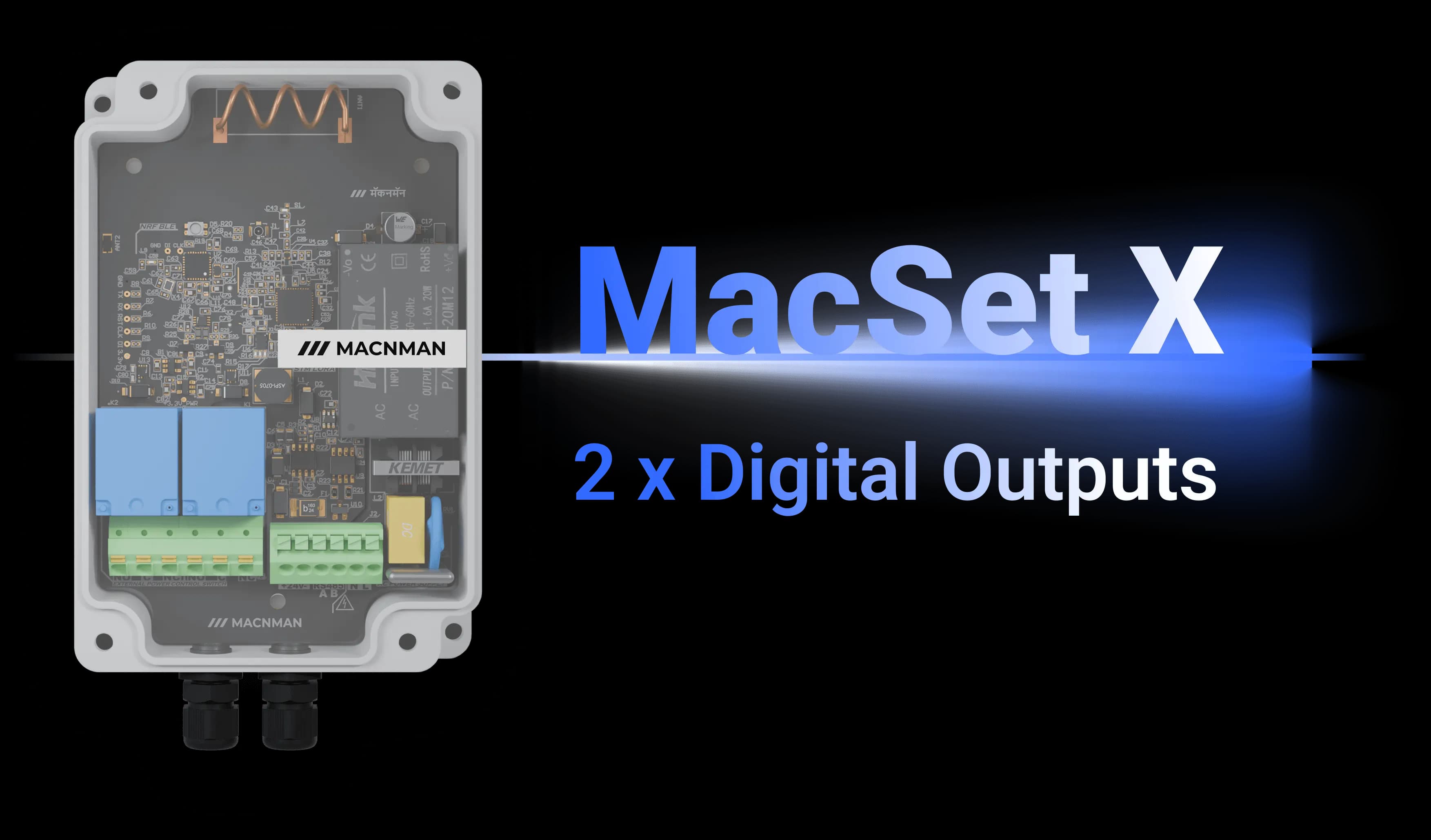
MacSet LX1 LoRaWAN® Remote IO & Automation Controller
Designed and manufactured in Pune, India · WPC compliant · IN865 ready
Designed and manufactured in Pune, India
WPC compliant · IN865 ready
MacSet LX1
MacSet LX1 Highlights
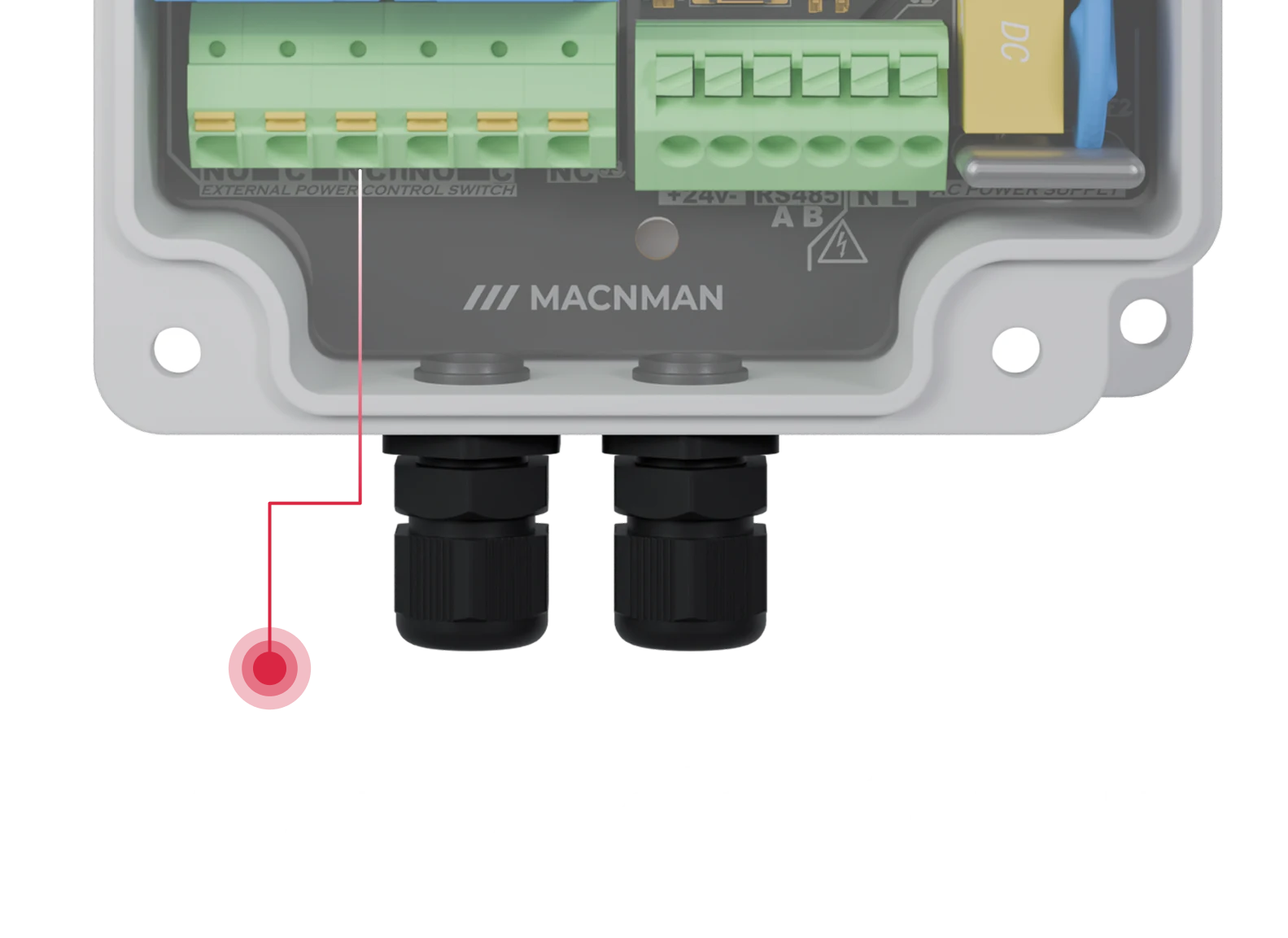
Pumps, motor starters, valves and lighting feeders switched from kilometres away over LoRaWAN®, with the relay state reported back so you know it happened.
Set to Class C from the Maya app, the controller listens continuously, so a command from your dashboard reaches the relay at once, not on the next check-in.
Reads one RS485 Modbus RTU bus, two 4–20 mA, two 0–10 V and two digital inputs on switchable terminals, alongside its outputs: one controller for the whole panel.
Time schedules, threshold triggers and cyclic on/off sequences run on the controller itself, so routine operation continues when the network is down.
Runs from 230 V AC (180–260 V, 50 Hz) or from the 9–36 V DC variant, so it sits inside a panel on the supply that is already there, not on a battery budget.
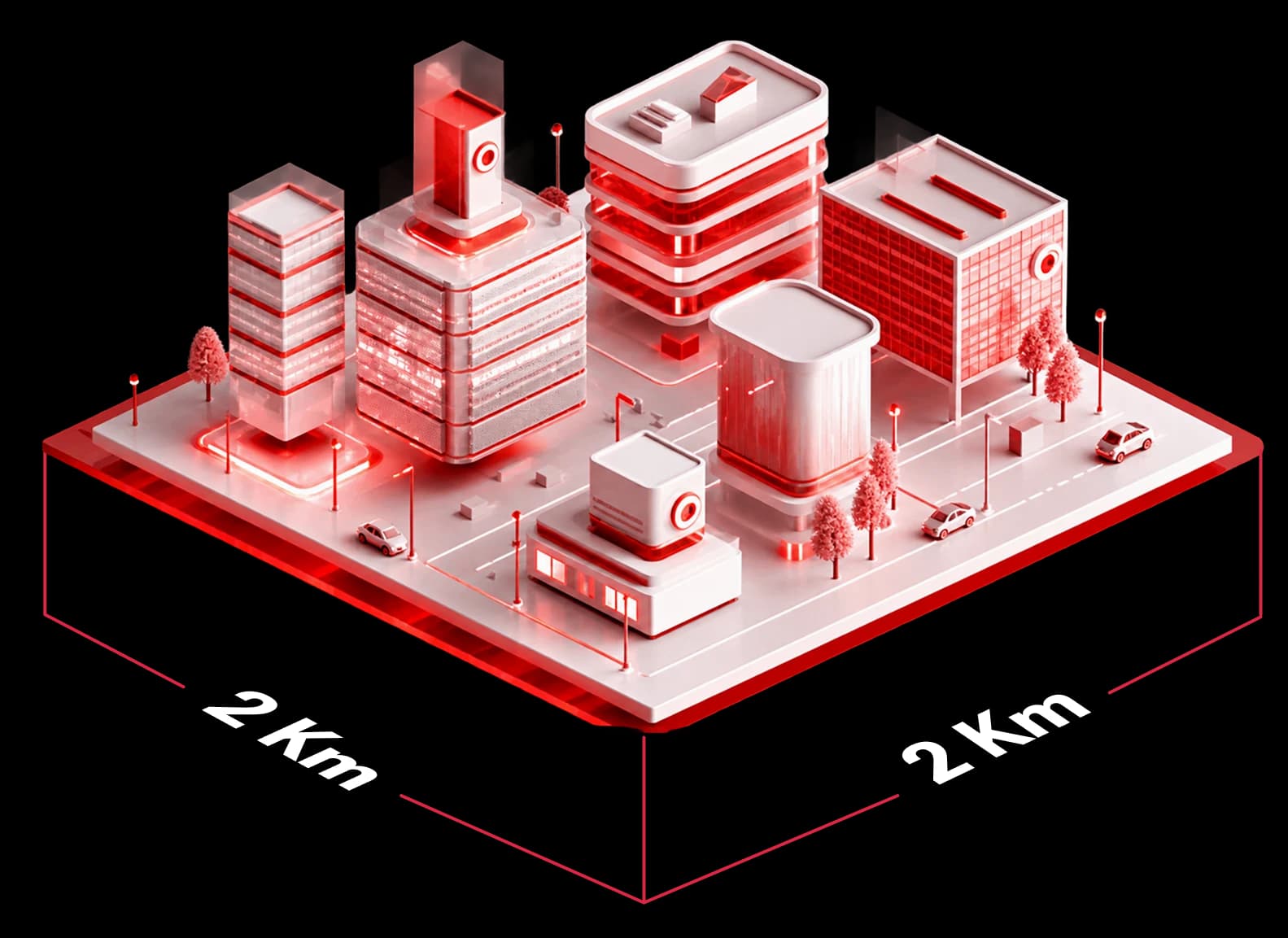
Transmits at 23 dBm with −137 dBm sensitivity: around 2 km across built-up sites and up to 8 km with line of sight in Macnman field tests, depending on antenna, band and terrain.
The MacTalk variant links Macnman devices directly: a level sensor can start the pump with no gateway, no internet and no cloud in between.
Standard LoRaWAN® v1.0.4 with OTAA, so it joins the network server you already run: ChirpStack, The Things Stack, Orbiwise, Netmore or a private LNS with an MQTT broker.
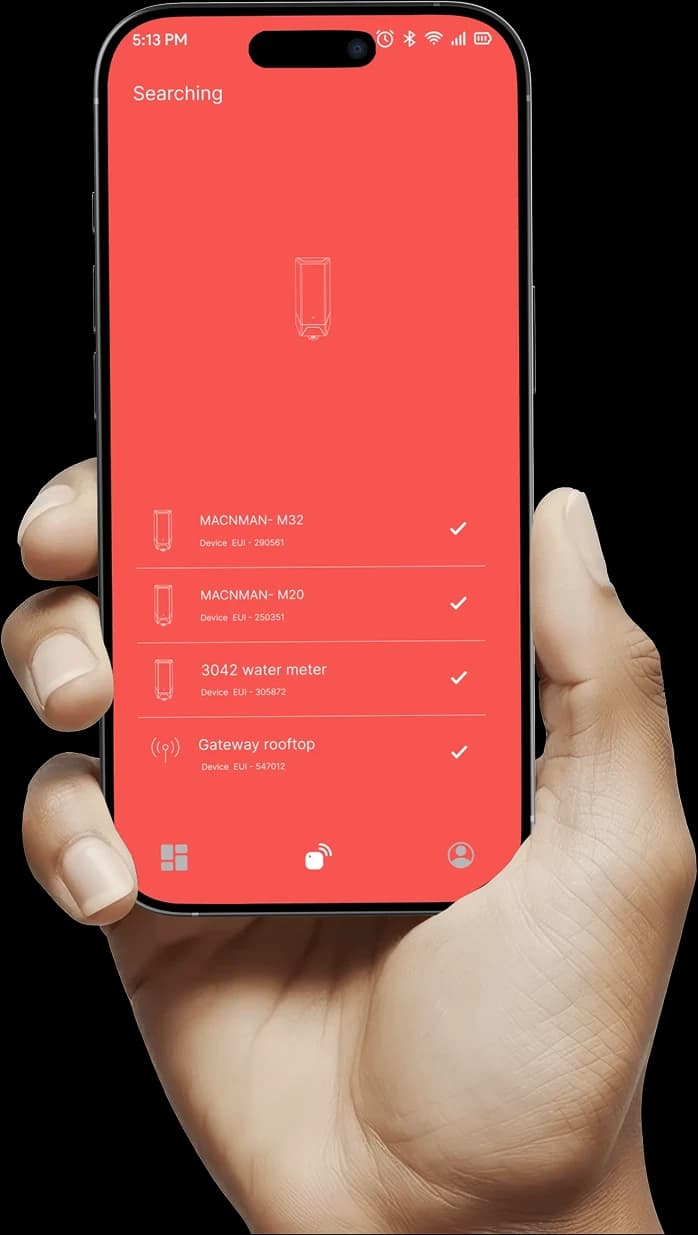
Commission over Bluetooth with the Maya app, build the automation rules without code, change settings later by downlink and push signed firmware updates over the air.
In plain terms
What Is a LoRaWAN IO Controller?
The short answer
A LoRaWAN IO controller is a device that switches equipment on and off from a distance. It receives commands over a LoRaWAN® network and drives relays wired to a pump, valve, motor starter or lighting feeder, while its inputs read the sensors and Modbus devices around it. Because the radio reaches kilometres on one gateway, a site can control dozens of loads without wiring, Wi-Fi or a SIM card at each one.
Relays
- 2 relays
Relay outputs
- 16 A
Rating of each relay
- 3 modes
Regular, trigger and cyclic automation
Automation
- Regular
Relay actions at scheduled times
- Trigger
Relay actions from sensor readings
- Cyclic
Repeating on/off timing sequences
Inputs
- 4–20 mA
Two current-loop inputs
- 0–10 V
Two voltage inputs
- RS485
One Modbus RTU master port
Radio
- v1.0.4
LoRaWAN® version
- IN865
Also RU864, EU868, US915 and AU915
- MacTalk
Macnman protocol for gateway-free links
Power & build
- 230 V AC
Mains supply, or 9–36 V DC variant
- IP65
Enclosure, with an IP67 option
- −40 to +80 °C
Operating temperature
Setup
- Maya
Android app, configuration over BLE
- OTA
Remote configuration by downlink
- AES-128
LoRaWAN® encryption


MacSet LX1
The MacSet LX1 carries two 16 A relays and runs its rules on the controller itself, so timed, sensor-triggered and cyclic switching keep working when the network is down. Set to Class C it listens continuously, so a downlink reaches the relay at once.
Two 16 A relay outputs for pumps, valves, motors, lighting and alarms, switched remotely or by rules on the device.
Regular mode switches at scheduled times, trigger mode acts on analog or Modbus readings, and cyclic mode repeats an on/off sequence.
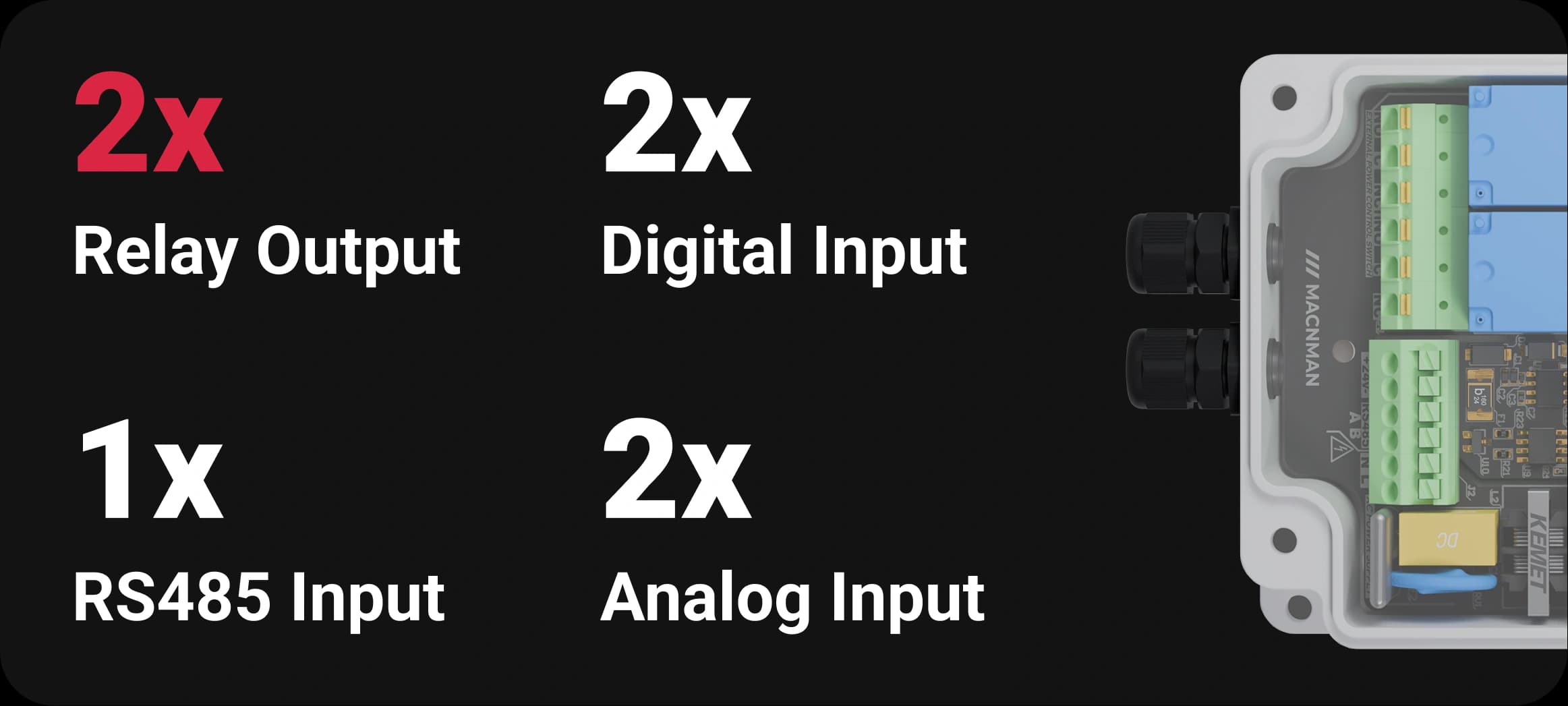
Reads 2 × 4–20 mA, 2 × 0–10 V and 2 × digital inputs, and polls Modbus RTU devices on one RS485 port.
LoRaWAN® v1.0.4 on IN865, RU864, EU868, US915 and AU915, plus MacTalk for links without a gateway.
Runs from 230 V AC mains or the 9–36 V DC variant in an IP65 enclosure, with an IP67 option, rated from −40 °C to +80 °C.
Configured over BLE with the Maya Android app, and reconfigured remotely by downlink.
The same device is searched for as a LoRaWAN relay controller, a LoRaWAN remote IO module or a wireless pump controller. It is not the LoRa Alliance “LoRaWAN Relay”, which is a range-extender feature of the network, not a switching device.
Get a quote
Need a quote for the MacSet LX1?
Tell us how many you need and where they are going. A product engineer replies within one working day with availability, lead time and the right variant for your site.
- Reply within one working day
- Designed and built in Pune, India
- WPC compliant, RoHS conformant
Downloads
MacSet LX1 Datasheet, User Manual and Decoder
The datasheet, the online user manual with downlink commands, and the payload decoder, in one place.
In focus
What Sets the MacSet LX1 Relay Controller Apart
Pumps, motor starters, valves and lighting feeders switched from kilometres away over LoRaWAN®, with the relay state reported back so you know it happened.
01 / 05


Who it's for
Why Choose the MacSet LX1
Industrial LoRaWAN® IO Controller?
The MacSet LX1 LoRaWAN® IO controller lets automation companies, OEMs, utilities and system integrators switch pumps, valves, motor starters, gates, alarms and lighting from a dashboard, kilometres away, over one LoRaWAN® gateway. Two 16 A relays carry the loads, the RS485 Modbus and analog inputs read the panel, and the rules run on the device.
Industrial Equipment You Can Control with LoRaWAN® IO Controller

CNC VMC Machines

Temperature & Humidity

Water Flow Meters
Air Flow Meters

Pressure Sensors

Water Quality Sensors

Weather Stations

Generators
CNC VMC Machines
Air Flow Meters
CNC VMC Machines
Temperature & Humidity
Water Flow Meters
Air Flow Meters
Pressure Sensors
Water Quality Sensors
Weather Stations
Generators
CNC VMC Machines
Air Flow Meters

Energy Meters

Soil Sensors

Level Sensors
Pressure Monitoring
Water Quality Sensors
Weather Stations

Generators
Energy Meters
Soil Sensors
Energy Meters
Soil Sensors
Level Sensors
Pressure Monitoring
Water Quality Sensors
Weather Stations
Generators
Energy Meters
Soil Sensors
CNC VMC Machines
Temperature & Humidity
Water Flow Meters
Air Flow Meters
Pressure Sensors
Water Quality Sensors
Weather Stations
Generators
CNC VMC Machines
Air Flow Meters
CNC VMC Machines
Temperature & Humidity
Water Flow Meters
Air Flow Meters
Pressure Sensors
Water Quality Sensors
Weather Stations
Generators
CNC VMC Machines
Air Flow Meters
Capabilities
LoRaWAN IO Controller with 2 × 16 A Relay Outputs
and switchable RS485 Modbus, 4–20 mA, 0–10 V and digital inputs
At a glance
MacSet LX1 LoRaWAN IO Controller — Key Specifications
Every key specification in one view.
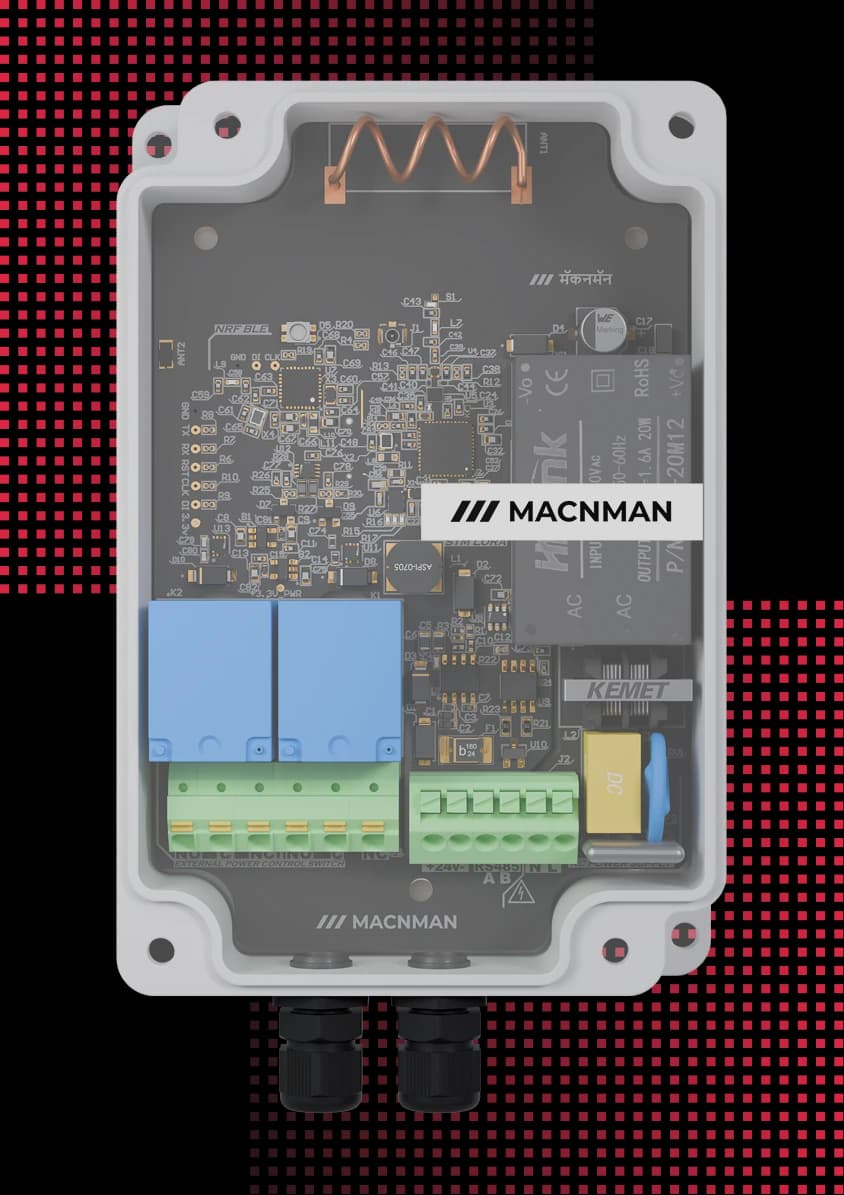
2 × 16 A
relay outputs
Plus RS485 Modbus · 2 × analog · 2 × digital in
3 modes
automation on the device
Schedule · threshold trigger · cyclic
23 dBm
transmit power
−137 dBm sensitivity · IN865 to AU915
IP65
rugged enclosure
IP67 option · −40 to +80 °C
BLE
no-code setup
Maya app configuration · OTA updates
Any LNS
network server
ChirpStack · The Things Stack · Orbiwise · Netmore · MQTT
Works with
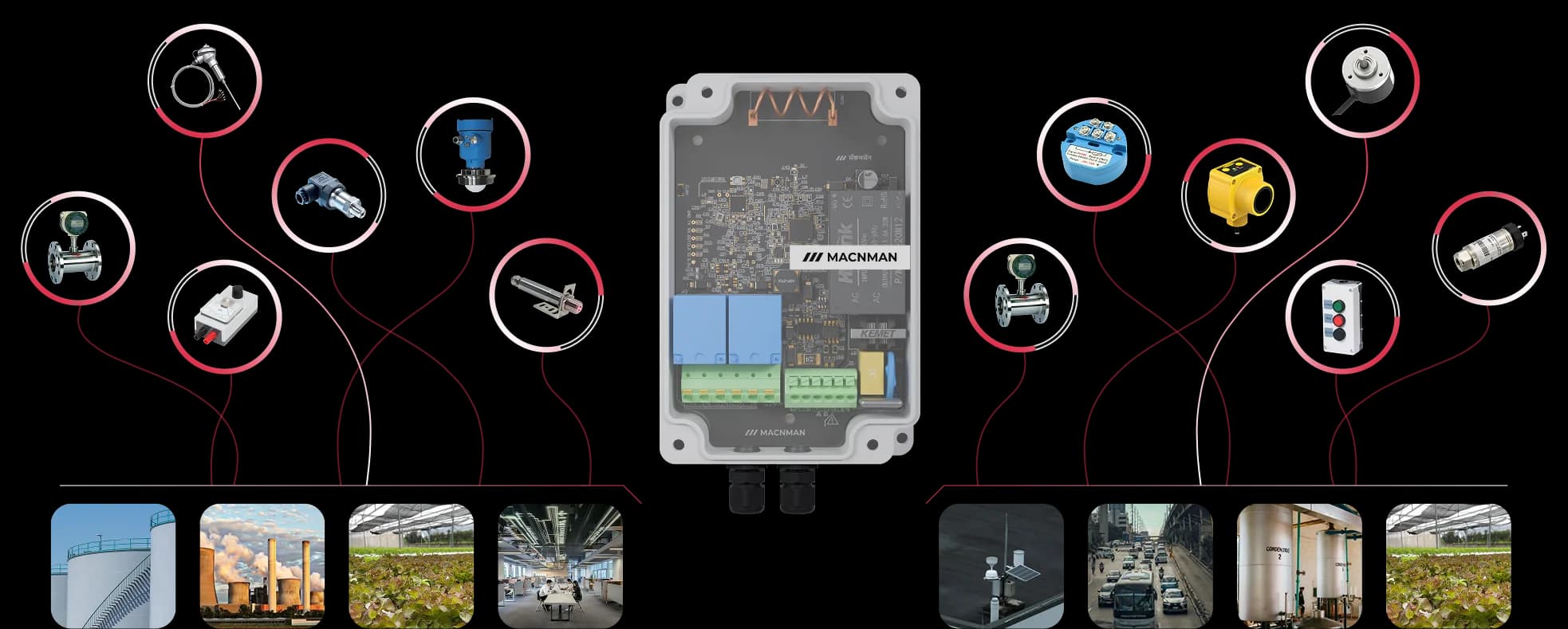
Equipment You Can Switch with a LoRaWAN IO Controller
Pumps, motor starters, valves, alarms, gates and lighting feedersPumps, motor starters, valves, alarms, gates and lighting feeders
How it works
How the MacSet LX1 LoRaWAN IO Controller Works
Step 1 of 5
Connect your loads and sensors
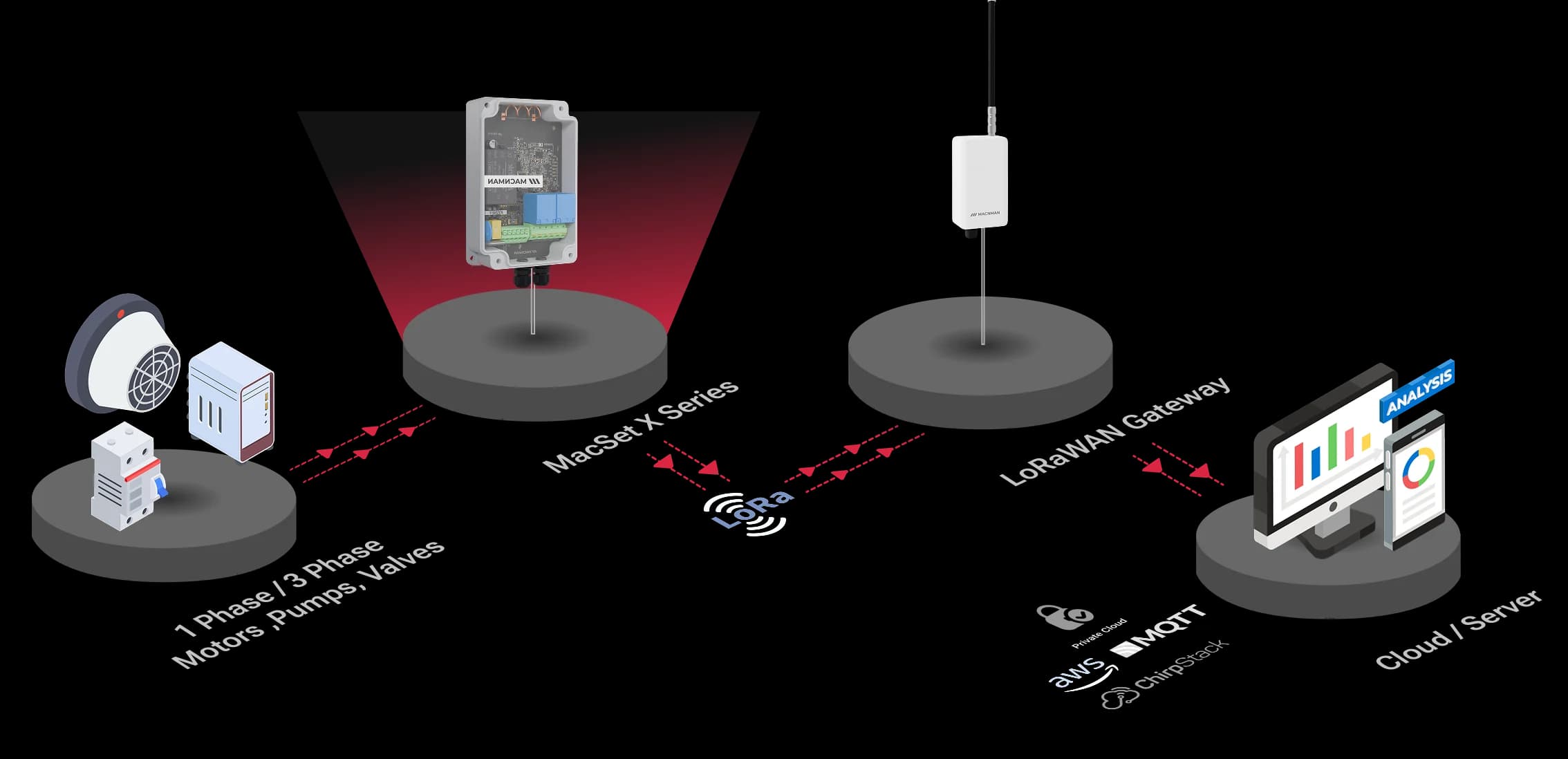
Pumps, valves, motor starters and alarms on the two 16 A relays; sensors and Modbus devices on the analog, digital and RS485 inputs.
Build the logic in the Maya app
Schedule, threshold-trigger or cyclic rules, set over Bluetooth in the Maya app with no code. The controller runs them on its own.
It runs even without the network
Rules execute locally on the device, and Macnman devices can coordinate directly over MacTalk™ — no gateway or internet required.
Command it over LoRaWAN
Send on/off and setpoint commands remotely through your LoRaWAN network, from anywhere.
See status in real time
Live output states and input readings on your dashboards and mobile app.
Time, Trigger & Cyclic - 3 X Powerful Automation Modes
Create schedules, respond to events, or run repetitive cycles effortlessly

On-Off On Set Time, Cyclic Mode & Trigger Mode
Schedule precise timings for your IoT applications, perfect for daily routines in smart buildings or agriculture.
Operating modes
Three Automation Modes: Schedule, Trigger and Cyclic
Set times, respond to sensor thresholds or repeat an on/off cycle, all on the controller
Regular mode switches at scheduled times, trigger mode acts on analog or Modbus readings, and cyclic mode repeats an on/off sequence. All three keep running when the network is down.
01
Set ON/OFF Time
Choose the exact I/O ON and OFF time to automate your equipment on a daily or custom schedule.
02
Configure Schedule in Maya
Use the Maya App to set your preferred timing schedule over Bluetooth—no coding or manual setup required.
03
Automation Runs Automatically
The MacSet LX1 executes the ON/OFF schedule automatically every day without requiring any manual intervention.
Hardware
Offline Automation on a LoRaWAN Relay Controller, No Internet Needed
The MacSet LX1 runs its schedule, trigger and cyclic rules inside the controller, so a pump still starts on low level and the lights still follow their timetable when the gateway, the internet or the cloud is down. The network is for commands and status, not for keeping the site running.
Device-to-device
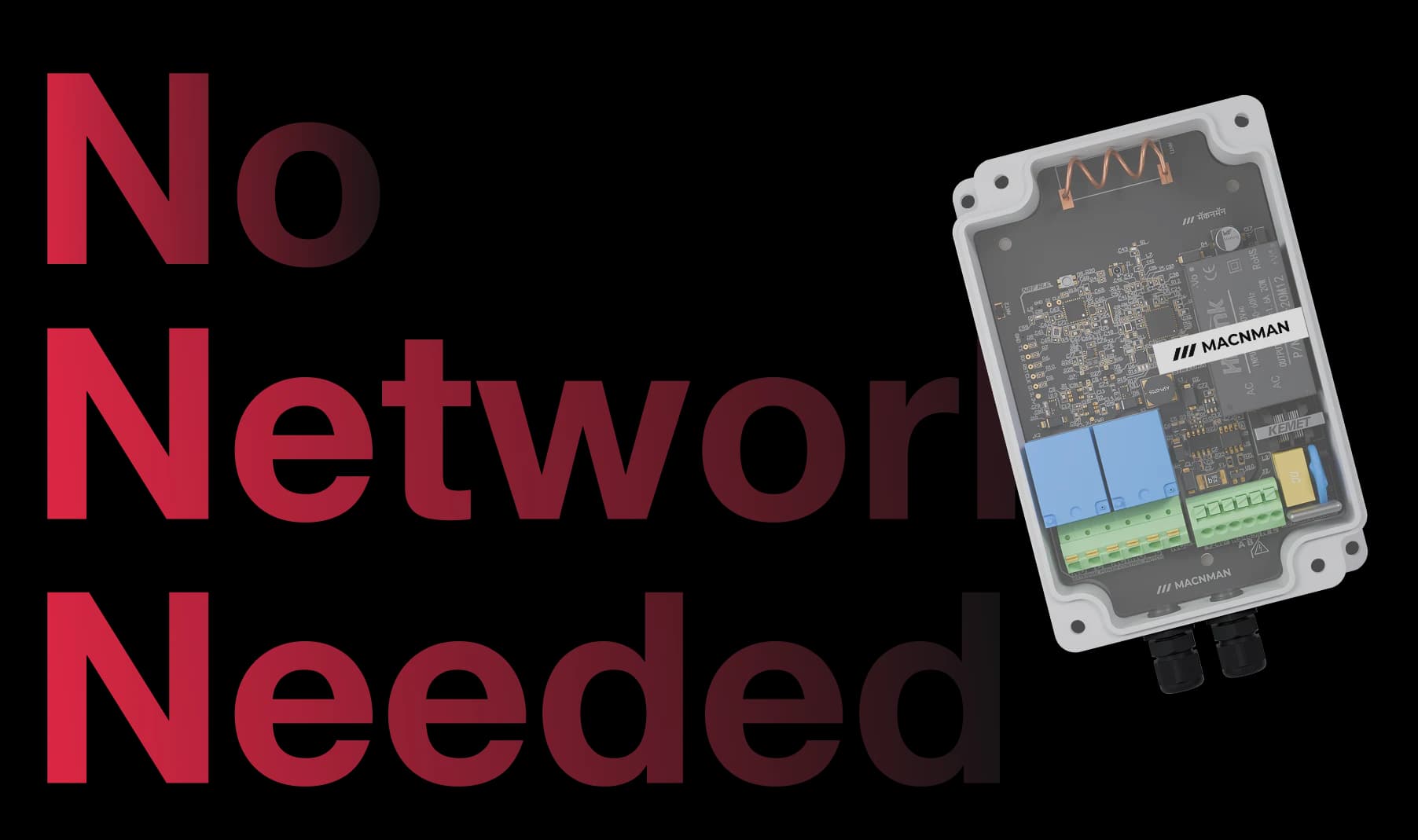
MacTalk™ Gateway-free Device-to-Device Communication
Your Devices. Talking Directly. Acting Instantly. No Internet Needed.
MacTalk™ is Macnman’s proprietary device-to-device communication protocol that works even in remote locations with no network coverage. Your devices talk directly to each other over long distance, enabling automation, alerts, and control actions instantly and securely.
Sensor data direct to MacSet. No gateway. No network. Remote automation, guaranteed

Plug & Play
Truly Plug & Play , No Complex Setup.
Real-Time Control
Near-instant signal transmission between two devices.
Long-Range
Long-range coverage for hard- to-reach places.
No-code Configuration with the Maya App
Plug & Play
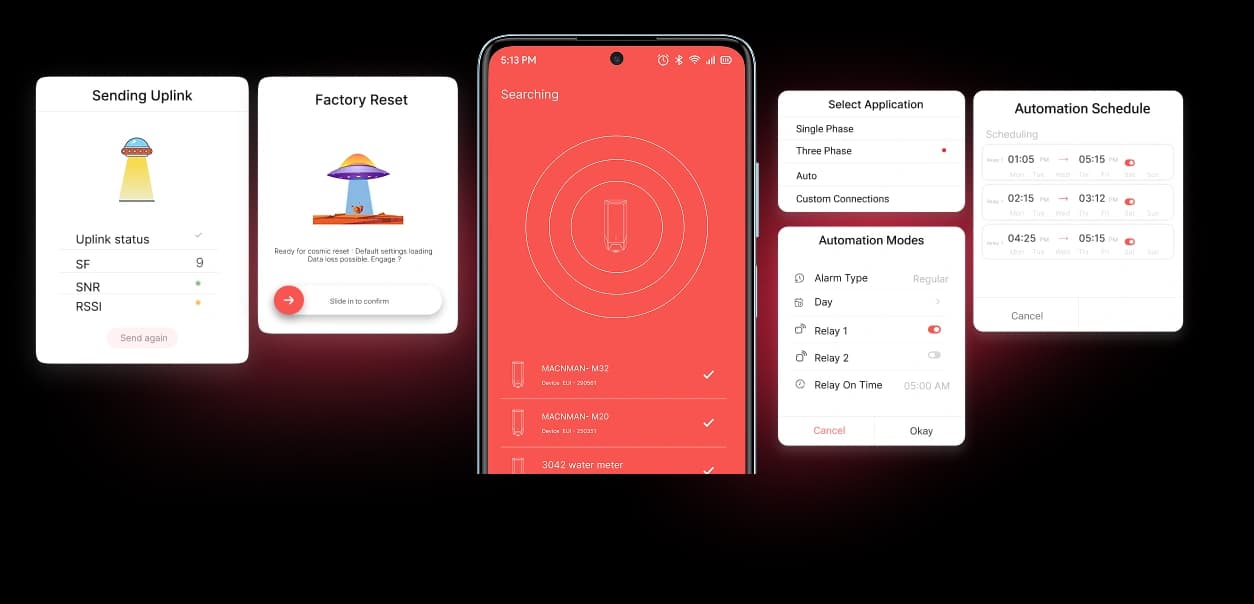
Maya is currently available on Android.
MacSet LX1 requires no coding at all — automation logic, relay actions, schedules, triggers, and cyclic operations are configured directly in the Macnman Maya app over BLE, delivering full industrial-grade control without writing a single line of code.
Cloud & LNS
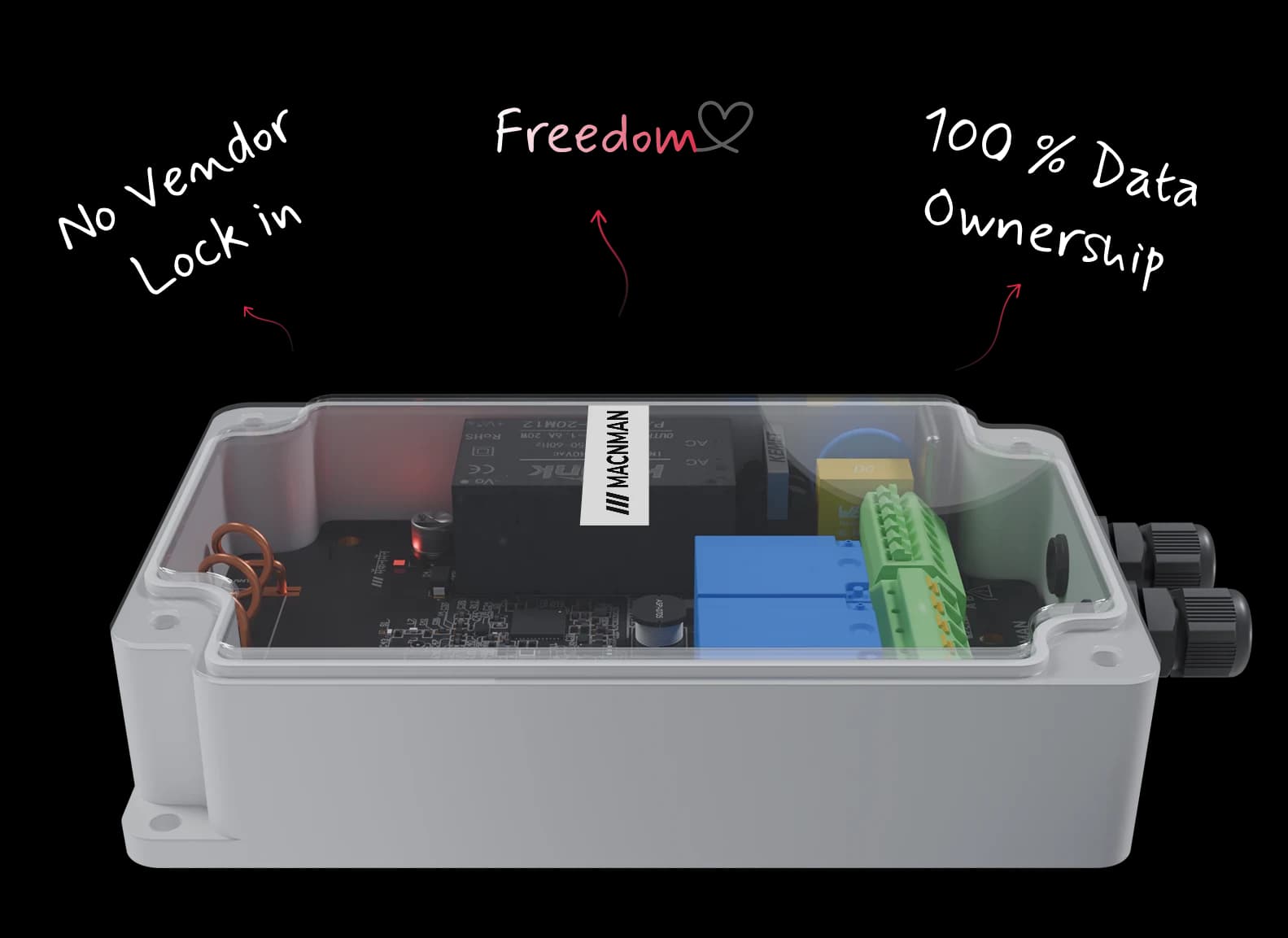
Compatible with Every LoRaWAN® Gateway and Network Server
Seamless Integration with Public & Private LoRaWAN Networks
The MacSet LX1 joins public and private LoRaWAN® network servers over standard OTAA: ChirpStack, The Things Stack, Orbiwise, Netmore and any private LNS with an MQTT broker, with Macnman decoders published for each.

Features
Built into the MacSet LX1 Controller
Advanced Automation Modes
MacSet LX1 offers three automation modes to suit different automation needs
Activates actions instantly when a sensor input or event condition is detected.
Smart Task Automations
MacSet’s LoRaWAN controller enables smart scheduling to automate pumps, motors, & valves
Cross-Device Integration
Seamlessly integrate sensors & equipment using RS485, 0–10V analog, 4–20mA, & digital inputs, making it the ideal industrial LoRaWAN controller.
Bi-directional communication
Enjoy real-time control & instant feedback with secure bi-directional LoRaWAN communication,
Engineered for durability & reliability
Reliable Offline Mode
The MacSet LoRaWAN controller operates in offline mode, executing automations setups
Wireless FOTA Updates
Keep your devices optimized with firmware-over-the-air (FOTA) updates BLE
See how fast the MacSet LX1 answers a command over LoRaWAN
Use cases
Use Cases of LoRaWAN I/O Controllers
Operate Pumps, Valves, Motors, Lights & More
Real-World Deployments of LoRaWAN I/O Controllers
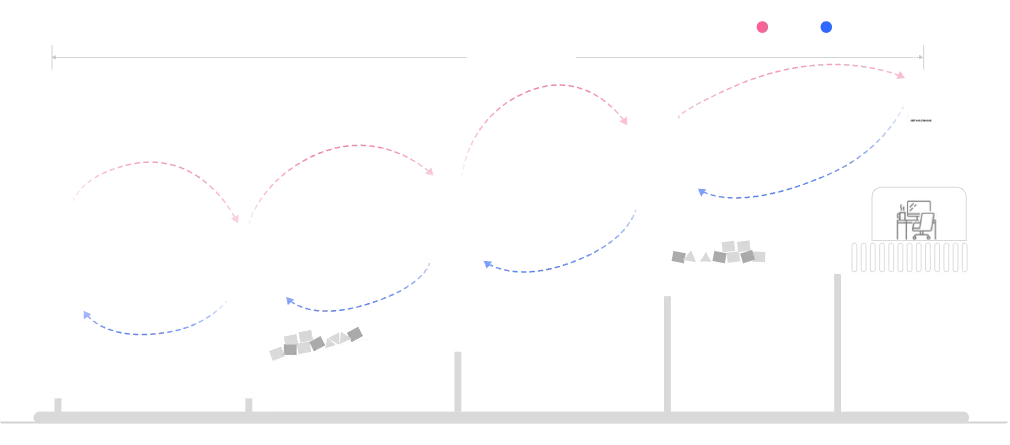
The MacSet LX1 switches the drive contactor of a conveyor over LoRaWAN®, reading run status on its digital inputs and motor load from the VFD over Modbus, so a line can be stopped, started and watched from the control room.
Water Level Monitoring & Pump Control Using LoRaWAN: The MacSet LX1 automates a pump from a tank or sump level, starting and stopping it on thresholds from a 4–20 mA or Modbus level sensor, to prevent overflow, dry running and flooding without anyone on site.
Battery Health Monitoring Using LoRaWAN: The MacSet LX1 reads battery bank voltage and current from a Modbus battery monitor or 4–20 mA transducer, raises threshold alerts and can cut or switch a charger on its relays.
Smart Waste Bin Monitoring Using LoRaWAN: The MacSet LX1 reports waste-bin fill level from a Modbus or 4–20 mA level sensor on its inputs, so collection routes run on actual fill instead of a fixed timetable.
Street Light & Area Lighting Control Using LoRaWAN Relays: The MacSet LX1 switches lighting contactors for street and area lighting on a sunset-to-sunrise schedule that runs on the controller, with remote override and status over LoRaWAN®.
Underground Water Level Monitoring & Drainage Automation: The MacSet LX1 monitors underground water and drainage levels from a pressure or ultrasonic level sensor, and starts the drainage pump on its relay when the level crosses the set point.
Solar Panel Performance Monitoring Using LoRaWAN: The MacSet LX1 reads solar inverter and string data over RS485 Modbus or 0–10 V inputs, flags faults by threshold and switches auxiliary loads from its relays.
PLC Data Acquisition & Remote Control Using LoRaWAN: The MacSet LX1 polls a PLC or panel over RS485 Modbus RTU and triggers relay actions from the registers it reads, giving an existing panel remote operation without rewiring it.
Vacuum & Low-Pressure Monitoring Using LoRaWAN: The MacSet LX1 reads vacuum and low-pressure transmitters on its 4–20 mA inputs in real time, and can stop a pump or raise an alarm on its relays when a limit is crossed.
Architecture
LoRaWAN System Architecture Diagram for Industrial IO Controller
Range & reliability
Long-range LoRaWAN® Control from One Gateway
Reliable Control Across Remote & Wide-Area Deployments
At 23 dBm transmit power and −137 dBm sensitivity, the MacSet LX1 holds a link across built-up industrial sites and open farmland from a single gateway, so loads kilometres apart are switched from one place.
Build the network: MacLink Gen-2 outdoor LoRaWAN gateway · Setu X1 indoor LoRaWAN gateway · Gateway and coverage calculator
Installation
Designed for Quick Setup in Industrial Environments
MacSet LX1 is designed for for quick and straightforward installation. It can be mounted easily, connected to, relay, analog, digital, or RS485 inputs and configured instantly using the Maya App without coding or complex setup.
MacSet LX1 is designed for for quick and straightforward installation. It can be mounted easily, connected to, relay, analog, digital, or RS485 inputs and configured instantly using the Maya App—without coding or complex setup.
Maya app
Configure it from your phone in minutes
All settings, automation modes, & control logic using
From relay control and scheduling to triggers, cyclic automation, thresholds, and device settings—you can set up everything in minutes with zero coding or complexity.From relay control and scheduling to triggers, cyclic automation, thresholds, and device settings—you can set up everything in minutes with zero coding or complexity.

Inside the MacSet LX1: STM32WL LoRa and nRF52 Bluetooth Chipset

BLE Chip

Main RF Chip

Made in India
Made in India, built in Pune for Indian sites
The IN865 band, WPC compliance and engineering support in Indian Standard Time come as standard. The same hardware ships on EU868, US915, AU915 and RU864 for export projects.
Made in India
The IN865 band, WPC compliance and engineering support in Indian Standard Time come as standard. The same hardware ships on EU868, US915, AU915 and RU864 for export projects.
IN865 band
Ships on the 865–867 MHz plan used in India, with the other regional bands available to order.
WPC compliant
The LoRaWAN® radio is WPC compliant for use in India and the hardware is RoHS conformant.
Designed and made in Pune
Hardware, firmware and enclosure from one facility in Pune, with customised firmware and branding for OEM and project orders.
Support in IST
The engineers who designed the controller answer integration, decoder and Modbus questions by phone, email and WhatsApp.
Next steps: Request a pilot kit · All LoRaWAN converters and controllers · Industrial IoT manufacturer in India
Which controller
Which LoRaWAN Controller Do You Need?
Three Macnman devices cover remote I/O on LoRaWAN®. Pick by how many loads you switch and whether you need to switch at all.
| Criterion | MacSet LX1 | MacSet LX2 | MacSync LX1 converter |
|---|---|---|---|
| Relay outputs | 2 × 16 A | 8 × 16 A | None: inputs only |
| Inputs | 1 × RS485 Modbus RTU · 2 × 4–20 mA · 2 × 0–10 V · 2 × digital (switchable) | 1 × RS485 Modbus RTU · 8 × 4–20 mA · 8 × 0–10 V · 8 × digital (switchable) | 1 × RS485 Modbus RTU, or 2 switchable channels for 4–20 mA, 0–10 V or digital |
| Power | 230 V AC or 9–36 V DC variant | 230 V AC or 9–36 V DC variant | 19 Ah battery or 9–36 V DC |
| Automation on the device | Schedule, trigger and cyclic modes | Schedule, trigger and cyclic modes | Threshold alerts; no switching |
| Choose it for | One or two loads: a pump, a motor starter, a valve pair or a lighting feeder | Panels with up to eight loads: pump houses, lighting feeders, STP blowers, DG changeover | Reading a meter, PLC or transmitter with nothing to switch, including sites with no power |
| SKUs | 81101 LoRaWAN® · 81102 MacTalk · 81103 BLE | 81104 LoRaWAN® · 81105 MacTalk · 81106 BLE | See the converter page |
All three are designed and manufactured in Pune and configured from the same Maya app. Figures are from the Macnman datasheets.
Remote control
LoRaWAN Downlink Commands for the MacSet LX1
Every setting can be changed from the network server without a site visit. Each command has its own FPort, so a rule engine or integration can target it directly.
| FPort | What it does | Typical use |
|---|---|---|
| 5 | Test a relay | Commission from the LNS before the load is wired |
| 6 | Set the heartbeat interval, in seconds | Slow the uplinks on a quiet site, speed them up while commissioning |
| 8 | Set the Modbus slave ID and registers to read | Add or change a meter without touching the device |
| 9 | Set the Modbus slave ID and coils | Read coils on a Modbus slave |
| 10 | Write a Modbus register | Change a VFD setpoint or a meter configuration |
| 11 | Modify schedules, times in seconds | Shift a pump or lighting schedule for the season |
| 12 | Set RS485 baud rate and parity | Match a new RS485 device |
| 13 | One-time Modbus register read | Spot-check a register from the dashboard |
| 14 | Read the schedule settings back | Verify what the controller is running |
| 15 | Verify Modbus registers | Confirm a configuration took effect |
Payload formats for each FPort are in the remote device configuration guide in the documentation. Uplinks carry relay state, input readings and Modbus registers on a configurable interval.
Application map
Pump, Motor Starter and Lighting Control with the MacSet LX1
Each row is a job found on most Indian industrial, utility and farm sites, with the relay, the input and the automation mode that does it.
| Application | The relays switch | The inputs read | Automation mode | Network |
|---|---|---|---|---|
| Water pump and tank level | Pump contactor on relay 1; alarm or fill valve on relay 2 | Tank level from a 4–20 mA or Modbus level sensor; float switch on a digital input | Trigger: start on low level, stop on high level | LoRaWAN®, or MacTalk from a Macnman level sensor with no gateway |
| Borewell and irrigation | Pump starter and a solenoid valve | Flow pulse or run feedback on a digital input | Schedule with a cyclic on/off window | LoRaWAN® on IN865 |
| Three-phase motor starter | Starter coil through a contactor on a relay | Run and trip status on digital inputs; current from a Modbus meter | Downlink command, with a trigger rule as the fallback | LoRaWAN® Class C |
| Street and area lighting | Lighting contactor or feeder | Supply status on a digital input | Schedule: sunset to sunrise, run on the device | LoRaWAN® |
| DG set and panel monitoring | Starter or load changeover on the relays | Fuel level on 4–20 mA, battery on 0–10 V, controller registers over Modbus | Trigger on thresholds; status by uplink | LoRaWAN® |
| Ventilation and HVAC fans | Fan or blower contactor | Temperature or CO₂ over Modbus or 0–10 V | Trigger on a threshold; cyclic for timed air changes | LoRaWAN® |
| Alarms and sirens | Siren, beacon or shutdown relay | Gas, pressure or level transmitter on 4–20 mA | Trigger: immediate on threshold, runs without the network | LoRaWAN® or MacTalk |
| Machines and conveyors | Drive enable on a relay | Run status on digital inputs; load from a Modbus VFD | Downlink on/off with schedules | LoRaWAN® |
Relay contacts are rated 16 A. Motors are switched through their starter or contactor, not directly through the relay.
Related: Smart industry solutions · Smart agriculture and irrigation · Smart city and street lighting · LoRaWAN level sensor for tanks
Compared
MacSet LX1 vs Milesight UC300 vs Dragino LT-22222-L
The two controllers most often shortlisted against the MacSet LX1, on the figures each manufacturer publishes. Checked 10 October 2026; where a page does not state a figure, the cell says so.
| Criterion | Macnman MacSet LX1 | Milesight UC300 | Dragino LT-22222-L |
|---|---|---|---|
| Relay outputs | 2 × 16 A | 2 × SPDT relays, 3 A at 30 V DC or 250 V AC | 2 × relays, 5 A at 250 V AC or 30 V DC |
| Inputs | 1 × RS485 Modbus RTU · 2 × 4–20 mA · 2 × 0–10 V · 2 × digital | 1 × RS485 Modbus RTU · 1 × RS232 · 4 × digital with pulse counting · 2 × 4–20 mA · 2 × 0–10 V · 2 × PT100 | 2 × digital in · 2 × digital out · 2 × 0–20 mA · 2 × 0–30 V; RS485 not on the page checked |
| LoRaWAN | v1.0.4 · Class A, Class C via the app · OTAA | Class A / C · OTAA or ABP; version not on the page checked | Class A and Class C; version not on the page checked |
| Transmit power | 23 dBm at 865 MHz | 16 dBm at 868 MHz · 20 dBm at 915 MHz | Not on the page checked |
| Bands | IN865 · RU864 · EU868 · US915 · AU915 | CN470 · IN865 · EU868 · RU864 · US915 · AU915 · KR920 · AS923 | CN470 · EU433 · KR920 · US915 · EU868 · AS923 · AU915 · IN865 by order code |
| Power | 230 V AC (180–260 V, 50 Hz) or 9–36 V DC variant | 5–24 V DC by terminal block or 5 V USB-C | 0–24 V DC input |
| Enclosure | Glass-filled nylon · IP65, IP67 optional · −40 to +80 °C | IP rating not on the page checked · −20 to +60 °C | IP rating and temperature not on the page checked · 14.5 × 8 × 5 cm |
| Automation without the network | Schedule, trigger and cyclic rules on the device · MacTalk device-to-device variant | IF-THEN rule engine, up to 16 rules, keeps running when the network is down | Not on the page checked |
| Configuration | Maya app over Bluetooth · downlink commands | Milesight configuration tool | AT commands · downlink |
| Designed and made in | Designed and manufactured in Pune, India · WPC compliant | Milesight, Xiamen, China | Dragino, Shenzhen, China |
Figures for the other products are taken from their manufacturers' product pages, checked on 10 October 2026, and may change. Milesight and Dragino are trademarks of their respective owners.
FAQ
MacSet LX1 LoRaWAN IO Controller: Frequently Asked Questions
Pumps, motor starters, solenoid valves, lighting feeders, sirens, blowers and DG changeover panels, through its two 16 A relays. Motors are switched through their starter or contactor, so the relay carries the coil current, not the motor current. Each relay can be driven by a downlink command or by a schedule, threshold or cyclic rule running on the controller.
Yes. The MacSet LX1 is a standard LoRaWAN® v1.0.4 device using OTAA, and joins public and private network servers including ChirpStack, The Things Stack, Orbiwise, Netmore and any private LNS with an MQTT broker. Macnman publishes the payload decoder, so uplinks arrive as readable relay states, input readings and Modbus registers.
A Class A device only listens for a short window after it transmits, so a command can wait until the next uplink. The MacSet LX1 ships as Class A and can be set to Class C in the Maya app, where it listens continuously and a downlink reaches the relay at once. Class C needs a permanent supply, which the mains or DC powered LX1 has.
Yes. Schedule, trigger and cyclic rules run inside the controller, so a pump still starts on low level and lights still follow their timetable when the gateway or the internet is down. The MacTalk variant goes further and links Macnman devices directly, with no gateway at all.
One RS485 port acting as a Modbus RTU master at 1,200 to 115,200 baud, reading holding and input registers and writing single or multiple registers on several slaves; two 4–20 mA and two 0–10 V analog inputs with 12-bit resolution; and two digital inputs with state-change detection. The analog and digital channels share switchable terminals.
Yes. Wire a 4–20 mA or Modbus level sensor to an input and set a trigger rule: the pump relay closes below the low level and opens above the high level, without a dashboard in the loop. With the MacTalk variant, a Macnman level sensor at the tank can command the controller at the pump directly, even with no gateway on site.
It switches the starter: the relay drives the contactor or starter coil, and the starter carries the motor current. The relays are rated 16 A, so use a contactor sized for the motor rather than switching the load through the relay directly. Run and trip feedback can come back on the digital inputs.
A GSM controller needs a SIM and mobile coverage at every pump. A LoRaWAN® controller needs neither: one gateway covers pumps, tanks and valves kilometres apart, the rules run on the controller when coverage drops, and the data lands on your own server or broker. GSM still suits a single pump with no gateway nearby.
From the Maya Android app over Bluetooth on site: network keys, relay rules, Modbus registers, thresholds and reporting intervals, with no code. After that, settings are changed by downlink commands on dedicated FPorts, and signed firmware updates arrive over the air.
IN865 for India, plus RU864, EU868, US915 and AU915 to order. The radio is WPC compliant and the hardware is RoHS conformant. The controller is designed and manufactured in Pune.
The radio transmits at 23 dBm with −137 dBm sensitivity. In Macnman field tests that gives around 2 km across built-up industrial sites and up to 8 km with line of sight; antenna height, band and terrain decide the figure on your site.
No. The LoRa Alliance relay specification describes a battery device that extends network coverage to other end nodes. The MacSet LX1 is a relay-output controller: it switches electrical loads from relays. If you were looking for a range extender, a second gateway is the usual answer on a LoRaWAN® network.
The LX1 has two 16 A relays with two 4–20 mA, two 0–10 V and two digital inputs. The LX2 has eight 16 A relays with eight of each input, for panels that switch many loads. Both share the RS485 Modbus port, the three automation modes, the Maya app and the same enclosure family.
The controller, a mounting clip, mounting screws, the user manual and the warranty card; an IP68 cable extender and a power adapter are optional. The glass-filled nylon enclosure measures 142 × 80 × 32 mm, weighs about 175 g and mounts on a wall or a pole.
More from Macnman
What Else Do We Build at Macnman
 New
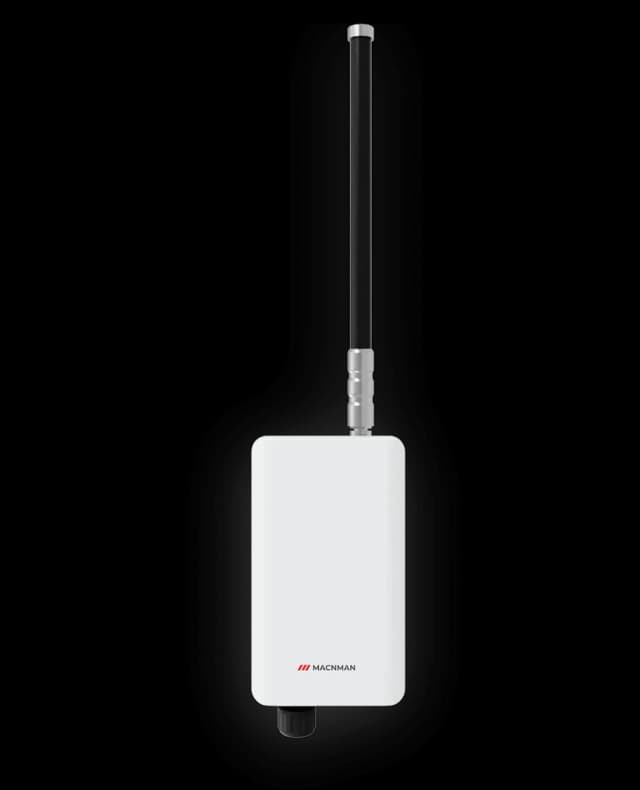
Maclink Gen-2
LoRaWAN Outdoor Gateways
 New
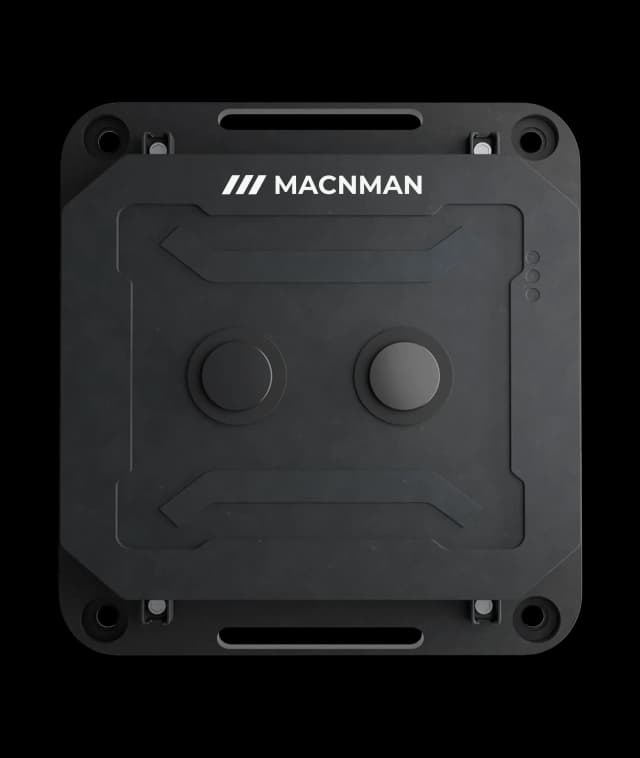
MacRay LUS X1
LoRaWAN Ultrasonic Level Sensor
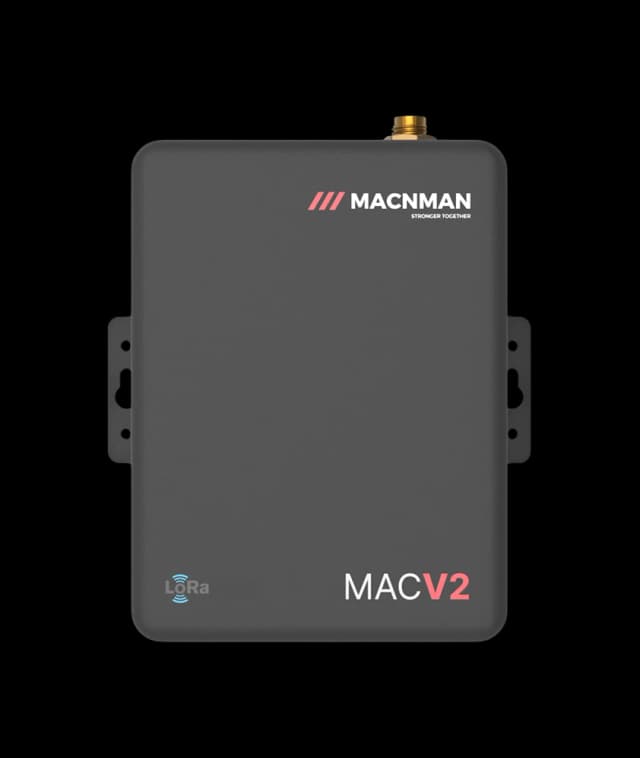
MacEge 4G Mini Gateway
4G Lte Gateways
 Hot Selling
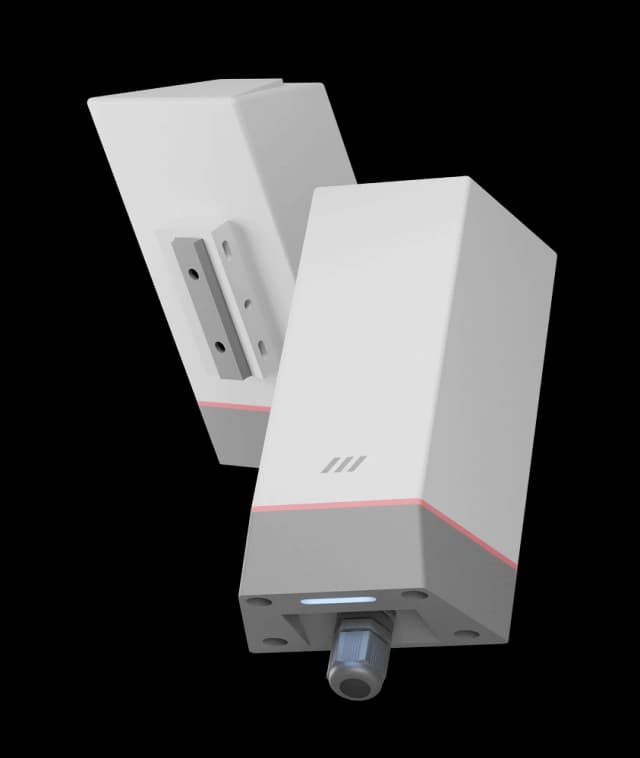
MacSync LX1
RS485 Modbus to LoRaWAN Converter
MacSync LX1
Analog 4-20mA to LoRaWAN Converter
 Hot Selling
Setu X
LoRaWAN Indoor Gateways
NewMaclink Gen-2
LoRaWAN Outdoor Gateways
NewMacRay LUS X1
LoRaWAN Ultrasonic Level Sensor
MacEge 4G Mini Gateway
4G Lte Gateways
Hot SellingMacSync LX1
RS485 Modbus to LoRaWAN Converter
MacSync LX1
Analog 4-20mA to LoRaWAN Converter
Hot SellingSetu X
LoRaWAN Indoor Gateways
Let‘s make it easy - reach out now!
Let’s bring it to life!
Let‘s Make it Easy
Reach Out Now


We are always ready
to help and
answer your
questions
Call
+91 7972856163
+91 9096830856
Location
Office-15 Bibwewadi, Pune, Maharashtra 411037
Get in Touch
Define your goals and all to value your time
Use of this website and purchase of Macnman products are subject to our Terms and Conditions.