Industrial RS485 Modbus to LoRaWAN® Converter
Modbus RTU to LoRaWAN for Energy Meters, Flow Meters, VFDs & PLCs

MacSync LX1 RS485 to LoRaWAN Converter
A Modbus RTU master that polls your meters and sends their registers over LoRaWAN®, on battery or 9–36 V DC
Made in Pune, India · WPC compliant · IN865 ready
MacSync LX1
MacSync LX1 Highlights
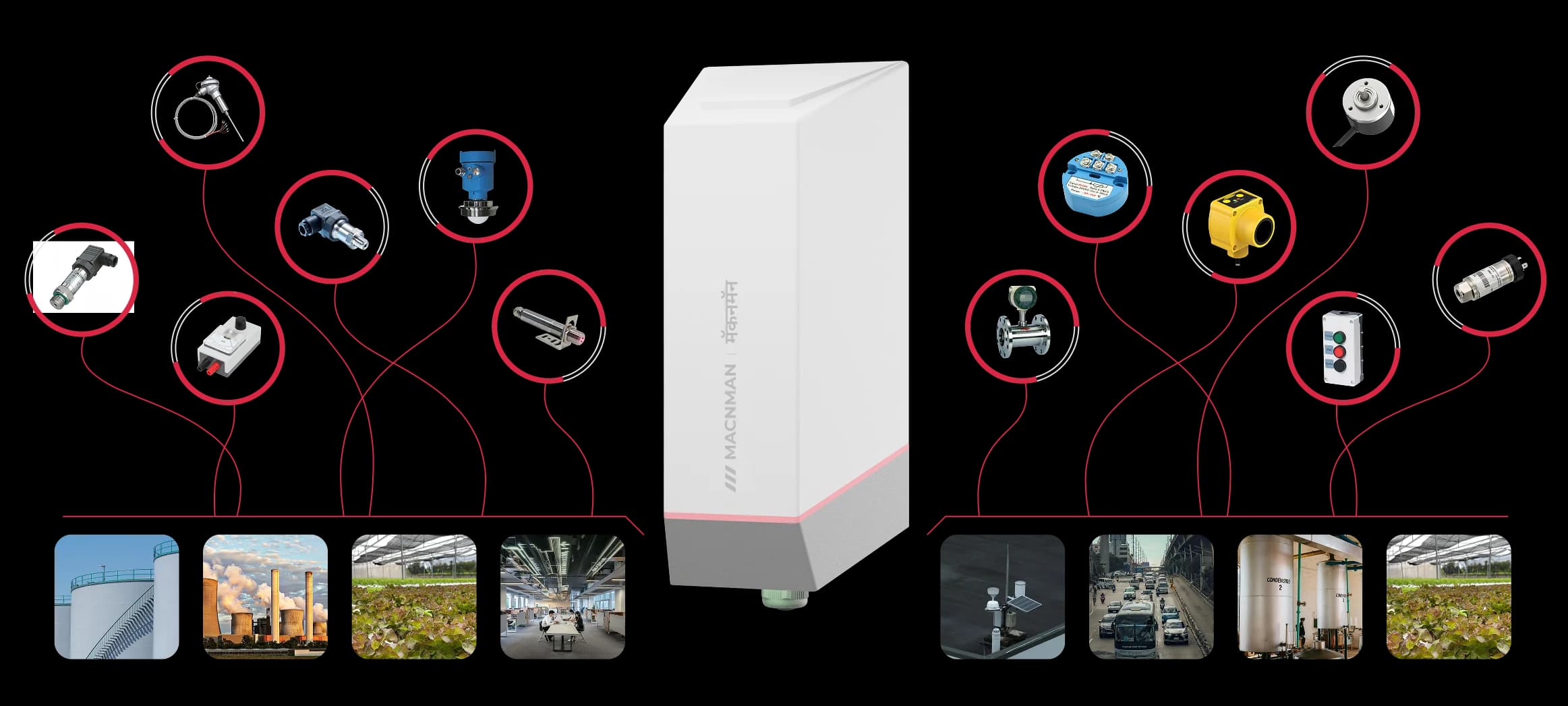
Acts as the Modbus RTU master on an RS485 line: it polls the slave devices you already own, such as energy meters, flow meters, drives and PLCs, and carries their registers over LoRaWAN®.
Change a setpoint or a coil on the slave from your network server. Downlinks also add polled registers, change the baud rate and parity, and trigger a one-time read.
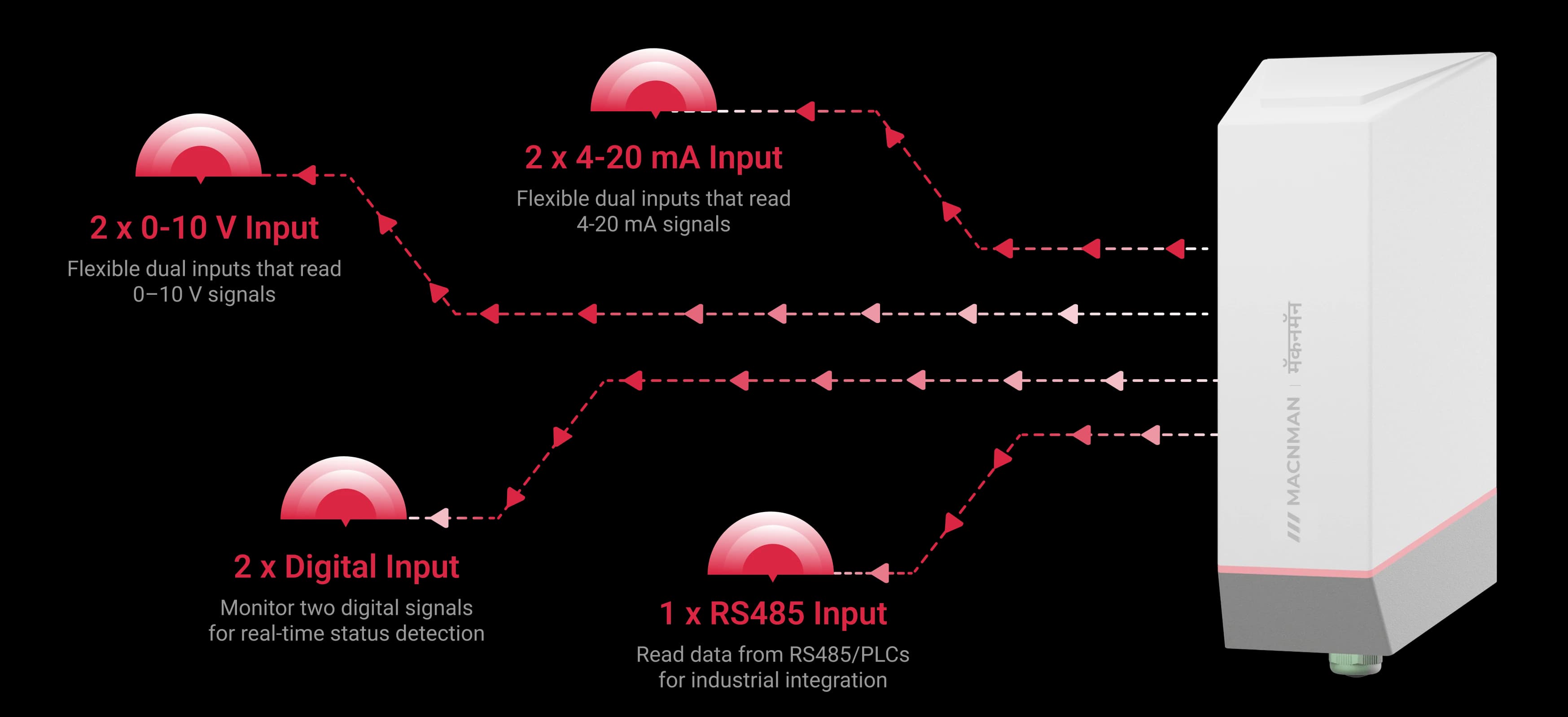
Set a unit to analog mode and its terminals become two switchable channels for 4–20 mA, 0–10 V or digital inputs. One model covers the Modbus devices and the analog transmitters on a site, one mode per unit.
About 2 km across a built-up site and up to 8 km with a clear line of sight, at 23 dBm transmit power. The control room no longer needs a communication cable to every panel.
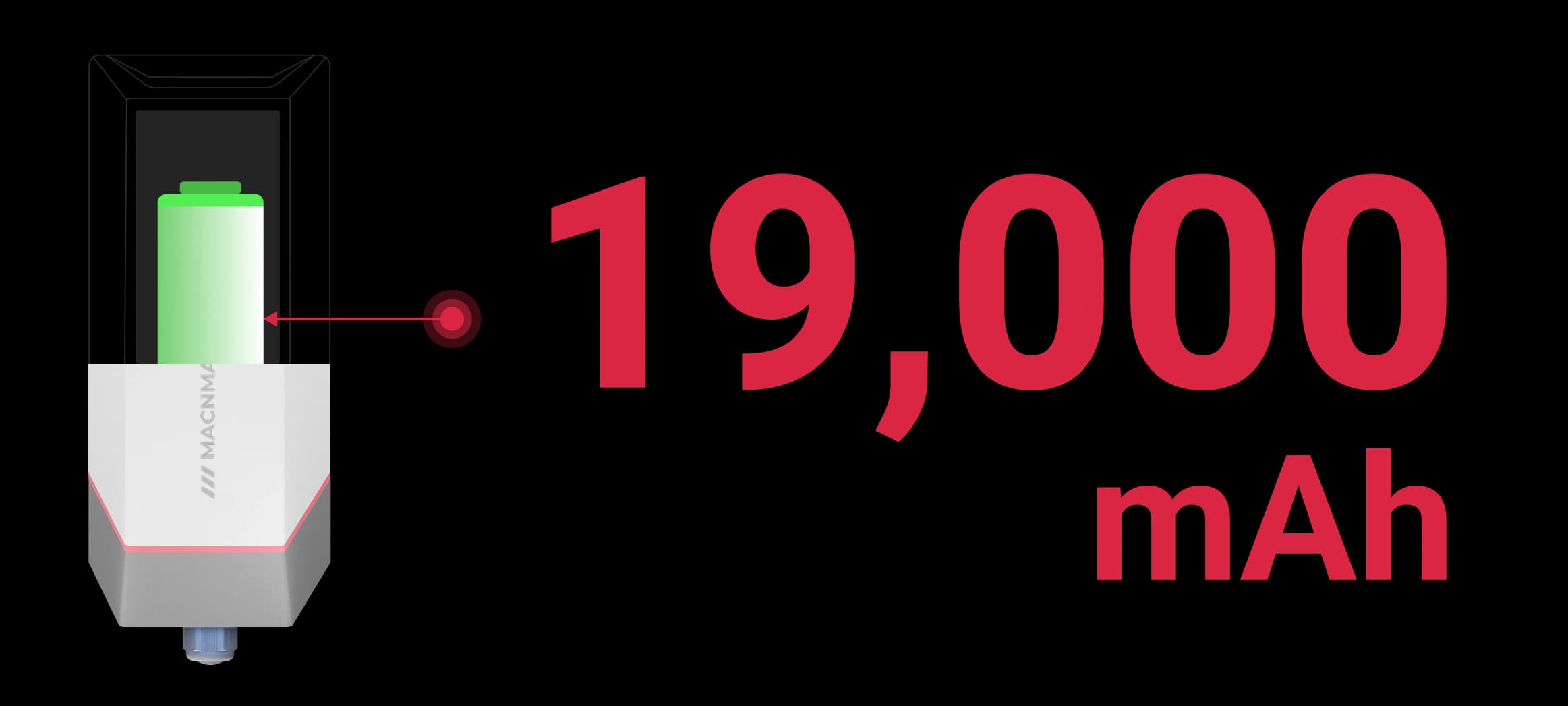
A 19 Ah battery variant for meters with no supply nearby, about 8 years at one uplink an hour on SF7, or a 9–36 V DC variant for panels. Polling a mains-powered meter is light work for the battery; powering a sensor costs more.
Send the registers at a set interval, on a threshold, or as a batch of samples in one uplink. Two triggers watch any polled value and report when it leaves its limits.
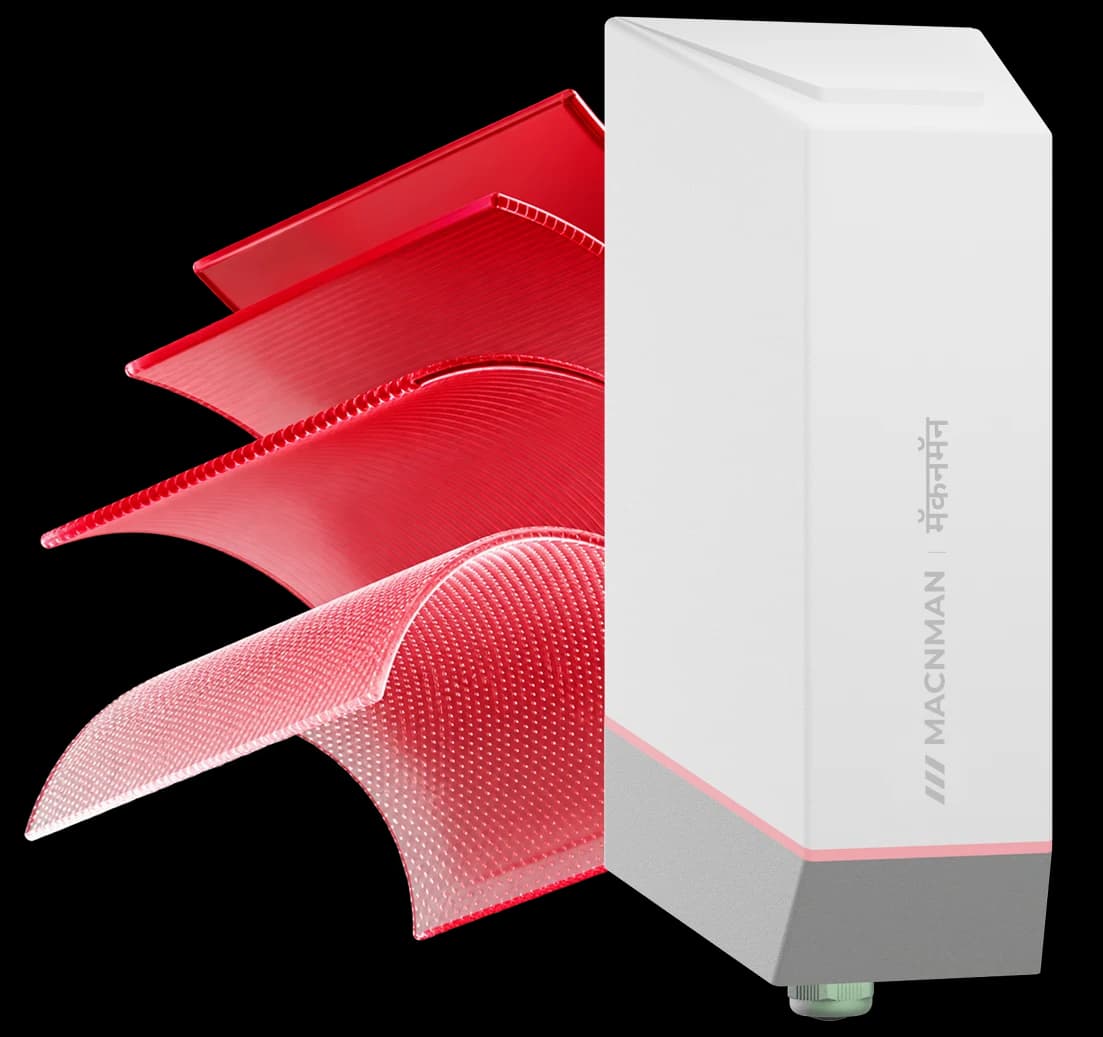
An IP65 glass-filled nylon enclosure with an IP67 option, rated −40 to +80 °C, mounts on a wall or a pole beside the meter or the panel.
A standard LoRaWAN® v1.0.4 device with OTAA. Register it by QR code on ChirpStack, The Things Network or a private server.
MacTalk™ versions link two Macnman devices directly, for example a meter reading sent to a MacSet controller, with no gateway, internet or cloud.
Set the slave ID, function code, register address and data type for each value in the Maya app over Bluetooth, then read the live value before you close the panel.
In plain terms
What Is a Modbus to LoRaWAN Converter?
The short answer
A Modbus to LoRaWAN converter, also sold as an RS485 to LoRaWAN converter, is a device that acts as a Modbus RTU master on an RS485 line, polls the registers of existing equipment such as energy meters, flow meters and PLCs, and transmits the values over a LoRaWAN® network. Equipment that only speaks wired Modbus can then be monitored kilometres away, with no new cable back to a control room.
Modbus role
- RTU master
Modbus role on the RS485 line
- 1 port
RS485, half-duplex
- Multiple
Slave devices polled on one bus
Function codes
- 03 · 04
Read holding and input registers
- 06
Write single register
- 16
Write multiple registers
Serial settings
- 1,200–115,200
Baud rate, bps
- 8 data bits
With 1 stop bit, half-duplex
- 3 parities
None, even or odd
Other inputs
- 4–20 mA
Current loop, on either channel
- 0–10 V
Voltage input, on either channel
- 2 channels
Switchable, in place of RS485
Radio
- v1.0.4
LoRaWAN® version
- Class A
Default, with Class C set in the app
- MacTalk
Macnman protocol for gateway-free links
Power
- 19 Ah
Internal battery, battery variant
- 9–36 V
External DC supply, powered variant
- IP65
Enclosure rating, with an IP67 option


MacSync LX1
The MacSync LX1 is built for meters with no supply nearby. The battery variant runs on a 19 Ah cell in an IP65 enclosure, so it can sit beside an outdoor meter, and the same hardware can be set to analog mode to read 4–20 mA, 0–10 V and digital signals instead of Modbus.
Modbus RTU master on one RS485 port, polling several slave devices that share the same bus.
Read Holding Registers (03), Read Input Registers (04), Write Single Register (06) and Write Multiple Registers (16).
1,200 to 115,200 bps with 8 data bits, none, even or odd parity and 1 stop bit, half-duplex.
In analog mode, two switchable channels each read 4–20 mA, 0–10 V or a digital input at 12-bit resolution, in place of RS485.
LoRaWAN® v1.0.4, Class A by default and Class C from the app, with MacTalk versions for gateway-free links.
A 19 Ah cell in the battery variant, or 9–36 V DC in the powered variant; the enclosure is IP65, with IP67 to order.
The same device is sold as an RS485 to LoRaWAN converter, a Modbus LoRaWAN bridge, an RS485 LoRaWAN transmitter, a wireless Modbus RTU node or a LoRaWAN Modbus data logger. It is not a LoRaWAN gateway, and it is not a transparent LoRa RS485 radio modem: it is an end device that reports to a gateway.
Get a quote
Need a quote for the MacSync LX1?
Tell us how many you need and where they are going. A product engineer replies within one working day with availability, lead time and the right variant for your site.
- Reply within one working day
- Designed and built in Pune, India
- WPC compliant, RoHS conformant
Downloads
MacSync LX1 Datasheet, Modbus Setup Guide and Decoder
The datasheet, the online manual, the Modbus setup and downlink guides and the payload decoder, in one place.
Product Datasheet
PDF · full technical specifications
User manual (online)
Installation, Maya app setup, LoRaWAN registration
RS485 Modbus setup guide
Baud rate, parity, slave ID, function code and data type, with a video
Downlink command reference
FPorts for writing registers and changing the register list
Payload decoder and encoder
GitHub: uplink decoders for The Things Stack, ChirpStack v4 and Milesight gateways, plus a downlink encoder
In focus
What Sets the MacSync LX1 Apart for Modbus Monitoring
The energy meter, flow meter or PLC stays exactly as it is. The converter mounts beside it, reads its registers as the Modbus master and replaces the communication cable to the control room.
01 / 05


Who it's for
Who Uses an RS485 Modbus
to LoRaWAN® Converter?
System integrators, energy managers, utilities and machine builders use the MacSync LX1 RS485 to LoRaWAN® converter to bring Modbus RTU equipment onto a LoRaWAN® network without pulling a communication cable.
Modbus RTU equipment it reads

CNC VMC Machines

Temperature & Humidity

Water Flow Meters
Air Flow Meters

Pressure Sensors

Water Quality Sensors

Weather Stations

Generators
CNC VMC Machines
Air Flow Meters
CNC VMC Machines
Temperature & Humidity
Water Flow Meters
Air Flow Meters
Pressure Sensors
Water Quality Sensors
Weather Stations
Generators
CNC VMC Machines
Air Flow Meters

Energy Meters

Soil Sensors

Level Sensors
Pressure Monitoring
Water Quality Sensors
Weather Stations

Generators
Energy Meters
Soil Sensors
Energy Meters
Soil Sensors
Level Sensors
Pressure Monitoring
Water Quality Sensors
Weather Stations
Generators
Energy Meters
Soil Sensors
CNC VMC Machines
Temperature & Humidity
Water Flow Meters
Air Flow Meters
Pressure Sensors
Water Quality Sensors
Weather Stations
Generators
CNC VMC Machines
Air Flow Meters
CNC VMC Machines
Temperature & Humidity
Water Flow Meters
Air Flow Meters
Pressure Sensors
Water Quality Sensors
Weather Stations
Generators
CNC VMC Machines
Air Flow Meters
Capabilities
One LoRaWAN Data Logger for Modbus and Analog Instruments
RS485 Modbus RTU, or two switchable channels for 4–20 mA, 0–10 V or digital inputs
At a glance
MacSync LX1 RS485 to LoRaWAN Converter Specifications
The key figures in one view: Modbus settings, radio, power, protection and the network servers it joins.
RS485
Modbus RTU master
1,200–115,200 bps · function codes 03, 04, 06, 16
23 dBm
transmit power
−137 dBm sensitivity · IN865 to AU915
19 Ah
battery variant
Or a 9–36 V DC powered variant
IP65
rugged enclosure
IP67 option · −40 to +80 °C
BLE
no-code setup
Maya app: registers, baud rate and parity
Any LNS
network server
ChirpStack · The Things Network · Orbiwise · Netmore · MQTT
Works with
Energy Meters, Flow Meters, VFDs and PLCs: The Modbus RTU Devices It Reads
Any make of device that answers as a Modbus RTU slave on RS485Any Modbus RTU slave on RS485
How it works
How to Connect an RS485 Modbus Device to LoRaWAN in Five Steps
Step 1 of 5
Pick the Modbus devices you want online
Energy meters, water and flow meters, drives, PLCs and sensors: anything that answers as a Modbus RTU slave over RS485.
Two wires to the converter
Connect the RS485 A and B terminals of the meter or PLC to the MacSync LX1. Several slaves can share the same two wires, each with its own address.
Set it up in the Maya app
Over Bluetooth, set the baud rate and parity, then add a field for each value: slave ID, function code, register address and data type. No code, no laptop.
Data leaves over LoRaWAN
The converter polls the registers and uplinks them to any LoRaWAN® gateway in range: about 2 km in a built-up site, up to 8 km line of sight.
Watch it on your dashboard
Your network server, whether ChirpStack, The Things Network, Orbiwise or a private server, decodes the values and passes them to your dashboard, SCADA or energy software.
Power
Battery-Powered RS485 to LoRaWAN Converter
A 19 Ah Battery for Meters with No Supply Nearby

The battery variant carries a 19 Ah cell, good for about 8 years at one uplink an hour on SF7. Reading a mains-powered energy meter or PLC is light work: the converter wakes, exchanges a few Modbus frames, transmits and sleeps. A sensor that the converter has to power takes more from the battery.
Before you order
Send Us the Register Map and We Confirm the Setup
Four details are enough for an engineer to reply with the variant, the Modbus settings and how many uplinks your registers need.
Before you order
Four details are enough for an engineer to reply with the variant, the Modbus settings and how many uplinks your registers need.
Device make and model
With its Modbus manual if you have it, so we can read the register map and the serial settings.
Registers you need
The values you want reported and how often, which tells us whether they fit in one uplink.
Power at the device
A supply in the panel points to the 9–36 V DC variant; none points to the battery variant.
Network server or platform
ChirpStack, The Things Stack or your own software: we point you to the matching payload decoder.
Ready now: Get a quote · Request a pilot kit · Partner programme
Hardware
IP65 Hardware for Panels, Pump Houses and Outdoor Meters
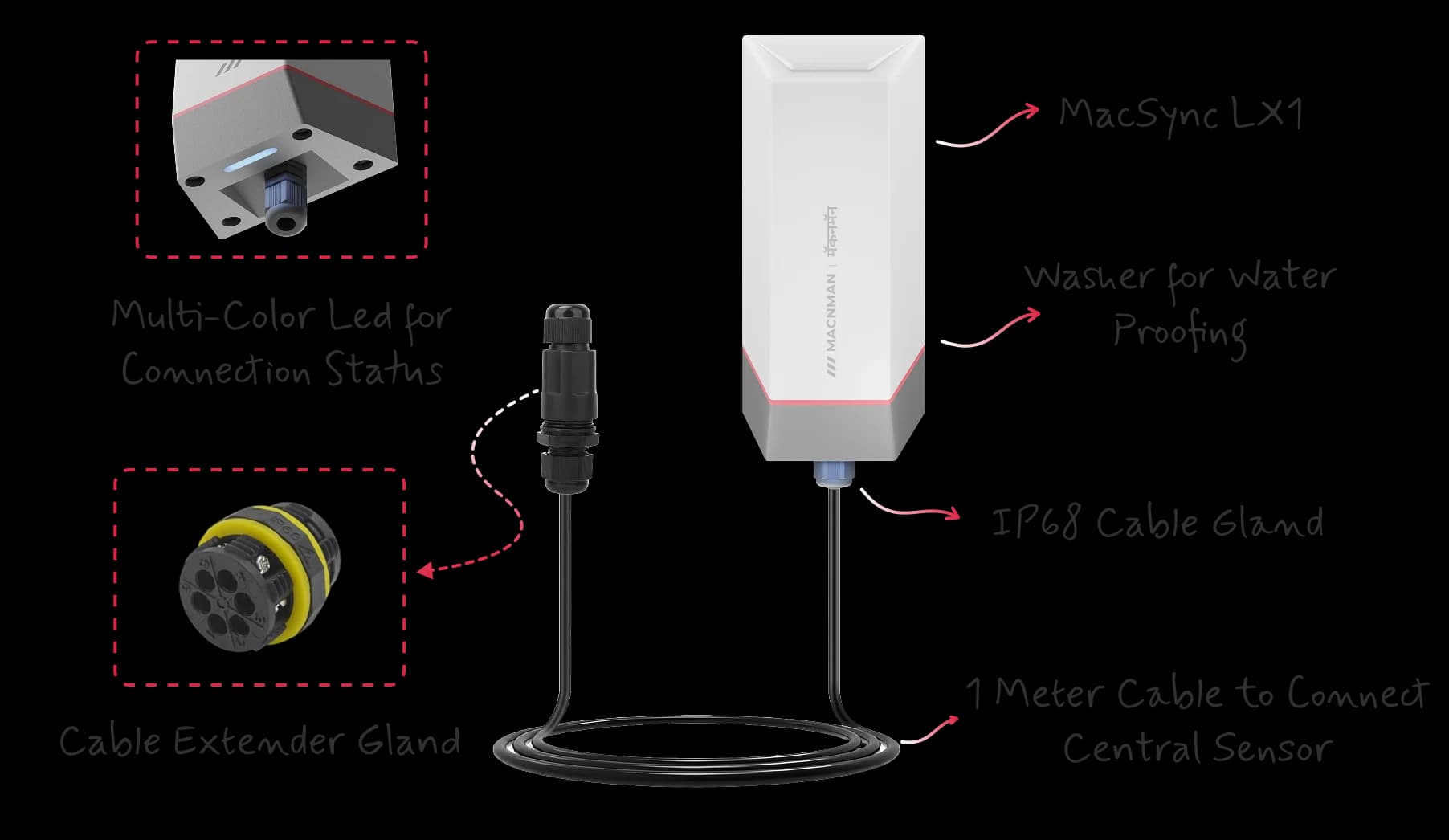
The converter is housed in glass-filled nylon rated IP65, with an IP67 option, and runs from −40 to +80 °C. At 142 × 80 × 32 mm it fits beside a meter in a panel, on a pump-house wall or on a pole next to an outdoor flow meter.
Poll and Report
the Way the Process Needs
Periodic, Trigger or Sampling
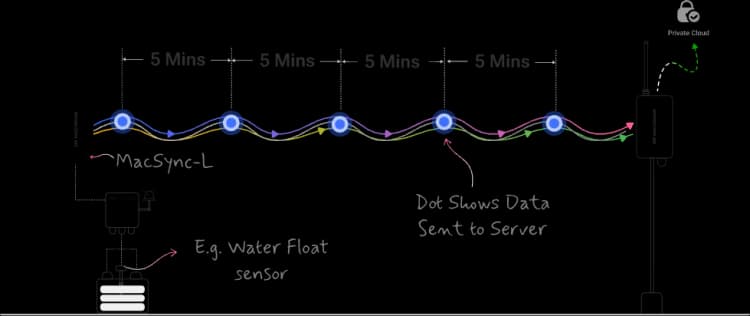
Report the registers on a schedule, on an alarm, or as a batch of polls, set per converter in the Maya app.
Operating modes
Polling and Reporting Modes: Periodic, Threshold Trigger and Sampling
poll the slaves on a schedule, report on an alarm, or batch several polls into one uplink
Choose periodic, trigger or sampling reporting for each converter in the Macnman Maya app.
01
Set the Interval
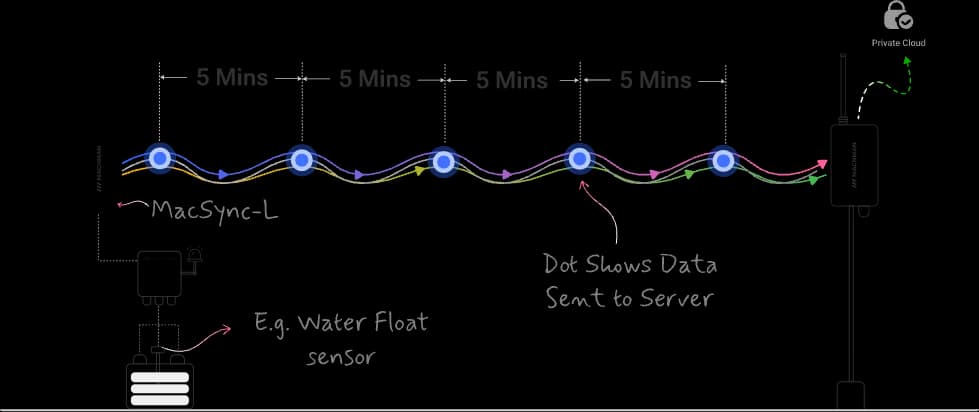
Pick how often the converter polls the registers and reports them: every few minutes for a process value, hourly or daily for an energy total.
02
Configure via Maya App
Enter the interval in the Maya app over Bluetooth, or change it later with a downlink from the network server.
03
Get Regular Readings
At each interval the converter queries the slaves, packs the values into an uplink and goes back to sleep.
Features
LoRaWAN Modbus Master: What Is Built into the MacSync LX1
Three Reporting Modes
Set how each converter polls and reports, in the Maya app
Polls the slaves and reports at the interval you set
Modbus RTU master
Function codes 03, 04, 06 and 16 on one RS485 port, from 1,200 to 115,200 bps
Onboard buffering
Variants with onboard memory keep readings on the device while the network is down
Register list by downlink
Add or change polled registers, the baud rate and the interval from the network server
Engineered for durability & reliability
IP65 glass-filled nylon enclosure, rated from −40 to +80 °C, with an IP67 option
Firmware Updates
Over-the-air updates from the Maya app, with signed images and secure boot
Macnman Maya
Slave IDs, registers, data types and intervals set from a phone over Bluetooth
Cloud & LNS
Works with Any LoRaWAN® Gateway and Network Server
Modbus Registers in ChirpStack, The Things Stack or Your Own Server
The MacSync LX1 is a standard LoRaWAN® v1.0.4 end device with OTAA activation. Register it on ChirpStack, The Things Network, Orbiwise, Netmore or a private server by scanning its QR code or entering the keys shown in the Maya app, then add the payload decoder to see each register as a named value.
Put Your Modbus Meters Online Without a New Cable Run
Use cases
RS485 Modbus to LoRaWAN Use Cases: Meters, Drives, PLCs and Inverters
Monitoring over LoRaWAN, with no communication cable
RS485 Modbus to LoRaWAN Use Cases: Meters, Drives, PLCs and Inverters
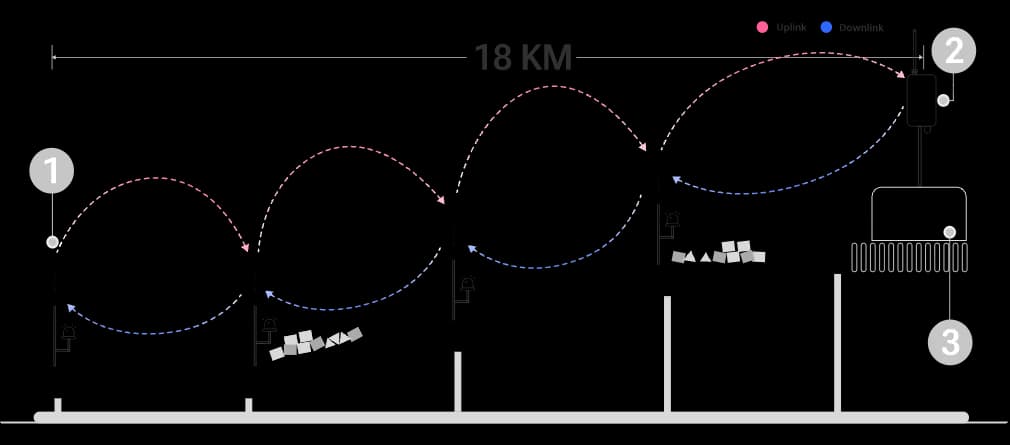
The MacSync LX1 RS485 to LoRaWAN converter polls the drive and vibration monitor on a conveyor for speed, motor current and fault status over Modbus RTU, so maintenance sees a developing fault from the control room.
Water Level and Pump Station Monitoring: The MacSync LX1 RS485 to LoRaWAN converter reads ultrasonic or pressure level sensors with an RS485 output and reports the level and a high-level alarm. Starting the pump is the job of a MacSet controller.
Battery Bank Monitoring: The MacSync LX1 RS485 to LoRaWAN converter reads voltage, current, temperature and state of health from a battery monitoring system over Modbus, with a trigger when a string leaves its limits.
Smart Waste Fill-Level Monitoring: The MacSync LX1 RS485 to LoRaWAN converter polls RS485 ultrasonic fill-level sensors on bins and compactors so collection rounds follow the actual fill level.
Andon Lights and Lighting Panels: The MacSync LX1 RS485 to LoRaWAN converter writes Modbus coils on an RS485 relay module and reads the feeder energy meter so lights are switched by downlink and their consumption is logged on the same bus.
Borewell and Piezometer Level: The MacSync LX1 RS485 to LoRaWAN converter reads a piezometer or submersible level sensor with an RS485 Modbus output and powers it from the battery variant at borewells with no supply.
Solar Inverter Monitoring: The MacSync LX1 RS485 to LoRaWAN converter polls string inverters and the plant energy meter for power, yield and fault codes and reports them across a solar farm on one gateway.
PLC Data to the Cloud: The MacSync LX1 RS485 to LoRaWAN converter reads holding registers that a PLC exposes as a Modbus RTU slave so production counts and alarms reach a dashboard without touching the PLC program.
Vacuum and Pressure Gauges: The MacSync LX1 RS485 to LoRaWAN converter polls digital vacuum gauges and pressure transmitters with RS485 and sends an alert when the process leaves its band.
Architecture
LoRaWAN Network Architecture: Modbus Device, Converter, Gateway and Server
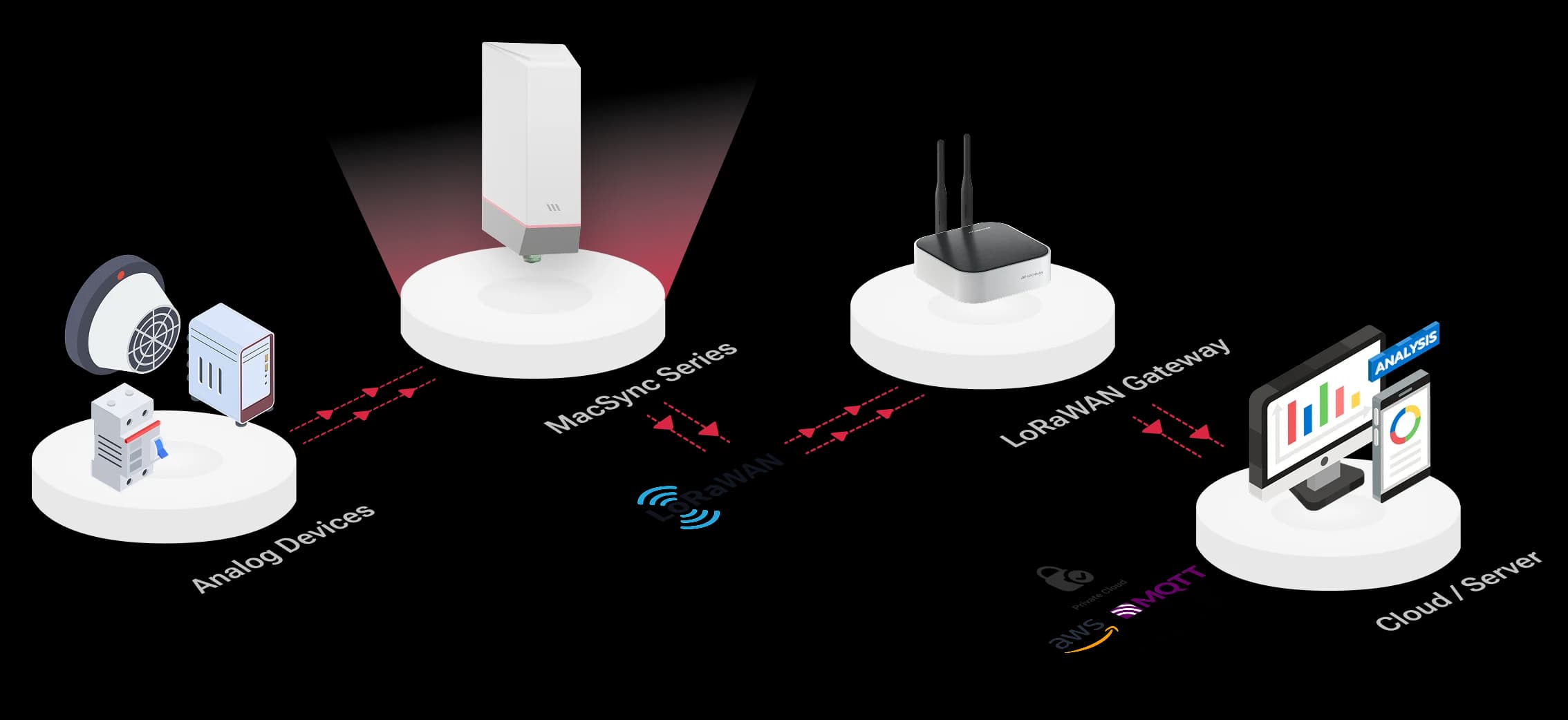
Range & reliability
How Far Can an RS485 to LoRaWAN Converter Transmit?
Kilometres of Coverage Beyond the RS485 Cable
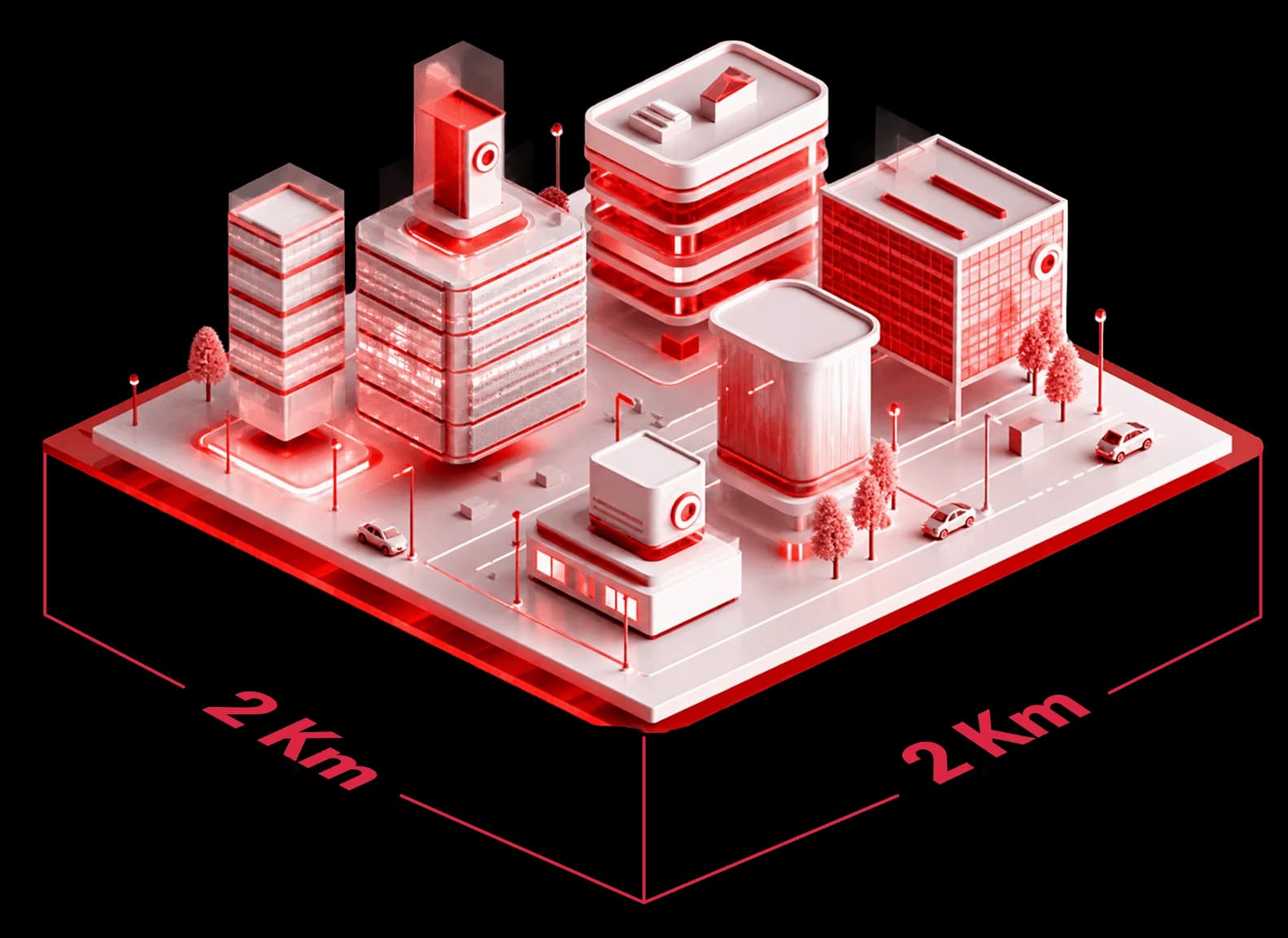
An RS485 bus itself reaches about 1,200 m. Beyond that the radio takes over: the MacSync LX1 covers around 2 km in a built-up site and up to 8 km with a clear line of sight from its internal antenna at 23 dBm, so meters in separate buildings report to one gateway.
Build the network: MacLink Gen-2 outdoor LoRaWAN gateway · Setu X1 indoor LoRaWAN gateway · Gateway and coverage calculator · LoRaWAN battery life calculator
Device-to-device
Point-to-Point RS485 over LoRa: Device to Device with No Gateway
MacTalk™ versions link two Macnman devices directly
Not every site needs a network. With a MacTalk™ version, a MacSync LX1 passes a Modbus reading directly to another Macnman device, such as a MacSet controller that starts a pump or raises an alarm, over a LoRa link with no gateway, SIM card or internet connection.
A Modbus reading sent straight to a MacSet controller. No gateway. No internet.
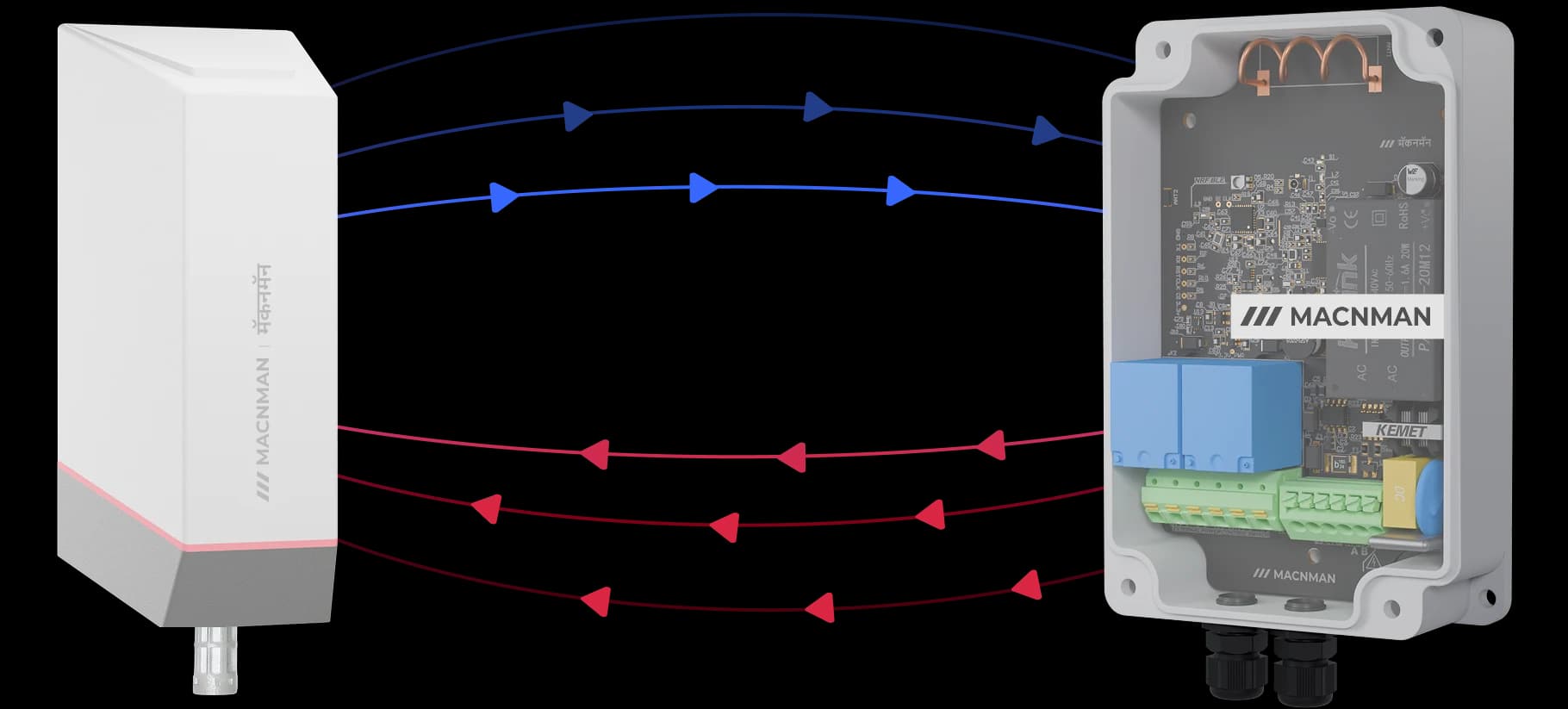
Plug & Play
No network server and no gateway to commission.
Real-Time Control
The controller acts on the reading with no round trip to the cloud.
Long-Range
The same LoRa radio as the LoRaWAN® version.
Integration
From Modbus Registers to SCADA, MQTT and Cloud Dashboards
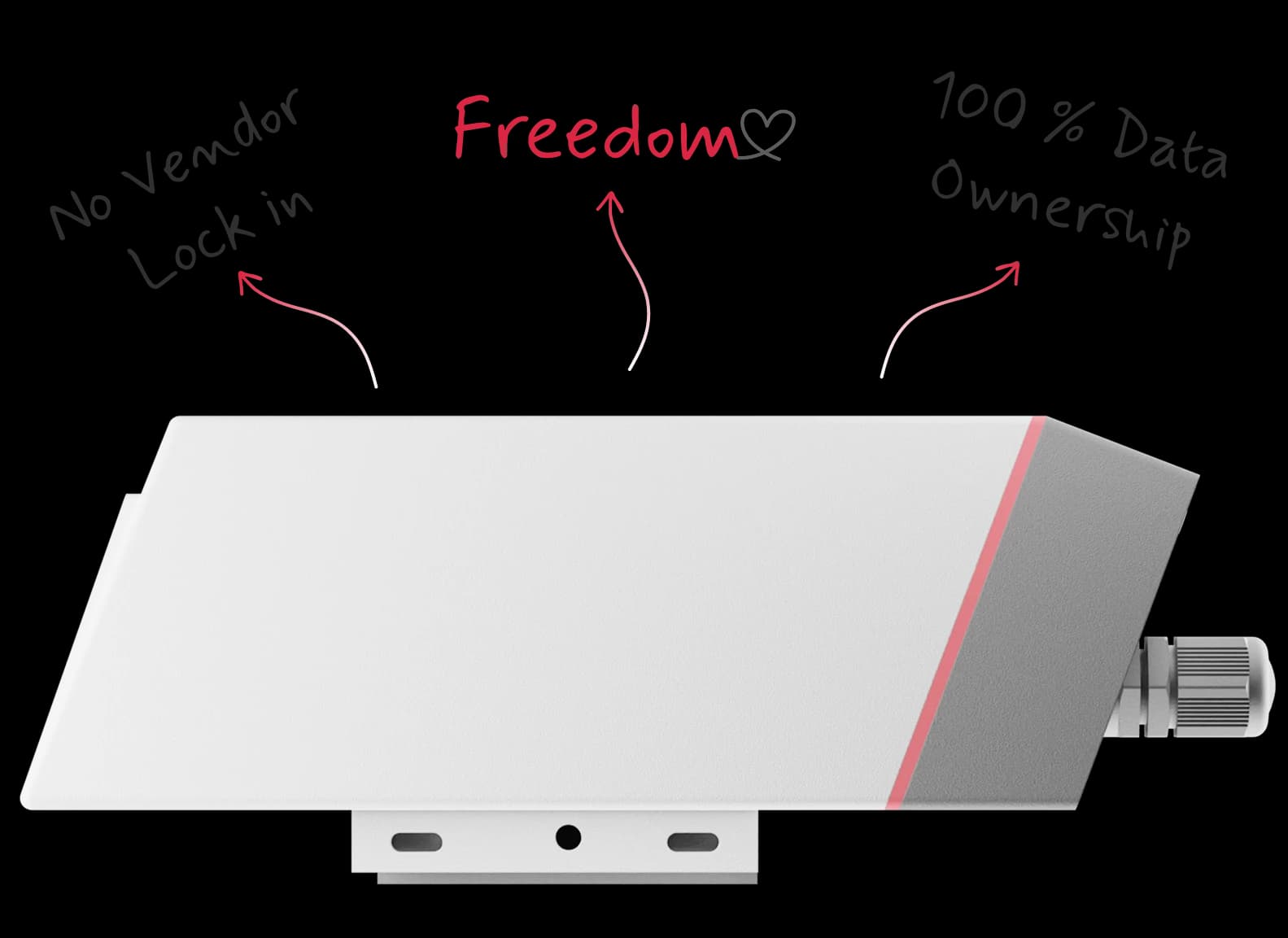
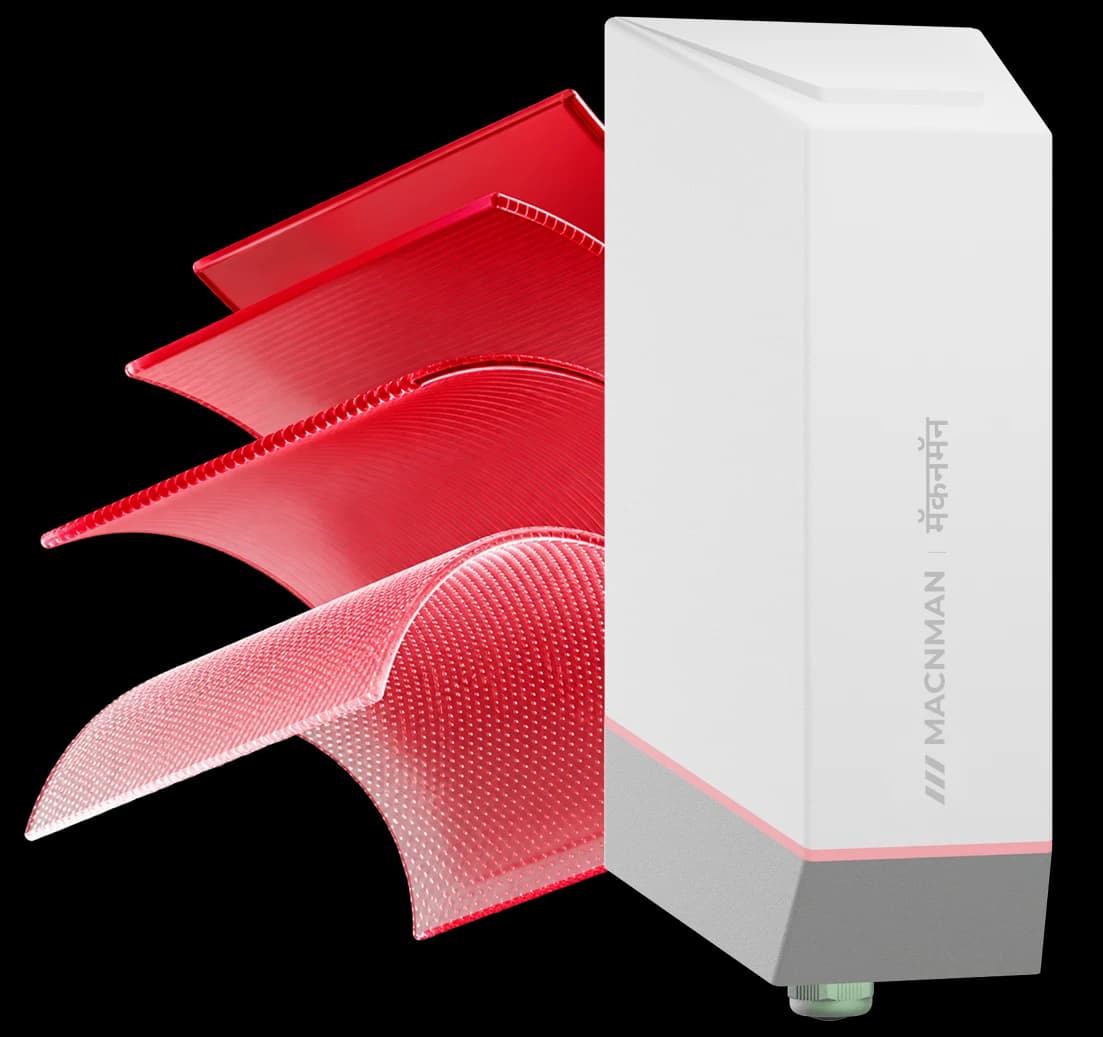
Once the network server has decoded an uplink, the register values travel on by MQTT or HTTPS to the system you already run: SCADA, an energy management platform, a cloud dashboard or your own application. Nothing ties the converter to one platform, and the readings stay yours.
The network server passes each decoded register on by MQTT or HTTPS to SCADA, an energy platform, a dashboard or your own application. Nothing ties the converter to one platform, and the readings stay yours.
Connectivity
RS485 to Wi-Fi, 4G or MacTalk: Other Ways to Carry Modbus Data
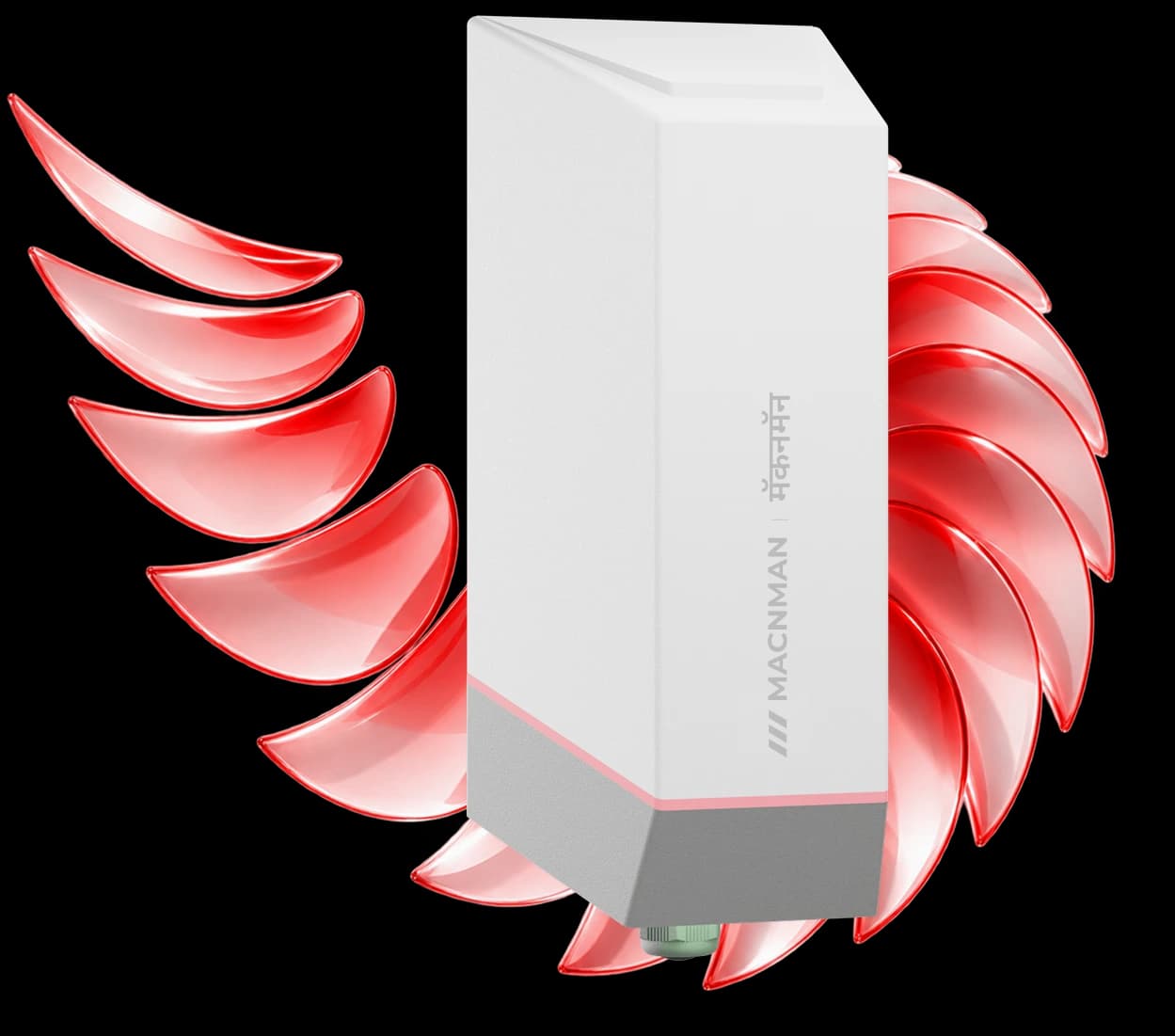
The same registers over MacTalk™, Wi-Fi or 4G LTE
4G LTE Cellular
For one remote meter with mobile coverage and no LoRaWAN gateway nearby.
Wi-Fi
The MacSync WX1 polls the same Modbus devices and publishes to an MQTT broker over the Wi-Fi a plant already has.
MacTalk™
A MacTalk version sends the registers straight to another Macnman device, with no gateway or internet.
Other networks: RS485 Modbus to Wi-Fi MQTT converter · Analog to LoRaWAN converter · Help me choose a technology
Maya app
No-Code Modbus Setup: Configure Registers from the Maya App
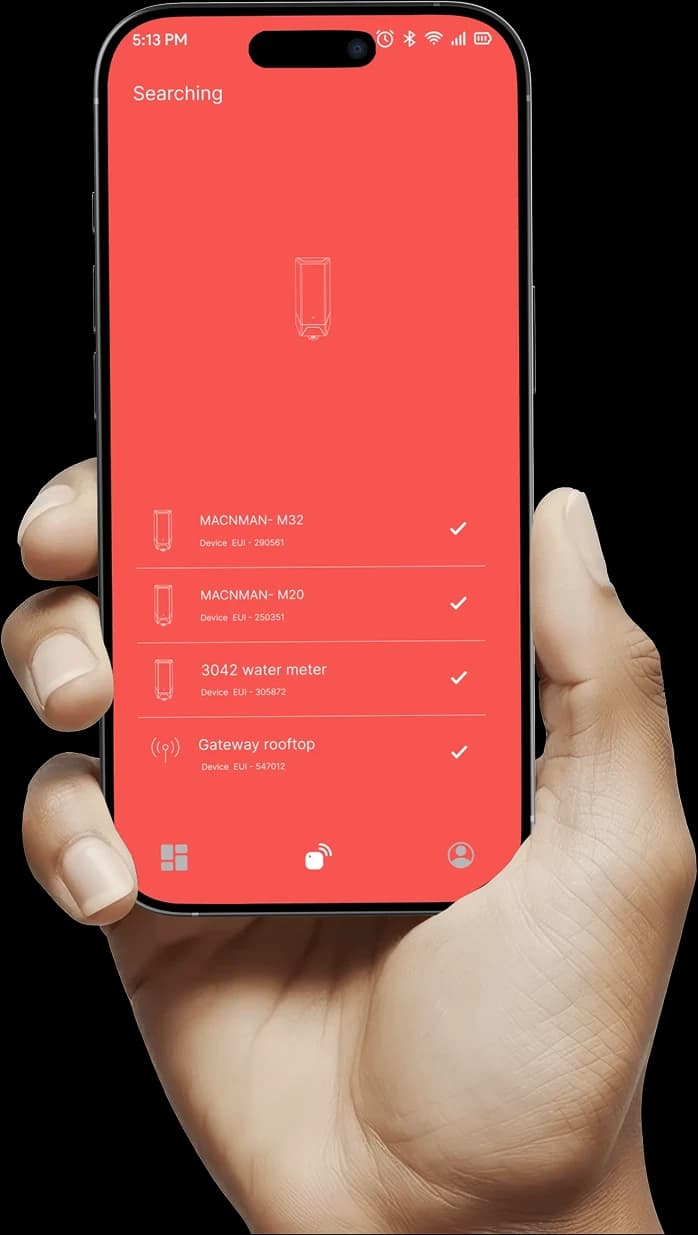
Set up Modbus registers without coding with
In the Maya app you set the baud rate and parity, add a field for each register with its slave ID, function code and data type, read the live value and update firmware over the air. Available for Android.Set the baud rate, parity and each register in the Maya app, read the live value and update firmware over the air. Available for Android.

Setup video · 1 min 13 s
How to Set Up a Modbus Register on the MacSync LX1
The whole RS485 setup is done from a phone, with no laptop and no AT commands. The video shows it in the Maya app; the steps beside it are the same ones, in the order you meet them.
Select RS485 mode
Each unit runs in RS485 or analog mode. Choosing RS485 opens the Modbus settings.
Set the sensor power and warm-up time
If the converter powers the device, pick the output level and a warm-up time from 0 to 2,000 ms, so the device has settled before it is read.
Match the baud rate and parity
Take both from the device manual: 1,200 to 115,200 bps with none, even or odd parity. A mismatch here is the usual reason a slave does not answer.
Add a field for each value
Enter the slave ID, the function code (03 for holding registers, 04 for input registers), the data type and the starting register address. A name such as Energy_Meter_kW is optional.
Say how many registers to read
One for INT16 or UINT16, two for INT32 or FLOAT32, or a group of up to 125 registers in a single request.
Press Check
The app polls the device there and then and shows the value, so the register map is proven before you close the panel.
MacSync LX1 Hardware: STM32WL LoRa Radio and nRF52 Bluetooth

BLE Chip

Main RF Chip

Made in India
An RS485 to LoRaWAN converter made in Pune, India
Indian sites get the IN865 plan, a WPC compliant radio and answers from the design team during the Indian working day. The same converter is supplied on EU868, US915, AU915 and RU864 for projects abroad.
Made in India
Indian sites get the IN865 plan, a WPC compliant radio and answers from the design team during the Indian working day. The same converter is supplied on EU868, US915, AU915 and RU864 for projects abroad.
IN865 as standard
Delivered on the 865–867 MHz LoRaWAN® plan for India; other regional plans are chosen when ordering.
WPC compliant radio
The LoRaWAN® radio is WPC compliant for India, and the hardware is RoHS conformant.
Built in Pune
Board, firmware and enclosure are designed and produced at one site in Pune, which is also where custom firmware for OEM orders is written.
Modbus help from the designers
Register maps, decoder questions and wiring checks are answered by the engineers who wrote the firmware. Hardware carries a 2-year limited warranty.
Next steps: Request a pilot kit · All LoRaWAN converters and controllers · Industrial IoT manufacturer in India
Which device
Which Macnman Modbus Master Do You Need: LoRaWAN, Wi-Fi or Relay Controller?
Three Macnman devices act as a Modbus RTU master. Choose by the network the site has and by whether anything has to be switched.
| Criterion | MacSync LX1 (LoRaWAN®) | MacSync WX1 (Wi-Fi) | MacSet LX1 controller |
|---|---|---|---|
| Network | LoRaWAN® v1.0.4 through a gateway, or MacTalk device to device | Existing 2.4 / 5 GHz Wi-Fi, to MQTT or HTTPS, with no gateway | LoRaWAN® v1.0.4, Class C for control |
| Modbus | RTU master on 1 × RS485 · function codes 03, 04, 06, 16 | RTU master on 1 × RS485 · function codes 03 and 04, writes from the server | RTU master on 1 × RS485 · function codes 3, 4, 6, 16 |
| Outputs | None: it reads and reports | None: it reads and reports | 2 × 16 A relays |
| Power | 19 Ah battery or 9–36 V DC | 19 Ah battery or 9–36 V DC | 230 V AC or 9–36 V DC |
| Choose it for | Meters and panels spread over a site or a campus, with or without power, kilometres from the control room | Modbus devices inside a plant or building that already has Wi-Fi | Reading a meter or sensor and switching a pump, motor or valve on the result |
| SKUs | 83301 battery · 83300 DC · 83303 / 83302 MacTalk · 83304 BLE | See the Wi-Fi converter page | 81101 LoRaWAN® · 81102 MacTalk · 81103 BLE |
The MacSync LX1 can instead be set to analog mode for 4–20 mA and 0–10 V transmitters. RS485 and analog share the terminals, so each unit runs in one mode.
See also: Compare all MacSync LX1 versions · MacSync WX1 RS485 Modbus to Wi-Fi converter · MacSet LX1 controller with relays
Modbus settings
Modbus RTU Settings the MacSync LX1 Supports
Check these against the Modbus section of your meter or PLC manual. Every setting is made in the Maya app over Bluetooth, and most can be changed later by downlink.
| Setting | MacSync LX1 | Notes |
|---|---|---|
| Modbus role | RTU master | Your meter, drive or PLC stays a slave; nothing changes on its side |
| Port | 1 × RS485, half-duplex | Several slaves share the same two wires |
| Baud rate | 1,200 to 115,200 bps | All slaves on the bus must use the same rate |
| Frame | 8 data bits · none, even or odd parity · 1 stop bit | Parity can be changed by downlink |
| Function codes | 03 and 04 to read · 06 and 16 to write | Coils are written by downlink |
| Slave ID | 1 to 247 | One ID per device on the bus |
| Register address | 0 to 65,535 | Protocol addresses count from zero; many manuals print 40001-style numbers |
| Registers per read | 1 to 125 in one group | For example 2 registers for one FLOAT32 value |
| Data types | INT16 · UINT16 · INT32 · FLOAT32 | 32-bit values with the most or the least significant word first |
Figures are from the MacSync LX1 datasheet and the Modbus configuration and downlink pages of the user manual.
Payload size
How Many Modbus Registers Fit in One LoRaWAN Uplink?
LoRaWAN caps the size of every message, and the cap shrinks as the link gets longer. That radio limit, not the Modbus side, decides how many registers any converter can report at once.
| Spreading factor | Max payload | 16-bit registers | 32-bit values | Plan for |
|---|---|---|---|---|
| SF10–SF12 (longest range) | 51 bytes | up to 25 | up to 12 | about 15 × 16-bit, or 9 × 32-bit |
| SF9 | 115 bytes | up to 57 | up to 28 | about 35 × 16-bit, or 20 × 32-bit |
| SF7–SF8 (shortest range) | 222 bytes | up to 111 | up to 55 | about 70 × 16-bit, or 40 × 32-bit |
| US915 at its slowest rate | 11 bytes | up to 5 | up to 2 | 1 value |
Payload ceilings are the LoRaWAN regional limits for EU868 and IN865, with US915 shown for contrast; a 16-bit register takes 2 bytes and a 32-bit value takes 4, so the middle columns are theoretical maximums. The planning column is an allowance, not a protocol figure: it sets aside 6 bytes for header and status and one extra byte per value. Report only the registers you need, send slow-changing values less often, and split a long list across uplinks; send us the register list and we confirm the exact count.
Battery life
Estimated Battery Life of the RS485 to LoRaWAN Converter by Reporting Interval
Estimates for the 19 Ah battery variant, scaled from the reference figure of about 8 years at one uplink an hour on SF7. How often the converter reports and the spreading factor the link needs decide most of the result, so find your interval and read across.
| Reports every | SF7 · near the gateway | SF10 · typical site | SF12 · edge of range | SF10 · converter powers the sensor |
|---|---|---|---|---|
| 5 minutes | about 5 years | about 3.5 years | about 1.5 years | about 1 year |
| 15 minutes | about 7 years | about 5.5 years | about 3.5 years | about 3 years |
| 30 minutes | about 7.5 years | about 6.5 years | about 5 years | about 4.5 years |
| 1 hour | about 8 years | about 7.5 years | about 6 years | about 6 years |
| 6 hours | about 8 years | about 8 years | about 7.5 years | about 7.5 years |
| 24 hours | about 8 years | about 8 years | about 8 years | about 8 years |
Estimates, not guaranteed figures. The table is anchored on one reference point: about 8 years for the 19 Ah battery variant sending one uplink an hour at SF7. The other cells are scaled from it with the charge budget of the battery life calculator: transmission at full power, a 24-byte payload sent unconfirmed with no retries, and one Modbus poll of about a second per report, at 25 °C. The first three columns are for a meter, drive or PLC that has its own supply. The last column adds a sensor that draws about 100 mA from the cell for two seconds per reading. Figures are rounded down. Cold sites, confirmed uplinks and weak links shorten them; send us your register list and interval for a project estimate.
Work it out: LoRaWAN battery life calculator · Gateway and coverage calculator · Get a quote
Remote control
LoRaWAN Downlink Commands for Modbus Registers
Each command is a JSON payload sent on its own FPort from the network server. In Class A it is delivered after the next uplink; in Class C, on the 9–36 V DC variant, it is delivered straight away.
| FPort | What it does | Typical use | Example payload |
|---|---|---|---|
| 6 | Sets the reporting interval, in seconds | Slow the uplinks on a quiet site, speed them up during commissioning | { "txTime": 60 } |
| 8 | Writes holding registers on a slave | Change a setpoint on a drive or a controller | { "slaveid": 4, "value": 255, "numberofreg": 1, "address": 0 } |
| 9 | Writes coils on a slave | Switch an output on an RS485 relay module | Same fields as FPort 8 |
| 10 | Adds or updates a polled register field | Add a new value to the report without a site visit | Field number, slave ID, function code, data type, register count and address |
| 12 | Sets the baud rate and parity | Match a replacement meter with different serial settings | { "baud": 9600, "parity": 1 } |
| 13 | Reads a register once | Check a value that is not in the regular report | { "slaveId": 1, "functionCode": 3, "dataType": 1, "numberOfParameters": 1, "Registeraddress": 257 } |
| 15 | Returns a configured register field | Verify the register list held by the converter | { "index": 1 } |
Examples are from the downlink command reference in the downloads section, which has the full format for every FPort. Parity is 0 for none, 1 for odd and 2 for even. Data type codes are 0 INT16, 1 UINT16, 2 and 3 INT32, 4 and 5 FLOAT32, the first of each pair with the most significant word first. Use downlinks for setpoints and occasional commands; a control loop belongs on the wire.
Application map
Wireless Modbus Monitoring: Energy Meter, Flow Meter, VFD and PLC to LoRaWAN
Each row is a Modbus device found on most Indian industrial, utility and commercial sites, with what the converter reads from it and how it is usually set up.
| Device | What it reads | Typical setup | Reporting |
|---|---|---|---|
| Multifunction energy meter | kWh, kW, voltage, current and power factor | FLOAT32 holding or input registers · DC variant in the panel | Every 5 to 15 minutes, or sampling for a load profile |
| Water or flow meter, borewell or pipeline | Flow rate and totaliser | 32-bit registers · battery variant where the meter has no supply | Hourly or daily totals |
| Piezometer or level sensor | Water level, and temperature where the sensor reports it | RS485 level sensor powered by the converter · battery variant at the well | Every 1 to 12 hours, with a trigger on a low level |
| Variable frequency drive | Speed, motor current and fault word | Reads by function code 03 · setpoint written by downlink | Periodic, with a trigger on the fault word |
| PLC or RTU | Holding registers the PLC exposes as a slave | No change to the PLC program beyond its Modbus map | Periodic, with triggers on alarm values |
| Solar inverter | AC power, daily yield and status codes | Several inverters on one bus, each with its own slave ID | Every 5 to 15 minutes in daylight |
| DG set controller | Run hours, fuel level and alarms | Controller’s RS485 port · DC variant from the starter battery | Periodic, with a trigger on alarms |
| Weather or multi-parameter sensor | Temperature, humidity, wind, rainfall | Sensor powered by the converter, with a warm-up time before each poll | Every 10 to 30 minutes |
| Chiller or HVAC controller | Supply and return temperatures, load and status | Controller’s Modbus RTU port in the plant room | Periodic, with a trigger on trips |
How many registers fit in one report depends on the radio settings; see the payload table. Send us the device model and the registers you need and we will confirm the setup.
Related: Smart industry solutions · Smart building energy monitoring · Smart city water and utilities · Analog 4-20mA to LoRaWAN converter
Compared
MacSync LX1 vs Dragino RS485-LN vs Milesight UC100 vs RAK7431
The RS485 to LoRaWAN® converters most often shortlisted together, on the figures each manufacturer publishes. Checked 11 October 2026; where a page does not state a figure, the cell says so.
| Criterion | Macnman MacSync LX1 | Dragino RS485-LN / RS485-LB | Milesight UC100 | RAKwireless RAK7431 |
|---|---|---|---|---|
| Modbus role | Modbus RTU master · function codes 03, 04, 06 and 16 | RS485 with Modbus support · quick command for function codes 01 to 04 | Modbus RTU and transparent passthrough | Polling, transparent and packet modes |
| Devices and reads | Several slaves on one bus, slave ID 1–247 · 1–125 registers per group | RS485-LN: up to 32 RS485 devices · 15 commands per sampling | Up to 32 Modbus RTU devices · up to 64 registers | Up to 16 RS485 devices · up to 32 polling instructions |
| Baud rate | 1,200–115,200 bps | Up to 115,200 bps | 1,200–115,200 bps | 9,600–115,200 bps |
| Other inputs | Two switchable channels for 4–20 mA, 0–10 V or digital, in place of RS485 | RS485-LB: UART, I²C, 1-Wire and one digital pin | 1 × RS485 | 1 × RS485 |
| Power | 19 Ah battery variant, or 9–36 V DC variant | RS485-LN: 7–24 V DC, no battery · RS485-LB: 8,500 mAh Li-SOCl₂ cell | 5–24 V DC or USB-C 5 V; no battery listed | 8–48 V DC or Micro USB 5 V; no battery listed |
| Powers the connected device | Yes: selectable output level, 0–2,000 ms warm-up | RS485-LB: 3.3 V and 5 V outputs; RS485W-LB adds 12 V | Not on the page checked | Yes: output follows the 8–48 V DC input |
| LoRaWAN | v1.0.4 · Class A, Class C via the app · OTAA | v1.0.3 · RS485-LN Class A and C, default C · RS485-LB Class A | Class C · OTAA or ABP; version not on the page checked | v1.0.3 · Class A, B and C |
| Enclosure | IP65, IP67 optional · −40 to +80 °C | RS485-LB: IP67 · −40 to +85 °C · RS485-LN: not on the page checked | IP30 · −20 to +60 °C | IP31 · −30 to +65 °C |
| Configuration | Maya app over Bluetooth · downlink | AT commands · downlink · RS485-LB adds Bluetooth | USB-C · downlink | AT commands over Micro USB |
| Manufacturer | Macnman, Pune, India · WPC compliant | Dragino, Shenzhen, China | Milesight, Xiamen, China | RAKwireless, Shenzhen, China |
Figures for the other products are taken from their manufacturers' product pages, datasheets and manuals, checked on 11 October 2026, and may change. Dragino, Milesight and RAKwireless are trademarks of their respective owners.
More: Full comparison with sources and where each converter fits · 4-20mA to LoRaWAN converters compared
FAQ
MacSync LX1 RS485 to LoRaWAN Converter: Frequently Asked Questions
An RS485 to LoRaWAN converter puts wired Modbus equipment on a wireless network. The MacSync LX1 acts as the Modbus RTU master, polls the registers of energy meters, flow meters, drives, PLCs and sensors over RS485, and sends the values over LoRaWAN® to a gateway and on to your dashboard or SCADA. The equipment stays as it is; only the communication cable to the control room goes.
Yes, but not as a cable replacement. A LoRaWAN® message is small and a device at long range sends only a few of them an hour, so a SCADA master cannot poll a slave through the air the way it does on a wire. An RS485 to LoRaWAN converter solves this by polling locally: the MacSync LX1 sits beside the equipment as the Modbus RTU master, reads the registers on its own schedule and sends only the values. Your software then takes the readings from the network server instead of from the Modbus bus.
A master. It sends the Modbus RTU requests, and your meter, drive or PLC answers as a slave on its existing address. That is the role a retrofit needs, because almost every meter and drive is a slave waiting to be polled. It does not answer as a slave itself, so a PLC cannot poll it.
Wire the meter’s RS485 A and B terminals to the MacSync LX1. In the Maya app, set the baud rate and parity to match the meter, then add a field for each value you want: the meter’s slave ID, the function code, the register address and the data type from its Modbus manual. Read the live value in the app to confirm it, and the readings then arrive over LoRaWAN®. The same steps apply to a flow meter, a drive or a PLC.
Any device that answers as a Modbus RTU slave on RS485, whatever its make: multifunction energy meters, water, gas and flow meters, variable frequency drives, PLCs and RTUs, solar inverters, DG set controllers, and sensors with an RS485 output. If you send us the model, we will check its register map and serial settings before you order.
Four: Read Holding Registers (03), Read Input Registers (04), Write Single Register (06) and Write Multiple Registers (16). Function code 03 reads holding registers, which a device also lets you write, and 04 reads input registers, which are read-only measurements; a meter manual says which one each value uses. Codes 06 and 16 let a downlink change a setpoint or send a command. The converter is always the Modbus RTU master, so the connected equipment needs nothing beyond its existing slave address and serial settings.
No. In the Maya app each value is a field with a slave ID, a function code, a register address, a data type and a register count, and the converter builds the Modbus RTU request, CRC included, from those entries. There are no hex command strings and no AT commands to compose, which is where most of the set-up time goes on converters that are configured with raw frames.
From 1,200 to 115,200 bps, with 8 data bits, none, even or odd parity and 1 stop bit, on half-duplex RS485. Every device on the bus must use the same baud rate and parity, and each needs its own slave ID between 1 and 247. The settings are made in the Maya app over Bluetooth and can be changed later by downlink.
The MacSync LX1 has one RS485 port and polls several Modbus RTU slaves wired to the same two conductors, each identified by its slave ID. The RS485 standard allows 32 standard unit loads on one segment, and Modbus addresses run from 1 to 247. In practice the limit is set less by the bus than by how many registers you want in each report, because a LoRaWAN® uplink is small. Send us the device list and the registers and we will confirm how it maps.
The LoRaWAN® radio sets the ceiling, on every vendor’s converter. On IN865 and EU868 the maximum application payload is 51 bytes at the longest-range settings (SF10 to SF12), 115 bytes at SF9 and 222 bytes at SF7 and SF8. A 16-bit register takes 2 bytes and a 32-bit value 4 bytes, so at the longest range there is room for about 25 sixteen-bit registers at the very most, and fewer once header bytes are counted. As a planning figure, allow for about 15 sixteen-bit registers per uplink at the longest range and about 35 at SF9. Report only what you need, send slow-changing values less often, and split a long register list across uplinks.
Yes. Every field has its own slave ID and starting address, so the registers do not have to be consecutive or on the same device: voltage from one block, energy from another and a value from a second meter are simply three fields. Where the registers you need do sit together, one field reads a group of up to 125 in a single request. High addresses are not a problem either, because the address range runs from 0 to 65,535.
Yes. The supported data types are INT16, UINT16, INT32 and FLOAT32. A 32-bit value occupies two registers, and meters differ in which register comes first, so the MacSync LX1 offers both orders for INT32 and FLOAT32: most significant word first or least significant word first. If a float reads as a nonsense number, the word order is usually the reason; switch it in the Maya app and read the live value again.
Yes, published on GitHub in the Macnman decoder repository: one codec file each for The Things Stack, ChirpStack v4 and Milesight gateways, each with the uplink decoder and the downlink encoder, plus a stand-alone encoder. The link is in the downloads section. Added as the codec in ChirpStack or as the uplink payload formatter in The Things Stack, it turns each register into a named value with its data type, and each uplink carries the battery level and a UTC timestamp.
Yes. A downlink from the network server can write holding registers or coils on a slave, so you can change a setpoint or switch an output. Other downlinks add a register to the polled list, change the baud rate and parity, or read a register once. Timing depends on the LoRaWAN® class. In Class A, the default, a downlink is delivered after the next uplink. In Class C the receiver stays open and the command arrives straight away, which needs the 9–36 V DC variant. LoRaWAN suits monitoring and occasional commands, not closed-loop control.
Yes. A one-time read is a downlink on FPort 13 that names the slave ID, the function code, the data type, the register count and the address; the converter polls that register and reports the result without adding it to the regular list. A downlink on FPort 15 returns a field that is already configured, which is a quick way to check the register list from the server.
That is LoRaWAN® Class A, the default. To save energy a Class A device listens only in two short windows straight after each uplink, so the network server holds a queued command until the converter next transmits. Shorten the reporting interval while you commission, or run the 9–36 V DC variant in Class C, where the receiver stays open and a write is delivered straight away. If no downlink arrives at all, check that the gateway is online and that the server’s downlink queue is not full.
It is often called a Modbus to LoRaWAN gateway, but it is not a gateway. The MacSync LX1 is an end device: it reads your Modbus equipment and transmits to a LoRaWAN® gateway, which forwards the data to a network server. You need a gateway in range, your own or a public network, and one gateway typically serves many converters across a site. The exception is a MacTalk version, where two Macnman devices talk directly with no gateway.
No, that is the opposite direction. The MacSync LX1 takes Modbus data to LoRaWAN®. Feeding readings from LoRaWAN sensors into a PLC, a BMS or SCADA is done on the network side, by a LoRaWAN to Modbus gateway or by an integration from the network server. If your software accepts MQTT or HTTP, the network server delivers the decoded readings to it directly.
An RS485 to LoRa converter is usually a transparent radio modem, often called a DTU: two units replace a cable, with no network, no server and no cloud. An RS485 to LoRaWAN converter joins a managed network through a gateway, so many devices report to one platform with encryption and central configuration. The MacSync LX1 is the second kind; its MacTalk version covers the point-to-point case when one meter only needs to reach one controller.
The names overlap. A bridge or converter reads Modbus RTU and forwards the values over LoRaWAN®; a data logger also keeps readings on the device. The MacSync LX1 polls and uplinks in every version, and variants with onboard memory buffer readings while the network is down. Tell us whether you need that buffer when you order.
It can. RS485 itself carries only data on its two wires, so power is always a separate matter. The MacSync LX1 has a selectable power output for the connected sensor, with a warm-up time of 0 to 2,000 ms before each poll, so an RS485 level or weather sensor is switched on, read and switched off again. Check the output level against the sensor’s supply voltage in its datasheet. Equipment with its own supply, such as an energy meter or a PLC, only needs the two RS485 wires.
As a reference, the 19 Ah battery variant lasts about 8 years reading a meter or PLC that has its own supply and sending one uplink an hour at SF7. Reporting more often, or a link that needs a higher spreading factor, shortens that: on a typical SF10 link the estimate is about 7.5 years at hourly reporting, about 5.5 years every 15 minutes and about 3.5 years every 5 minutes. A sensor that the converter energises before each poll takes more, about 3 years at 15 minutes on SF10. The battery-life table on this page gives the full set with its assumptions; these are estimates, not guaranteed figures. Where a supply exists, choose the 9–36 V DC variant.
Yes. The 19 Ah cell plugs into the board on a connector. Open the bottom of the enclosure, slide the board out, unplug the old cell, fit a new one of the same type and voltage with the polarity the right way round, and close the unit again. The steps are in the user manual.
Order the 9–36 V DC variant, MacSync-L-PV-X1 (SKU 83300), for meters and PLCs inside a powered panel, for short polling intervals and for Class C downlinks. Order the battery variant, MacSync-L-BV-X1 (SKU 83301), for flow meters, water meters and sensors with no supply nearby. MacTalk versions (SKU 83303 battery, 83302 DC) link two devices with no gateway, and a Bluetooth-only version (SKU 83304) is for local logging.
Around 2 km through a built-up site and up to 8 km with a clear line of sight, from the internal antenna at 23 dBm. Real range depends on the gateway antenna height, buildings and terrain, so plan gateway positions with a site survey or the gateway and coverage calculator. The Maya app’s network test shows the signal strength at the mounting point before you fix the unit.
An RS485 bus runs to about 1,200 metres at 9,600 bps on twisted-pair cable, and less as the baud rate rises. Fit a 120 ohm resistor at each end of the main run, keep branch stubs short, and wire A to A and B to B throughout; some makers label the terminals D+ and D− or swap the A and B convention, so check the manual. On a long or noisy bus, bias resistors hold the line in a defined state while no device is driving it; many meters and masters include them, so add external ones only if errors appear on an idle line. In most retrofits the converter sits within a few metres of the meter, so cable length is rarely the limit.
A successful join proves only the radio side; the Modbus side is checked separately. Check six things, in order of how often they are the cause. First, the A and B wires are swapped; reverse them. Second, the slave ID in the converter does not match the device. Third, the baud rate or parity differs. Fourth, the register address is off by one: many manuals number holding registers from 40001, while the protocol counts from zero. Fifth, the function code is wrong, reading a holding register as an input register or the reverse. Sixth, where the converter powers the sensor, the warm-up time is too short for the sensor to wake before it is polled. The Maya app shows the live value over Bluetooth, so each fix can be tested on the spot.
First, that the converter and the gateway are on the same frequency plan, IN865 in India. Second, that the DevEUI, AppEUI and AppKey on the network server match the device exactly; scanning the QR code in the Maya app avoids typing errors, and a MIC mismatch error means the keys differ. Third, that the gateway is online and the join requests are reaching the server. Joining is also quicker and more reliable at SF7 to SF10 than at SF12. The Maya app’s network test then sends a confirmed uplink and shows the signal strength.
Yes. It is a standard LoRaWAN® v1.0.4 device with OTAA activation, so it joins ChirpStack, The Things Network, Orbiwise, Netmore or a private server. Registration is by scanning the QR code shown in the Maya app, or by copying the DevEUI, AppEUI and AppKey. With the published decoder added on the server, each register appears as a named value.
On site, with the Maya app over Bluetooth: Modbus settings, register fields, reporting mode, triggers and LoRaWAN® settings, with no code and no cable. Later changes, such as the interval, the register list or the baud rate, can be sent as downlinks from the network server. Firmware is updated over the air from the app.
No. The MacSync LX1 is a Modbus RTU master on RS485. A Modbus TCP device speaks over Ethernet and an RS232 device uses a different electrical interface, so each needs its own converter to RS485 Modbus RTU first. Most meters, drives and PLCs offer an RS485 Modbus RTU port as standard or as an option.
Not directly. The RS485 port of the MacSync LX1 speaks Modbus RTU; DLMS/COSEM, the protocol on most utility smart meters in India, is a different protocol and is not on the datasheet. Two routes work. Read a multifunction panel meter with a Modbus RTU port on the same feeder, or put a DLMS to Modbus converter in front of the MacSync LX1 so that the meter’s values appear as Modbus registers.
Yes, in analog mode. The MacSync LX1 has two switchable channels, each set to 4–20 mA, 0–10 V or digital input, with 12-bit analog resolution. RS485 and the analog channels share the terminals, so a unit runs in RS485 mode or in analog mode, not both at once; a site with both kinds of instrument needs one unit for each. For analog-only work, see the MacSync LX1 analog to LoRaWAN converter page.
A LoRaWAN® version needs a gateway, and the gateway needs a path to the network server, which can be a private server on your own network with no internet. A MacTalk version needs neither: it sends the reading directly to another Macnman device, such as a MacSet controller, over a LoRa link.
Wired Modbus TCP gives the fastest updates and suits new installations where cable trays are already open. A GSM, 4G or NB-IoT RS485 modem needs no gateway but needs a SIM card, a data plan and operator coverage at every device. LoRaWAN® needs one gateway and then has no subscription per device and kilometres of range, which is why it suits retrofits across a spread-out site where new cable is the expensive part. For second-by-second control, stay wired; for readings every few minutes from equipment that is awkward to reach, LoRaWAN is usually the lowest-cost route.
Technically, yes. An electromagnetic or ultrasonic flow meter with an RS485 Modbus output gives its flow rate and totaliser, and a piezometer or level sensor with RS485 gives the water level. The battery variant suits a borewell with no supply and powers the level sensor only while it is read. Whether a telemetry system satisfies the conditions of a groundwater NOC, such as those set by the CGWA, depends on the reporting format the authority asks for, so confirm that with your consultant before you order.
On the figures their manufacturers publish, the Dragino RS485-LN, the Milesight UC100 and the RAK7431 are DC-powered bridges for inside a panel: the UC100 is IP30 and the RAK7431 is IP31, and they are configured over a USB cable or with AT commands. Dragino’s battery model is the RS485-LB, IP67 with an 8,500 mAh cell. The MacSync LX1 comes as a 19 Ah battery variant or a 9–36 V DC variant in an IP65 enclosure, is set up from a phone app, and is made in India for IN865. The comparison table above gives the figures, and the full comparison page lists the sources.
It ships on IN865, the 865 to 867 MHz plan used for LoRaWAN® in India, and the radio is WPC compliant. The MacSync LX1 is designed and manufactured by Macnman Technologies in Pune and is RoHS conformant. The same hardware is available on RU864, EU868, US915 and AU915 for other regions.
On a wall, stick the reference tape from the box where the unit will go, drill on its two marks and screw the bracket on; the converter slides down into the bracket until it locks. On a pole, thread plastic or stainless steel zip ties through the mounting clip and pull them tight around the pole. Either way the unit sits within a few metres of the meter, so the RS485 cable stays short.
Macnman hardware carries a two-year limited warranty against manufacturing defects from the invoice date; the non-rechargeable battery is a consumable and is not covered. In the box are the MacSync LX1, a mounting clip, mounting screws, a user manual and a warranty card. The IP68 cable extender and the power adapter are ordered separately.
More from Macnman
What Else Do We Build at Macnman
 New
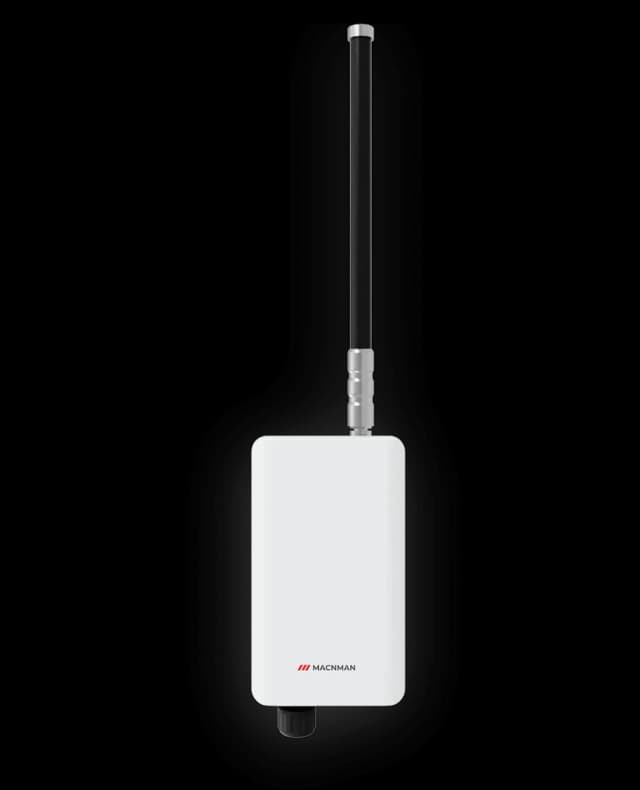
Maclink Gen-2
LoRaWAN Outdoor Gateways
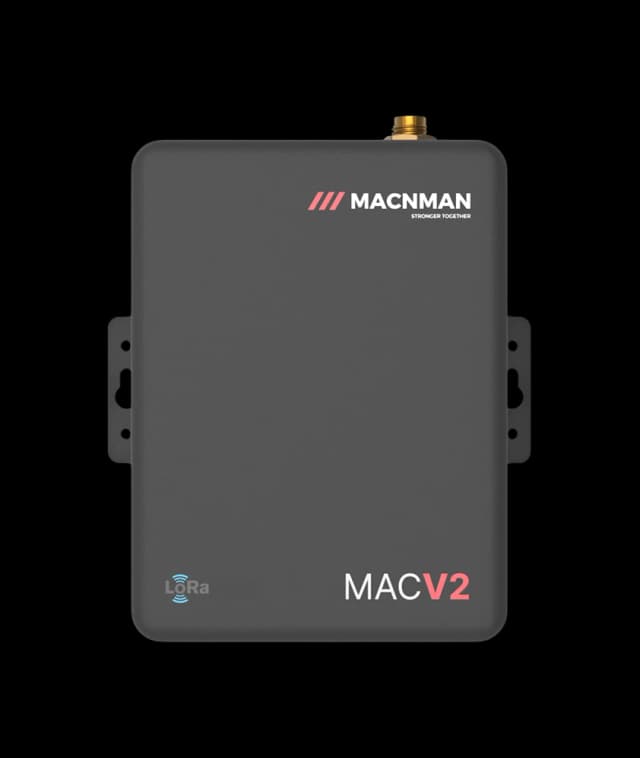
MacEge 4G Mini Gateway
4G Lte Gateways
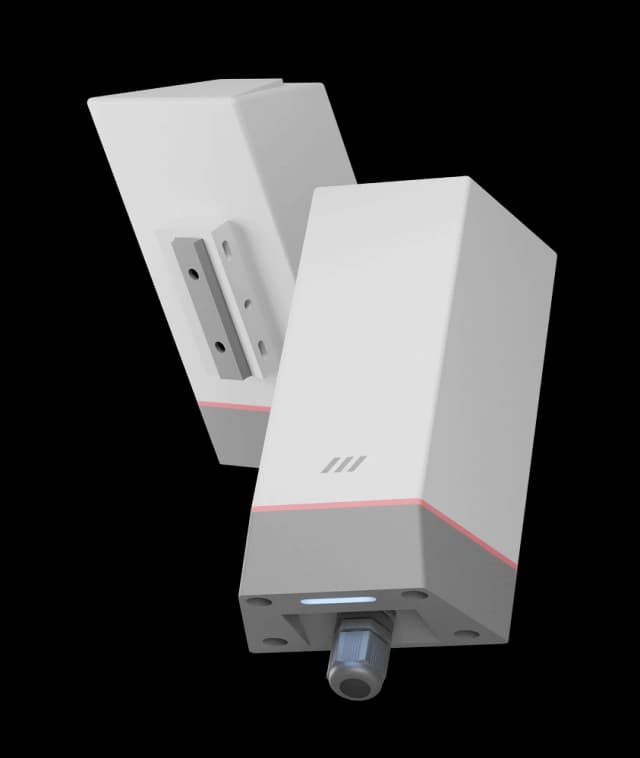
MacSync LX1
Analog 4-20mA to LoRaWAN Converter
 New
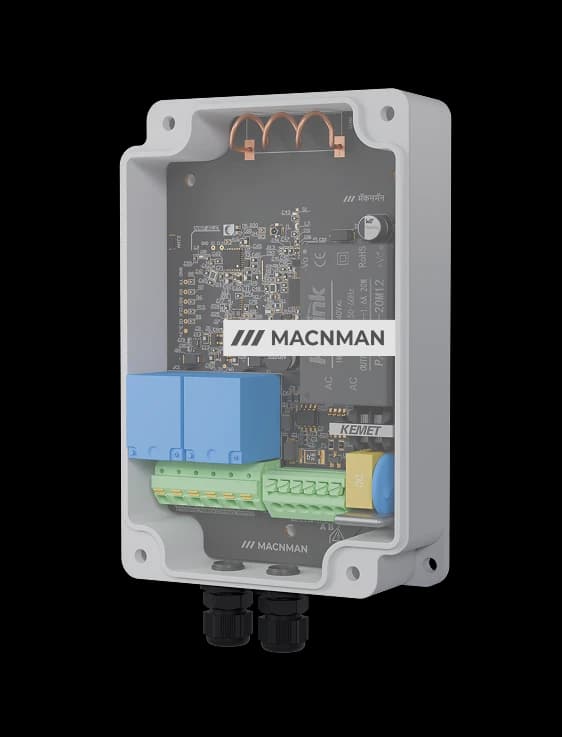
MacSet
RS485/Analog + Relay Output
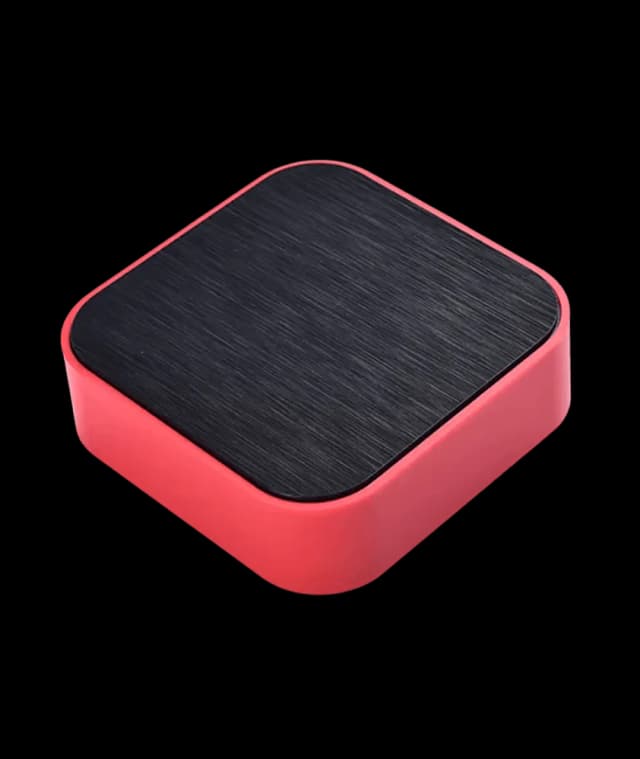 Hot Selling
Setu X
LoRaWAN Indoor Gateways
NewMaclink Gen-2
LoRaWAN Outdoor Gateways
MacEge 4G Mini Gateway
4G Lte Gateways
MacSync LX1
Analog 4-20mA to LoRaWAN Converter
NewMacSet
RS485/Analog + Relay Output
Hot SellingSetu X
LoRaWAN Indoor Gateways
Let‘s make it easy - reach out now!
Let’s bring it to life!
Let‘s Make it Easy
Reach Out Now


We are always ready
to help and
answer your
questions
Call
+91 7972856163
+91 9096830856
Location
Office-15 Bibwewadi, Pune, Maharashtra 411037
Get in Touch
Define your goals and all to value your time
Use of this website and purchase of Macnman products are subject to our Terms and Conditions.