









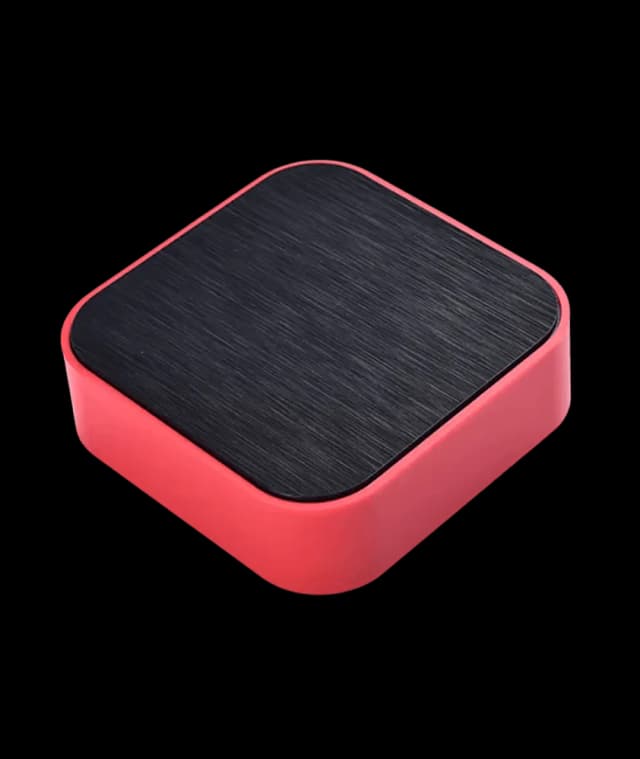
Analog to LoRaWAN® Converter & Datalogger

Connect Any Analog or Digital Sensor to Cloud Instantly

Center Image
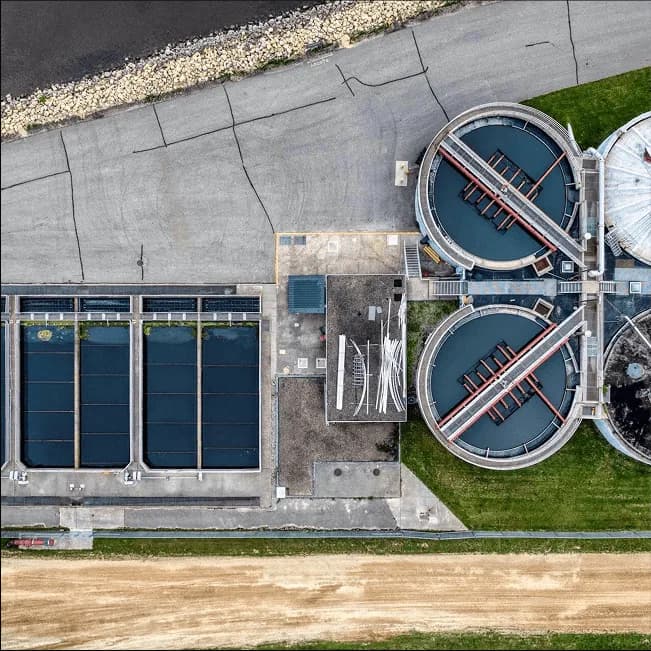
Smart Water Management
air pollution
Smart Water Management
Smart Management Image
Smart Water Management

MacSync Analog to LoRaWAN Datalogger

Smart bridge for 4~20 mA, 0~10 V, & digital inputs

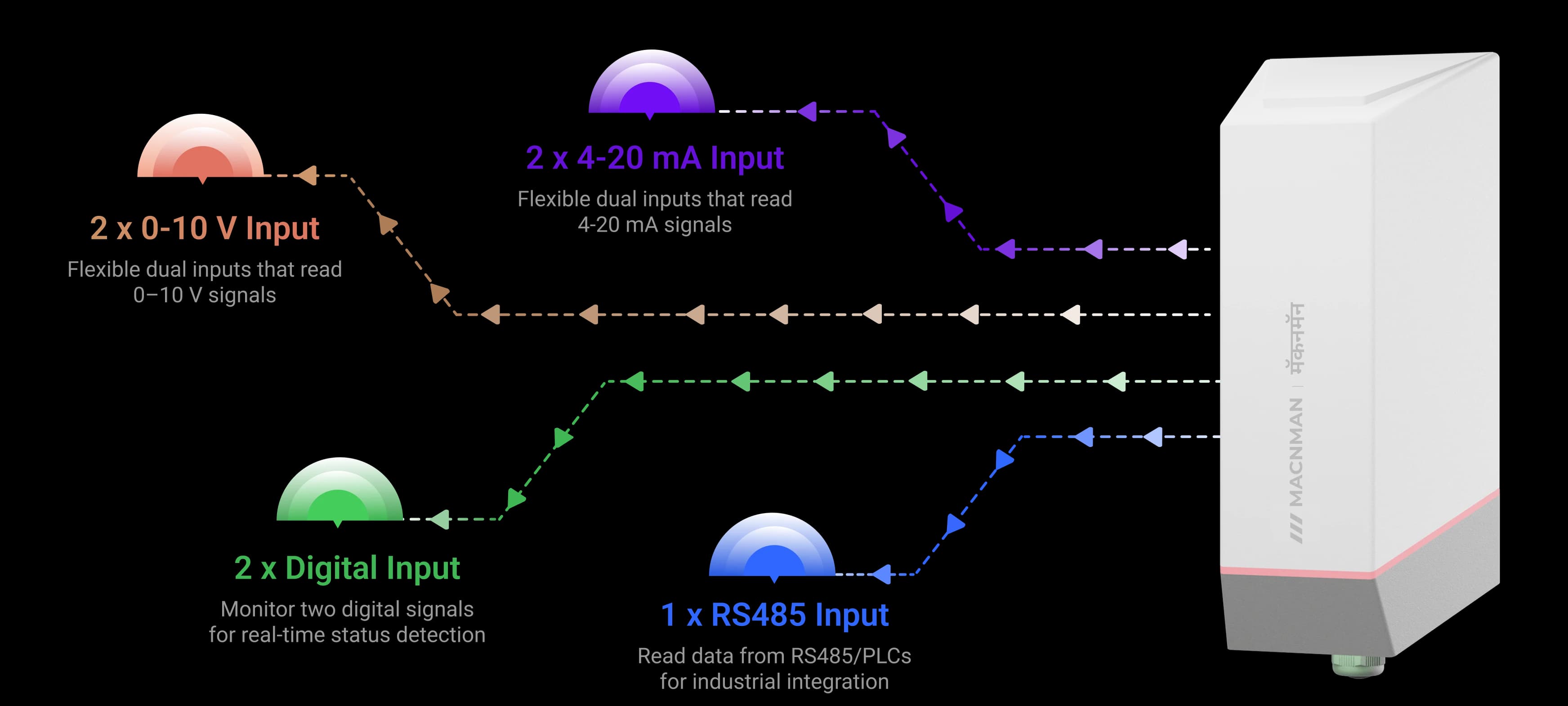
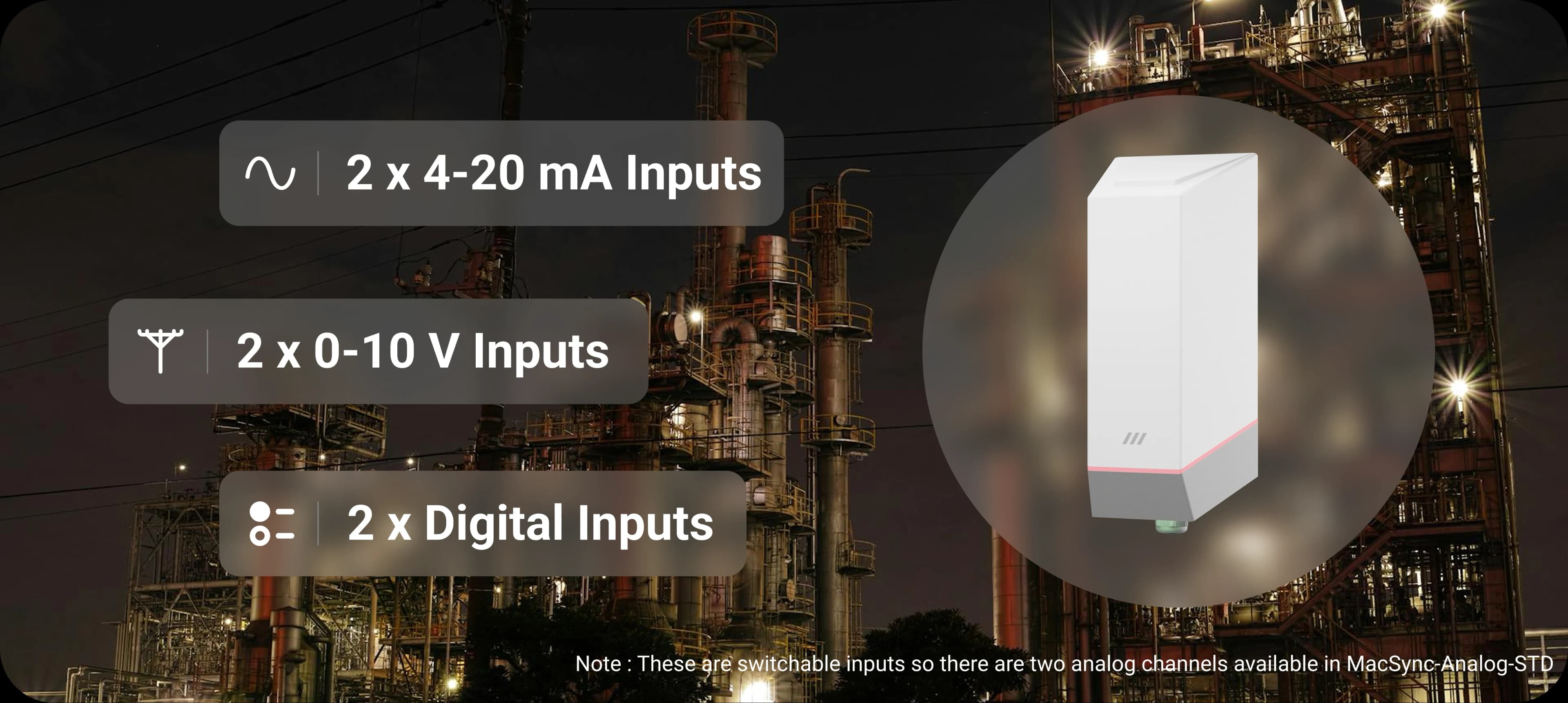
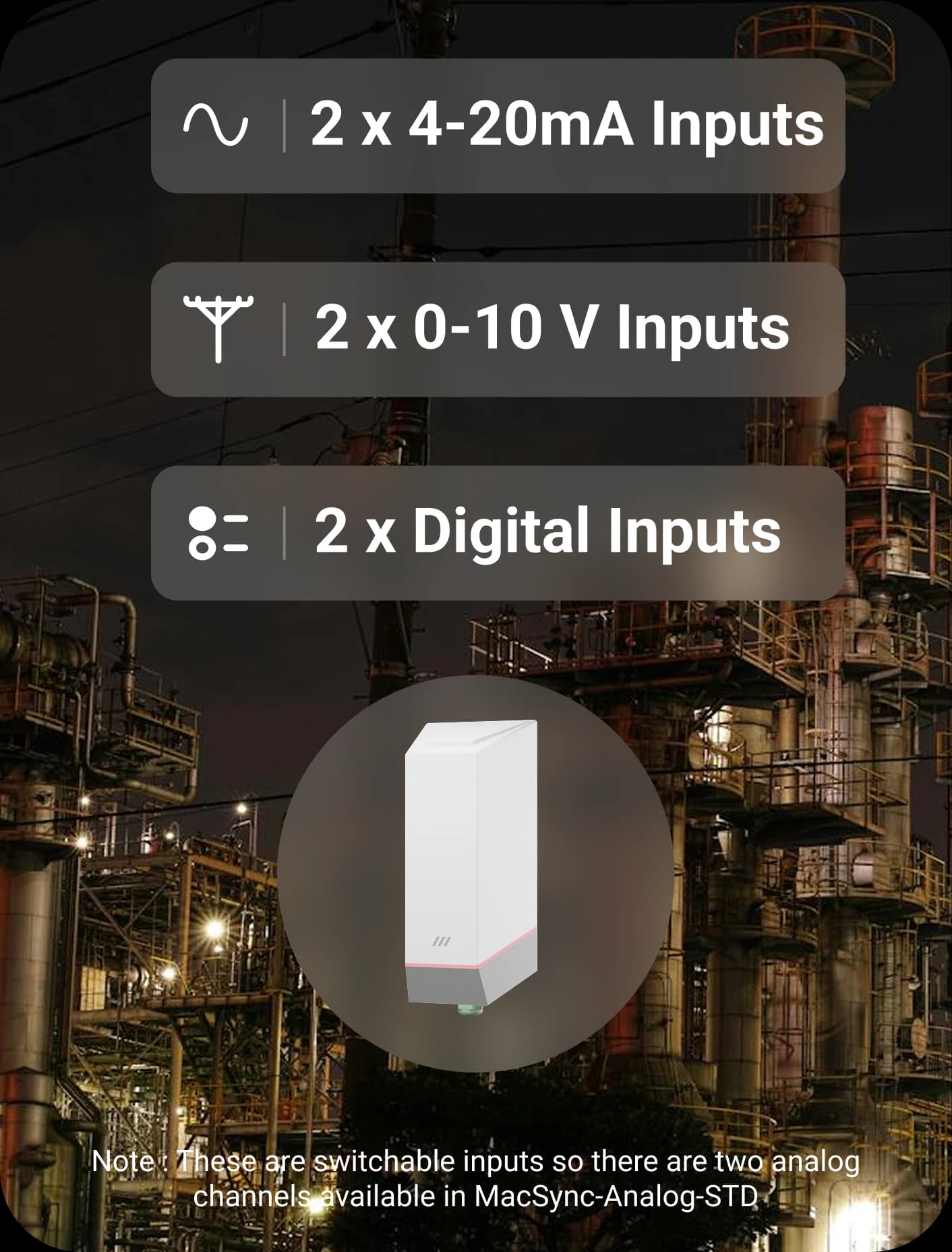
2 ch Multi-sensor Input4–20 mA · 0–10 V · digital input
15 km Line-of-sight RangeLong-range LoRaWAN connectivity
9–36 V DC Flexible PowerExternal supply or battery powered
IP65 Rugged EnclosureOutdoor-ready industrial build
BLE No-code SetupMaya app configuration · OTA firmware updates

MacSync STD

Explore the highlights

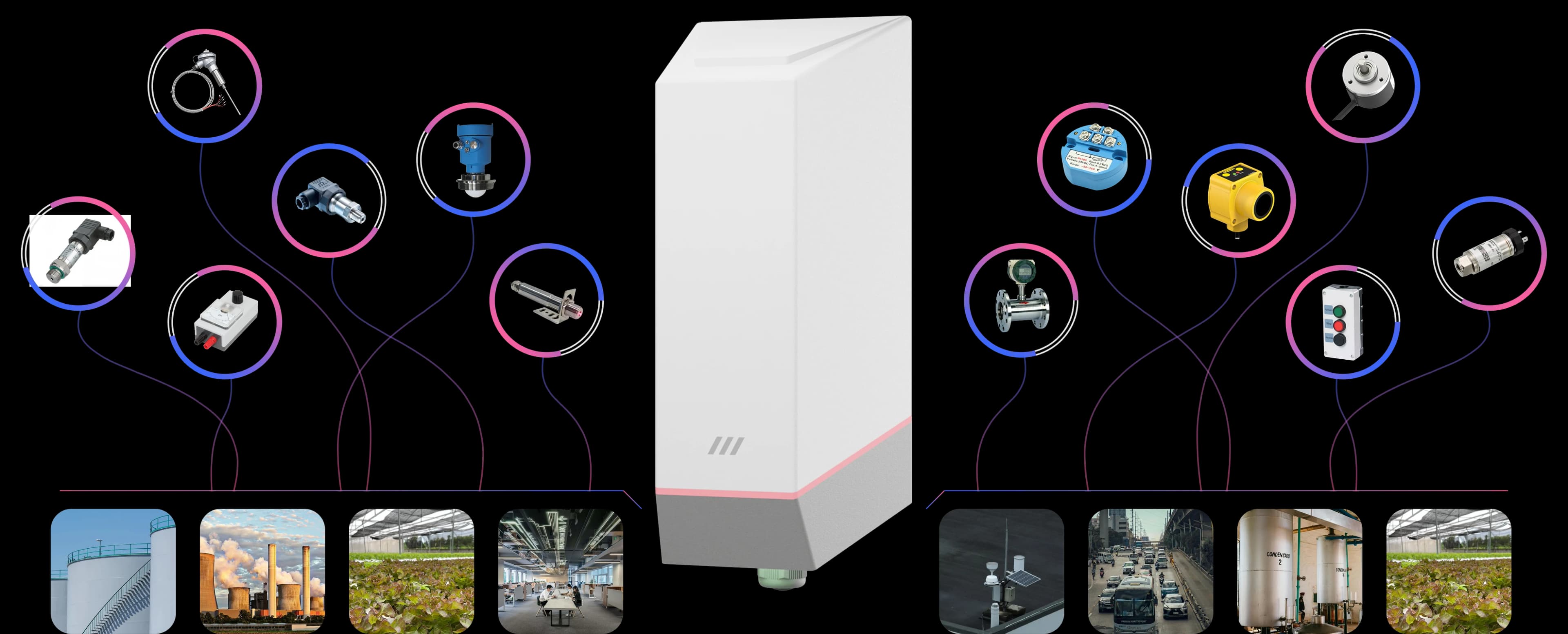
MacSync multi-input support for analog and digital industrial signals

Reads the industrial signals your instruments already speak — current loops, voltage outputs and digital states — and puts them on LoRaWAN.

4–20 mA0–10 VDigital

In plain terms

How Do You Connect a 4–20 mA Sensor to LoRaWAN?

The short answer

Wire the sensor's 4–20 mA output to an analog to LoRaWAN converter. The converter measures the loop current, turns it into a digital value and transmits it over a LoRaWAN® network to your dashboard or SCADA. The pressure, level or flow transmitter you already own stays exactly where it is — the converter replaces the signal cable back to the control room, not the instrument.

Analog inputs

  • 4–20 mA

    Two current-loop inputs

  • 0–10 V

    Two voltage inputs

  • 12-bit

    ADC resolution on every analog channel

MacSync LX1 analog to LoRaWAN converter for 4–20 mA and 0–10 V sensors

MacSync LX1

What separates one converter from another is whether it can power the sensor. The MacSync LX1 can: it supplies power to the sensor only for the moment of measurement, which lets a loop-powered instrument run from the converter's internal battery at a site with no mains supply.

2 × 4–20 mA and 2 × 0–10 V, independently configurable, with 12-bit resolution.

The same job is described as a 4–20 mA LoRaWAN transmitter, a LoRaWAN analog input node, a LoRaWAN current loop sensor or an analog LoRaWAN datalogger.

Get a quote

Need a quote for the MacSync STD?

Tell us how many you need and where they are going. A product engineer replies within one working day with availability, lead time and the right variant for your site.

  • Reply within one working day
  • Designed and built in Pune, India
  • WPC compliant, RoHS conformant

Downloads

Everything You Need to Get Building

Datasheets, drawings, firmware, and tools — all in one place.

Product Datasheet

PDF · full technical specifications

In focus

The Capabilities That Set It Apart

Reads the industrial signals your instruments already speak — current loops, voltage outputs and digital states — and puts them on LoRaWAN.

MacSync multi-input support for analog and digital industrial signals

01 / 05

Applications

Industrial Process Automation — IoT solution by Macnman

Industrial Process Automation

4–20mA0–10VDigital Inputs

Monitor pressure, flow, or temperature with 4–20mA, 0–10V, and digital sensors. Enable real-time LoRaWAN connectivity for smart automation and predictive maintenance.

Read case studies

Browse all 23 applications

01 / 23

Who it's for

For Who We Built the Rugged Analog to LoRaWAN® Datalogger?

MacSync Analog to LoRaWAN® Datalogger enables automation businesses, system integrators, and IoT experts to connect 4~20 mA , 0~10 V & Digital Sensors to LoRaWAN® networks for secure, reliable industrial IoT data logging.

MacSync to Connect Any Analog Sensor to LoRaWAN

  • CNC VMC Machines

    CNC VMC Machines

  • Temperature & Humidity

    Temperature & Humidity

  • Water Flow Meters

    Water Flow Meters

  • Air Flow Meters

    Air Flow Meters

  • Pressure Sensors

    Pressure Sensors

  • Water Quality Sensors

    Water Quality Sensors

  • Weather Stations

    Weather Stations

  • Generators

    Generators

  • CNC VMC Machines

    CNC VMC Machines

  • Air Flow Meters

    Air Flow Meters

  • CNC VMC Machines

    CNC VMC Machines

  • Temperature & Humidity

    Temperature & Humidity

  • Water Flow Meters

    Water Flow Meters

  • Air Flow Meters

    Air Flow Meters

  • Pressure Sensors

    Pressure Sensors

  • Water Quality Sensors

    Water Quality Sensors

  • Weather Stations

    Weather Stations

  • Generators

    Generators

  • CNC VMC Machines

    CNC VMC Machines

  • Air Flow Meters

    Air Flow Meters

  • Energy Meters

    Energy Meters

  • Soil Sensors

    Soil Sensors

  • Level Sensors

    Level Sensors

  • Pressure Monitoring

    Pressure Monitoring

  • Water Quality Sensors

    Water Quality Sensors

  • Weather Stations

    Weather Stations

  • Generators

    Generators

  • Energy Meters

    Energy Meters

  • Soil Sensors

    Soil Sensors

  • Energy Meters

    Energy Meters

  • Soil Sensors

    Soil Sensors

  • Level Sensors

    Level Sensors

  • Pressure Monitoring

    Pressure Monitoring

  • Water Quality Sensors

    Water Quality Sensors

  • Weather Stations

    Weather Stations

  • Generators

    Generators

  • Energy Meters

    Energy Meters

  • Soil Sensors

    Soil Sensors

  • CNC VMC Machines

    CNC VMC Machines

  • Temperature & Humidity

    Temperature & Humidity

  • Water Flow Meters

    Water Flow Meters

  • Air Flow Meters

    Air Flow Meters

  • Pressure Sensors

    Pressure Sensors

  • Water Quality Sensors

    Water Quality Sensors

  • Weather Stations

    Weather Stations

  • Generators

    Generators

  • CNC VMC Machines

    CNC VMC Machines

  • Air Flow Meters

    Air Flow Meters

  • CNC VMC Machines

    CNC VMC Machines

  • Temperature & Humidity

    Temperature & Humidity

  • Water Flow Meters

    Water Flow Meters

  • Air Flow Meters

    Air Flow Meters

  • Pressure Sensors

    Pressure Sensors

  • Water Quality Sensors

    Water Quality Sensors

  • Weather Stations

    Weather Stations

  • Generators

    Generators

  • CNC VMC Machines

    CNC VMC Machines

  • Air Flow Meters

    Air Flow Meters

Capabilities

Multi-Interface LoRaWAN Data Logger for Any Sensor

Supports 4~20mA, 0~10V, Digital inputs, & Serial Communication

Supports 4~20mA, 0~10V, Digital inputs, & Serial Communication  device feature illustration (mobile view)

At a glance

MacSync Analog to LoRaWAN Converter Specifications

Every key spec in one view — inputs, range, power, protection, and the platforms it talks to.

MacSync Analog to LoRaWAN converter

2 ch

multi-sensor input

4–20 mA · 0–10 V · digital input

15 km

line-of-sight range

Long-range LoRaWAN connectivity

9–36 V DC

flexible power

External supply or battery powered

IP65

rugged enclosure

Outdoor-ready industrial build

BLE

no-code setup

Maya app configuration · OTA firmware updates

Any LNS

cloud compatibility

TTN · ChirpStack · AWS IoT · Orbiwise · private

Features

Everything built in

Customizable Logging Modes

MacSync offers three powerful scheduling modes to suit different automation needs

Continuously log and send data at user-defined time intervals

Cross-Device Integration

Compatible with RS485, 0-10V analog, 4-20mA, and digital inputs for seamless industrial automation

Reliable Onboard Storage

Ensuring that no critical data is lost even when the network is down. Securely stores device logs, sensor data, & event history

Bi-directional communication

Achieve real-time bi-directional communication for instant device control and feedback

Engineered for durability & reliability

Device Firmware Library

providing essential tools and resources for seamless firmware updates, customization, & performance optimization

Macnman Maya

Manage all your settings in one place with the Maya app for seamless configuration & control

Learn more about LoRaWAN connectivity for your IoT applications

Customize it !

How it works

How the Analog to LoRaWAN Converter Works

Step 1 of 5

Pick your analog instruments

Anything with a 4–20 mA current loop, 0–10 V output or digital contact — pressure transmitters, level sensors, flow meters, energy meters.

Choosing a signal

4–20 mA, 0–10 V or Digital Input — Which Signal Should You Use?

Many instruments offer more than one output. The choice affects how far the cable can run, how the reading copes with electrical noise, and whether you can tell a broken wire from a genuine zero.

Compare4–20 mA current loop0–10 V voltageDigital input
What it carriesA continuous measurement, as currentA continuous measurement, as voltageAn on or off state
Cable lengthLong runs — current is unaffected by cable resistanceShort runs — voltage drops along the cableLong runs for simple contacts
Electrical noiseHighly immuneMore susceptibleNot an analog signal
Broken-wire detectionYes — the reading falls below 4 mANo — 0 V looks like a valid zeroDepends on how the contact is wired
Typical instrumentsPressure, level, flow and temperature transmittersHVAC sensors, positioners, some analysersFloat switches, door contacts, alarm relays, pump run status
On the MacSync LX12 inputs, 12-bit2 inputs, 12-bit2 inputs, state-change detection

If an instrument offers both analog outputs, choose 4–20 mA for anything beyond a few metres of cable. The 4 mA "live zero" is the reason: a healthy loop never reads below it, so a lower value means a fault rather than a measurement. The NAMUR NE 43 recommendation formalises this by reserving currents at or below 3.6 mA and at or above 21 mA for fault signalling.

Works with

4-20 mA to LoRaWAN Converter for Flow, Level & Pressure Transmitters

No Infrastructure Change

No Infrastructure Change

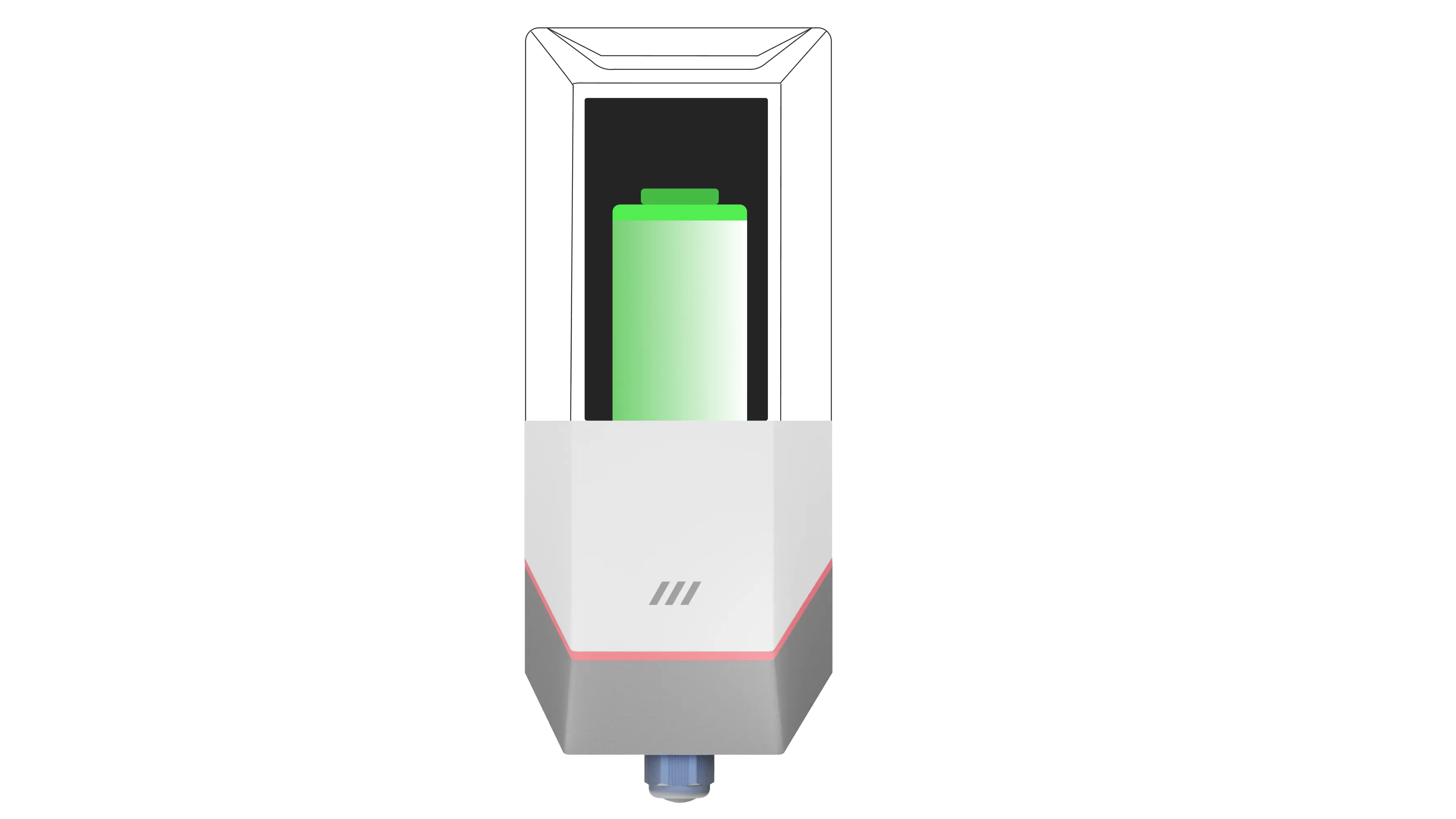
Go the distance with MacSync’s ultra-long battery life

Book Live Demo

Hardware

Rugged Design for Harsh Outdoor Environments

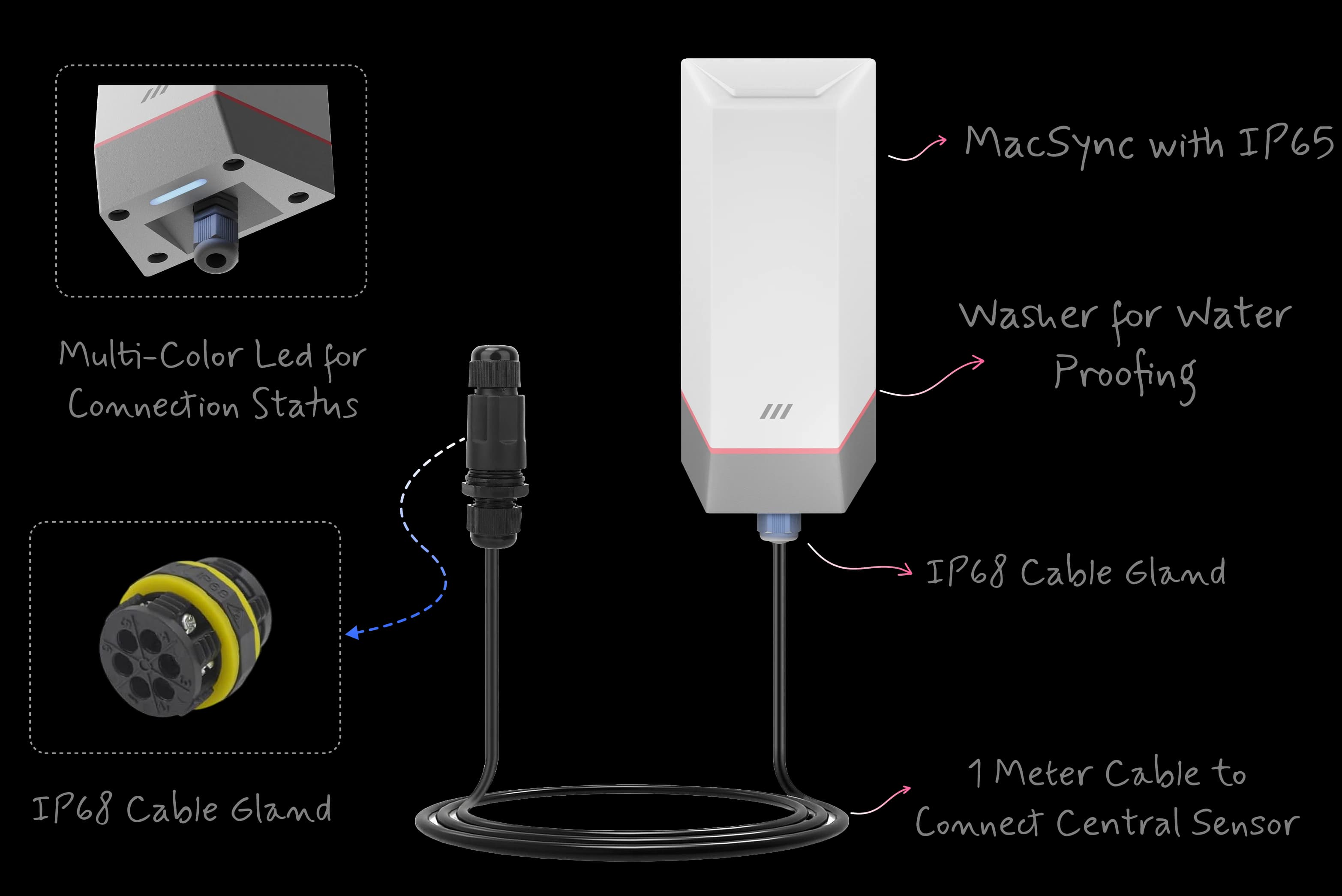
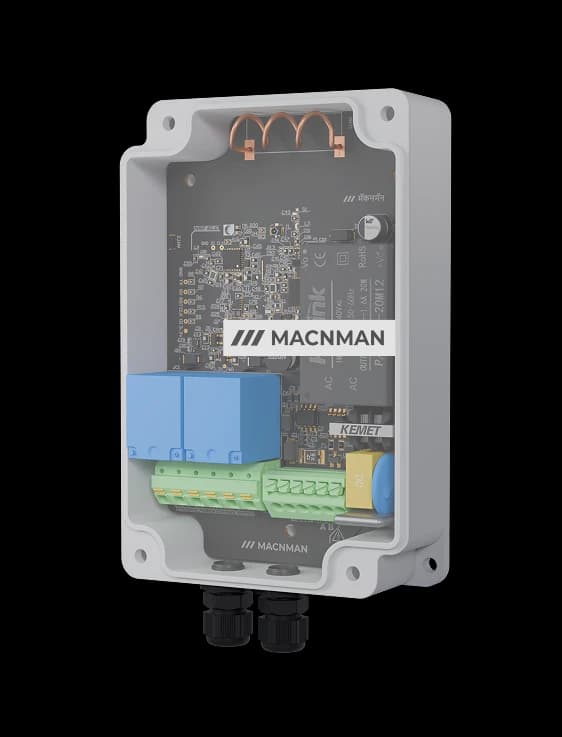
Built to perform in extreme outdoor conditions, the MacSync Analog-to-LoRaWAN Data Logger features a rugged enclosure and industrial-grade components for reliable operation in heat, rain, or dust.

Rugged Design for Harsh Outdoor Environments illustration

Cloud & LNS

Compatible with All LoRaWAN® Network Server (LNS)

4~20 mA & 0~10 V to LoRaWAN ChirpStack & AWS Compatible

Industrial 4~20 mA & 0~10 V Analog to LoRaWAN Converter compatible with ChirpStack, The Things Stack, Actility & AWS IoT Core — enabling seamless cloud & LNS integration for smart industry and IoT applications.

Industrial IoT device data integration illustration
Cloud platforms and LoRaWAN network servers supported

Why Macnman

Why Choose Macnman Analog to LoRaWAN Converters?

Reliable, Durable, & Industrial Grade Designs

Why Choose Macnman Analog to LoRaWAN Converters? — configuration and management with the Maya app

Upgrade Your Monitoring Without Replacing Sensors

Maximize Efficiency

with Customizable Solution

Regular Mode scheduling mode illustration

On-Off On Set Time

Schedule precise timings for your IoT applications, perfect for daily routines in smart buildings or agriculture.

Range & reliability

Long-Range LoRaWAN Device for Industrial IoT

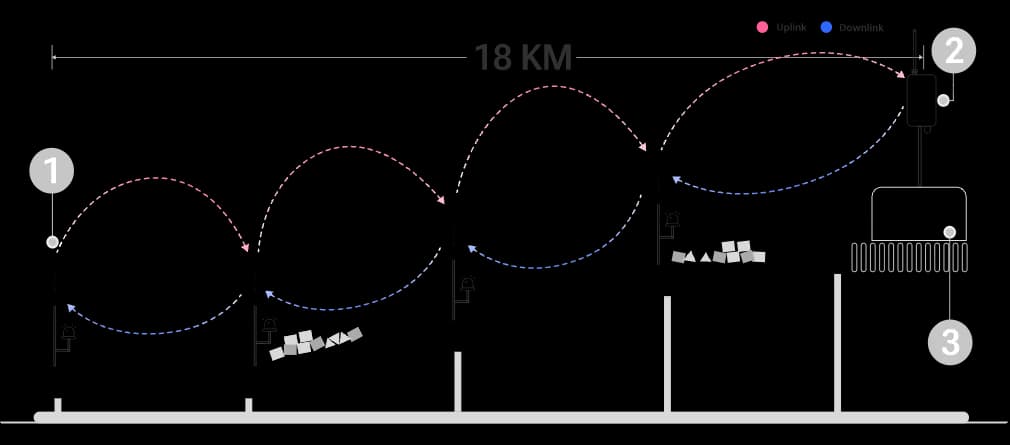
Reliable Communication Over Kilometers of Distance

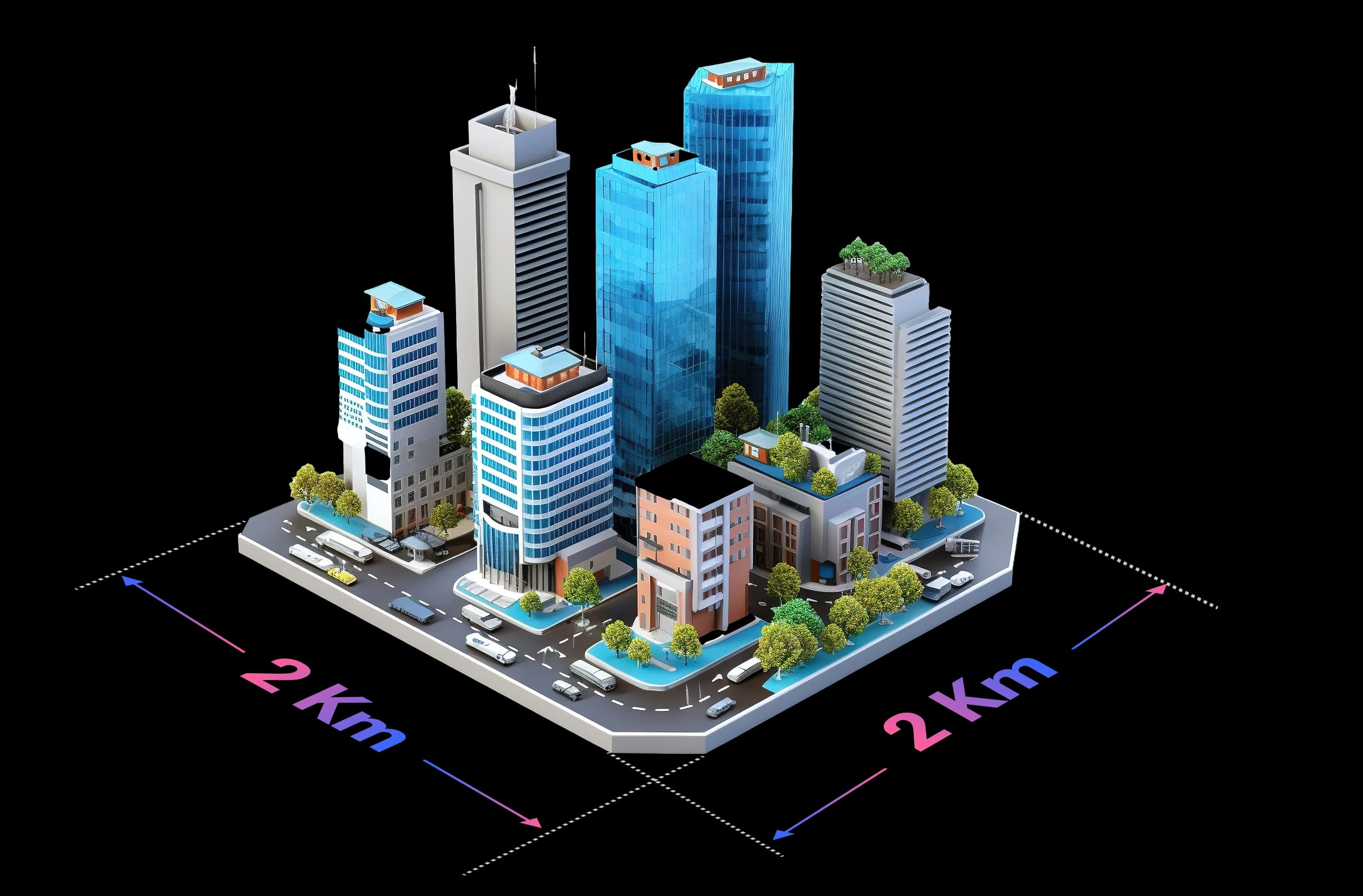
MacSync RS485 to LoRaWAN Data Logger offers up to 2 km long-range signal penetration with high-gain antenna, ensuring stable connectivity in dense urban areas, factories, and smart city deployments.

MacSync LoRaWAN Data Logger offering long-range wireless connectivity for remote monitoring

Power

LoRaWAN Device with Long Battery Life

Up to 10 Years of Maintenance-Free Operation

Powered by a high-capacity 19 Ah Li-SOCl₂ battery & MacSync’s optimized power design make it ideal for long-range, low-maintenance IoT deployments..

LoRaWAN Device with Long Battery Life product installation illustration

Planning a multi-site IoT rollout?

Book Live Demo

Architecture

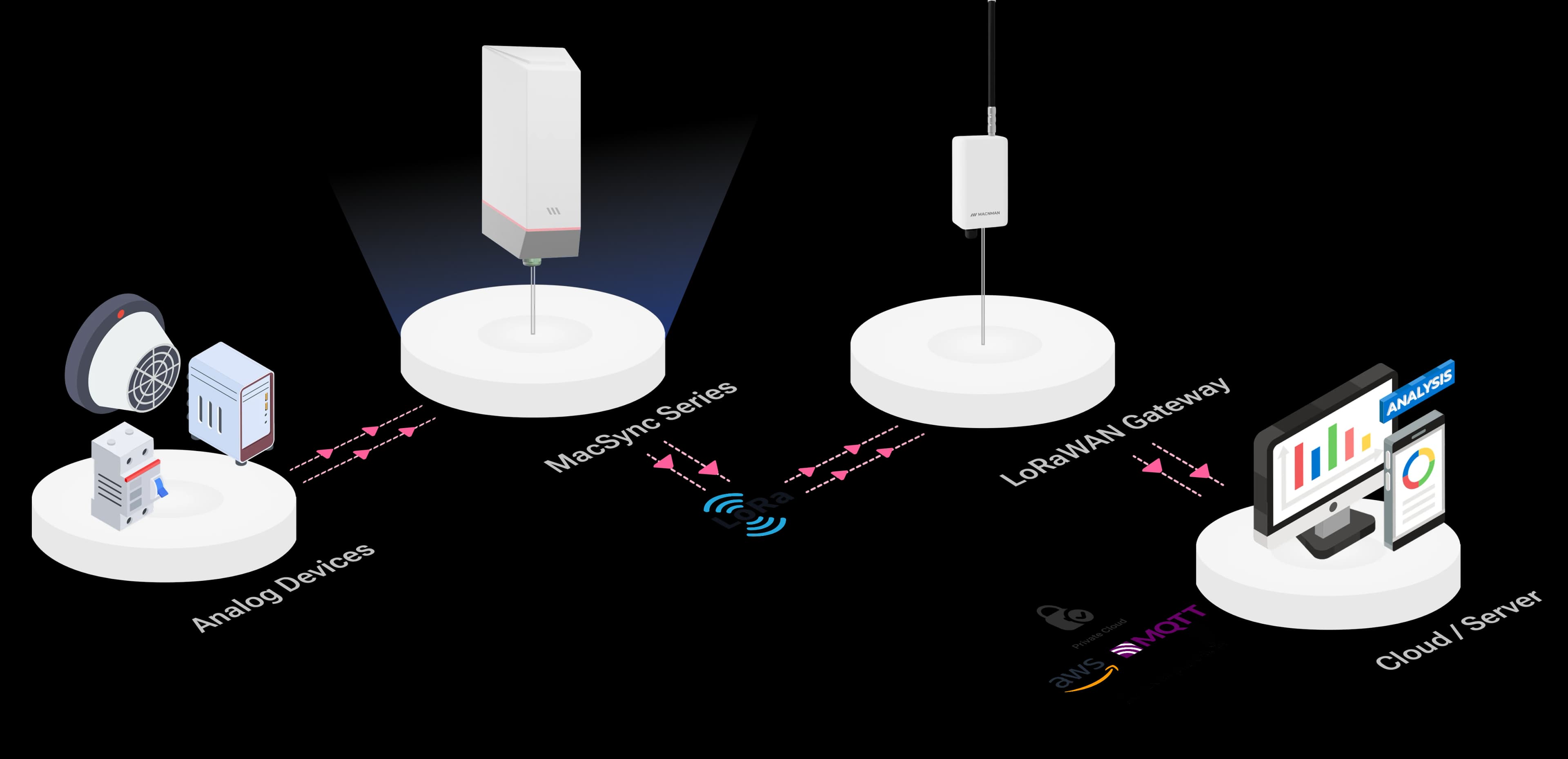
IoT LoRaWAN Architecture of MacSync Analog to LoRaWAN Converter

IoT LoRaWAN Architecture of MacSync Analog to LoRaWAN Converter IoT architecture diagram (mobile view)

Device-to-device

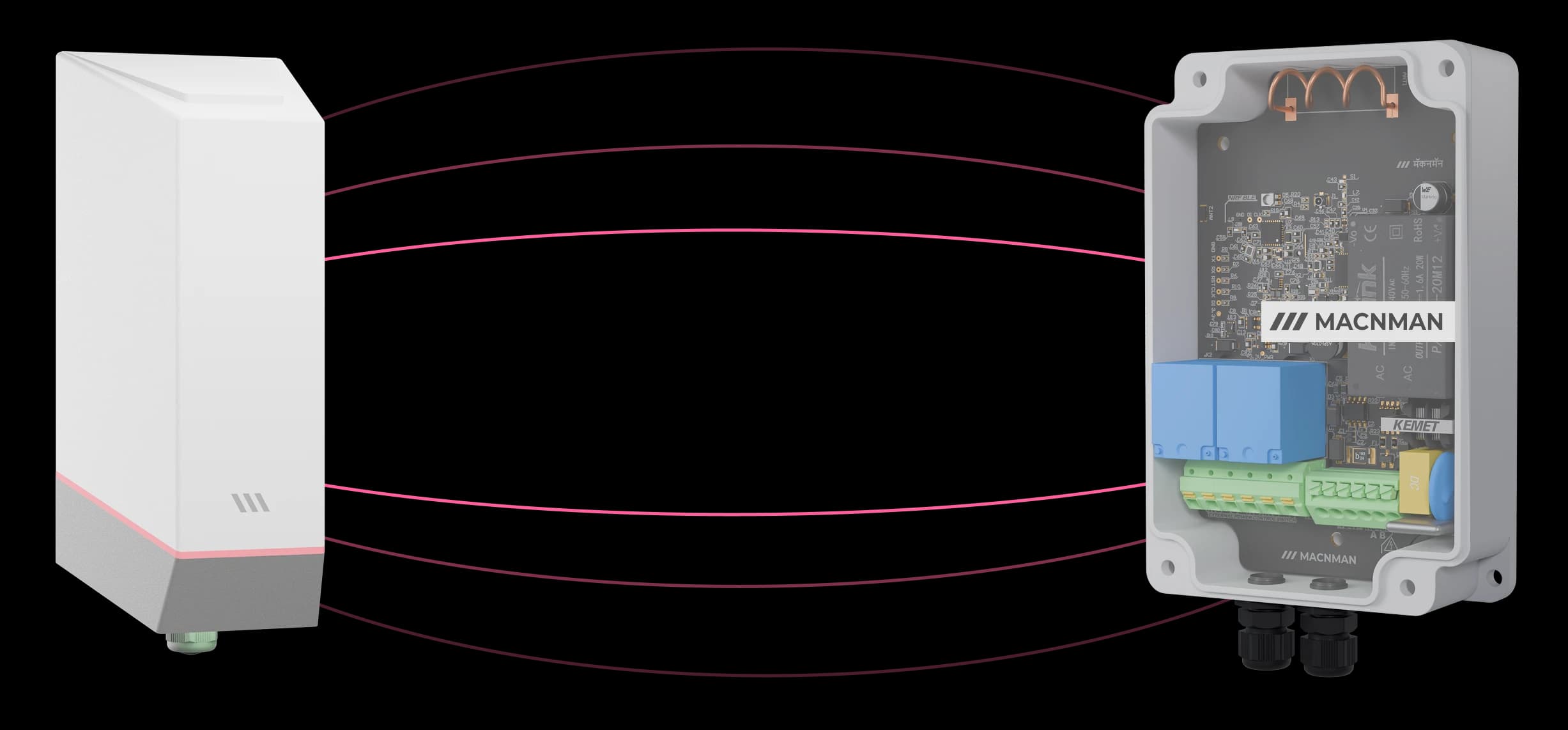
MacTalk(TM) Device-to-Device Communication

Sense & Trigger Actions Instantly Without Cloud Dependency

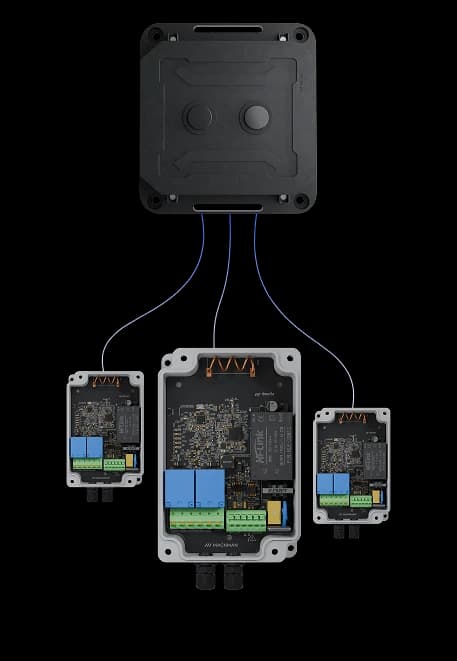
Sensor data direct to Macset. No gateway. No network. Remote automation, guaranteed

MacTalk device-to-device communication without gateway or internet

Plug & Play

Truly Plug & Play , No Complex Setup.

Real-Time Control

Near-instant signal transmission between two devices.

Long-Range

Long-range coverage for hard- to-reach places.

Use cases

Interesting Use Cases Deployed with MacSync

Interesting Use Cases Deployed with MacSync

Remote Conveyor Monitoring industrial IoT use case illustration

The MacSync Analog-to-LoRaWAN Converter enables remote conveyor monitoring capturing vibration, motor current, & operational data in real time to support predictive maintenance, minimize downtime, and boost industrial efficiency

Instrument has an RS485 Modbus output instead?

RS485 Modbus converter

Installation

Seamless Cloud & Network Integration

Macset is a powerful IoT controller for smart automation. With LoRaWAN, 4G, and BLE support, it seamlessly integrates wireless technology, giving you full control and reducing complexity for industrial, agricultural, and infrastructure deployments.

Seamless Cloud & Network Integration device mounting illustration

Connectivity

More Ways to Connect Your Sensors

MacTalk™, Low-Power Wi-Fi & 4G LTE Cellular

Lte Cellular

Ideal for reliable, high-speed IoT connectivity in mobile assets, remote sites, and mission-critical industrial applications.

Wi-Fi

Best for factory automation, buildings, and environments with Wi-Fi infrastructure, enabling fast local/cloud integration.

MacTalk™

A secure, direct device-to-device communication protocol, built for offline IoT networks with no cloud or gateway dependency.

MacSync Analog-to-LoRaWAN Datalogger data flow diagram showing sensor inputs

Maya app

Configuration So Easy It Feels Like Magic

Easily set up & customize withMaya

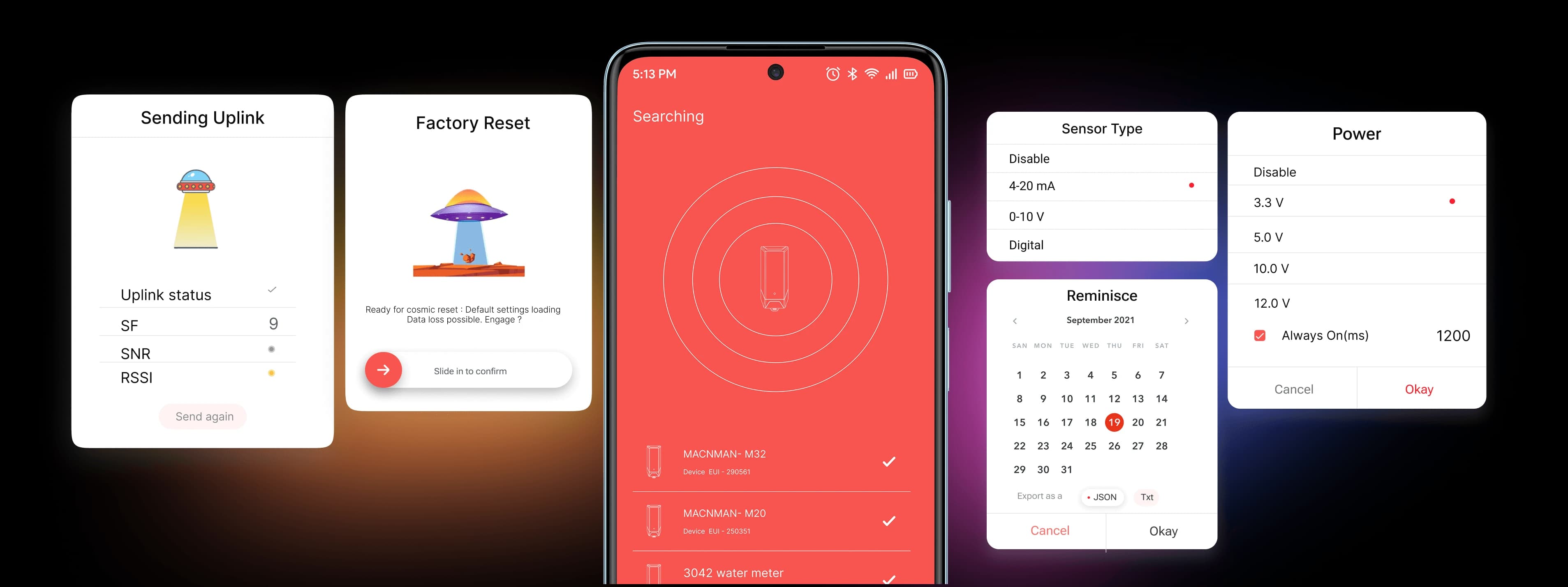
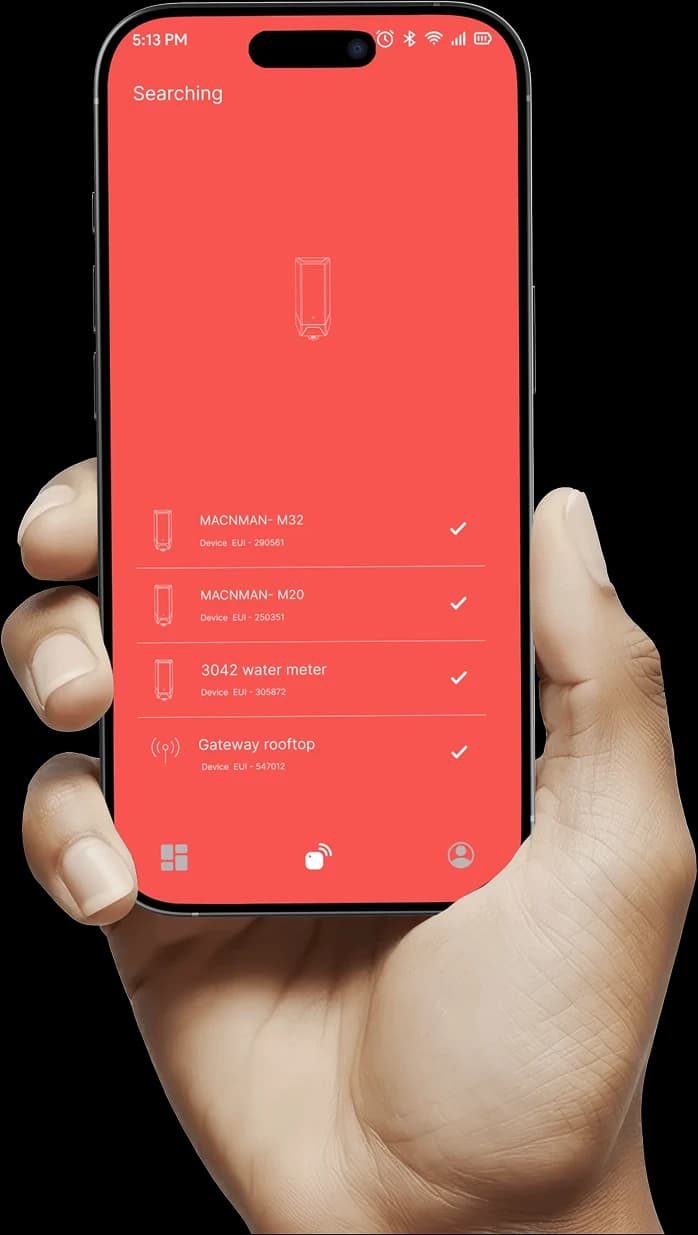
The Maya App lets you easily set parameters, view live data, and perform OTA updates for your MacSync Analog to LoRaWAN Converters — available for Android

Get it on Google Play
Phone with Maya UI

INSIDETECH

BLE Chip technology icon

BLE Chip

FOTA|Setups|Calibration|Real Time Data
Main RF Chip technology icon

Main RF Chip

LoRaWAN|Authentication|STSafe Security*
INSIDE TECH internal IoT hardware design

FAQ

Frequently asked questions

Yes. It is a standard LoRaWAN® v1.0.4 Class A device using OTAA activation, so it joins any compliant network server — The Things Network, ChirpStack, MQTT-based platforms, Orbiwise, Netmore or a private on-premise server. Class C is configurable from the Maya app.

The MacSync Analog-to-LoRaWAN Datalogger is used to convert analog signals (4~20 mA, 0~10 V) and digital inputs from sensors into LoRaWAN data packets for remote monitoring, automation, and data logging across industries.

MacSync transmits collected sensor data via LoRaWAN connectivity to a gateway, which then forwards it securely to the cloud server or IoT dashboard for real-time visualization and analysis.

It depends mostly on two things: how often the device reports, and how much power the connected sensor needs. The converter itself draws under 100 µA asleep, so on the 19 Ah industrial Li-SOCl₂ cell a slow reporting interval gives multi-year operation, up to 10 years at long intervals. But a 4–20 mA transmitter is powered by the converter for its warm-up time before every reading, and that energy — not the radio — usually dominates the budget. A sensor that needs a long warm-up or reports every few minutes will shorten battery life considerably. Tell us the sensor and the interval and we will give you a realistic figure, or specify the 9–36 V DC variant where a supply exists.

It supports a wide range of industrial sensors — including pressure, flow, temperature, humidity, level, and vibration sensors — using 4~20 mA, 0~10 V, or digital outputs.

Yes. The MacSync supports OTA (Over-The-Air) updates and BLE configuration via the MacSync App, allowing easy parameter setup, firmware updates, and diagnostics without physical access.

Wire the sensor's output to one of the MacSync's 4–20 mA inputs, then open the Maya app over Bluetooth. Set the channel's sensor type to 4–20 mA, choose the power output and warm-up time your sensor needs, and set the reporting interval. The Check option shows the live reading so you can confirm the wiring before you leave site. From then on the value is transmitted over LoRaWAN to your gateway and on to your platform, with no cable back to a control room.

Yes. The MacSync supplies power to the connected sensor from a selectable power output, and waits a configurable warm-up time of 0 to 2,000 ms before taking each reading, so the transmitter is energised only while it is being measured. Check that the available output level meets your transmitter's minimum supply voltage — send us the model and we will confirm. A sensor that needs a longer warm-up, or that must stay powered continuously, is better fed from an external supply with the 9–36 V DC variant.

A 2-wire, or loop-powered, transmitter uses the same two wires for power and signal: it draws its supply from the loop and regulates the current between 4 and 20 mA. A 3-wire transmitter has a separate supply wire and shares a common return with the signal. A 4-wire transmitter is powered independently, often from mains, and its signal output is a separate pair. All three produce the same 4–20 mA signal; what changes is where the power comes from, and therefore whether the converter needs to supply it.

Choose 4–20 mA whenever the cable is longer than a few metres or the environment is electrically noisy. Current is the same at every point in the loop, so cable resistance does not change the reading, and the 4 mA live zero lets you detect a broken wire. A 0–10 V signal is simpler and common on HVAC and building sensors, but it loses voltage along the cable and cannot distinguish a fault from a genuine zero. The MacSync reads both, so use whichever output the instrument provides.

On a 4–20 mA input the reading drops below 4 mA, which a healthy loop never does, so the fault is detectable. The NAMUR NE 43 recommendation treats currents at or below 3.6 mA and at or above 21 mA as fault signals rather than measurements. Set a low threshold alert on the channel and the MacSync uplinks the moment the current falls out of range, instead of reporting a misleading zero. A 0–10 V input cannot do this, because 0 V is also a valid reading.

A 12-bit converter divides the input range into 4,096 steps. On the 0–10 V input that is about 2.4 mV per step, and on the current input roughly 0.005 mA per step, or about 0.03% of the 16 mA span between 4 and 20 mA. For a 0–10 bar pressure transmitter that works out to steps of about 0.003 bar. Resolution is not the same as accuracy: it is the smallest change the device can register, while the accuracy of the whole chain also depends on the transmitter's own accuracy class and calibration.

Subtract 4 mA, divide by 16, and multiply by the instrument's span, then add its lower range value. For a pressure transmitter ranged 0 to 10 bar, a reading of 12 mA is (12 − 4) ÷ 16 × 10 = 5 bar. A level transmitter ranged 0 to 5 m reading 8 mA gives (8 − 4) ÷ 16 × 5 = 1.25 m. The scaling can be applied in your platform's payload decoder, so the dashboard shows bar, metres or litres rather than milliamps.

Yes. The two digital inputs detect a change between high and low states, and a state change can trigger an immediate uplink rather than waiting for the next scheduled report. That suits float switches, door and tamper contacts, alarm relays and pump or generator run status, where what matters is knowing the moment something changes.

No. The MacSync LX1 is an end device: it reads your sensor and transmits to a LoRaWAN gateway, which forwards the data to a network server. You need a gateway within range — your own or a public network — and one gateway typically serves many converters across a site. In MacTalk mode two MacSync devices can also communicate directly, with no gateway and no internet.

Yes. The same MacSync LX1 hardware includes an RS485 port that acts as a Modbus RTU master, for energy meters, flow meters, PLCs and any instrument with a serial output. If your equipment speaks Modbus rather than 4–20 mA, see the MacSync RS485 Modbus to LoRaWAN converter page, which covers function codes, baud rates and register limits.

No, and it is worth knowing the difference before you buy. Point-to-point wireless 4–20 mA pairs take a loop signal in at one unit and regenerate an analog output at the other, so a PLC input sees a normal current loop. An analog to LoRaWAN converter instead delivers the value as data, through a gateway, to a network server, dashboard or SCADA. If your controller needs a physical 4–20 mA input, a transmitter pair is the right tool; if you want readings from many scattered instruments on one platform, LoRaWAN is.

Usually yes, but not without opening the loop once. A current input sits in series, so the loop has to be broken to insert it, which is best done during a planned stop. Every receiver in a loop adds burden, so the transmitter's supply must still cover its own minimum voltage plus all the inputs and the cable. Where the loop cannot be disturbed, or the two receivers must stay electrically separate, a signal splitter or isolator is the clean solution. Send us the loop details and we will check it before you order.

No. The MacSync LX1 is not certified for installation inside a classified hazardous area. For a transmitter located in one, mount the converter in the safe area and bring the loop out through a barrier or isolator matched to that transmitter, as you would for any safe-area receiver. Bear in mind that a barrier drops several volts, which the loop supply has to cover.

Got an IoT idea?

Let’s bring it to life!

flag image

WPC compliant · RoHS · a product engineer replies within one working day

Let‘s Make it Easy

Reach Out Now

Icon

Contact to Sales

Talk to our friendly team

chat@macnman.com
Icon

Call Us

24 X 7 Always On

+91 7972856163
Icon

Contact to Support

We are here to help

support@macnman.com
Icon

Visit Us

Visit our office HQ

View on Google Map

Socials

LoRaWAN

4G IoT

WiFi Ble IoT

Nb IoT

Customize

Maya

Documentation

Case Studies

Blogs

Use of this website and purchase of Macnman products are subject to our Terms and Conditions.