Industrial Analog to Wi-Fi Converter
4–20 mA & 0–10 V to MQTT Gateway & Datalogger for Your Existing Wi-Fi

MacSync WX1 reads your 4–20 mA and 0–10 V transmitters and publishes the values to any MQTT broker
No Gateway, No SIM, No Signal Cable — Just the Wi-Fi You Already Have.
No Gateway, No SIM, No Signal Cable —
Just the Wi-Fi You Already Have.
MacSync WX1
Explore the highlights
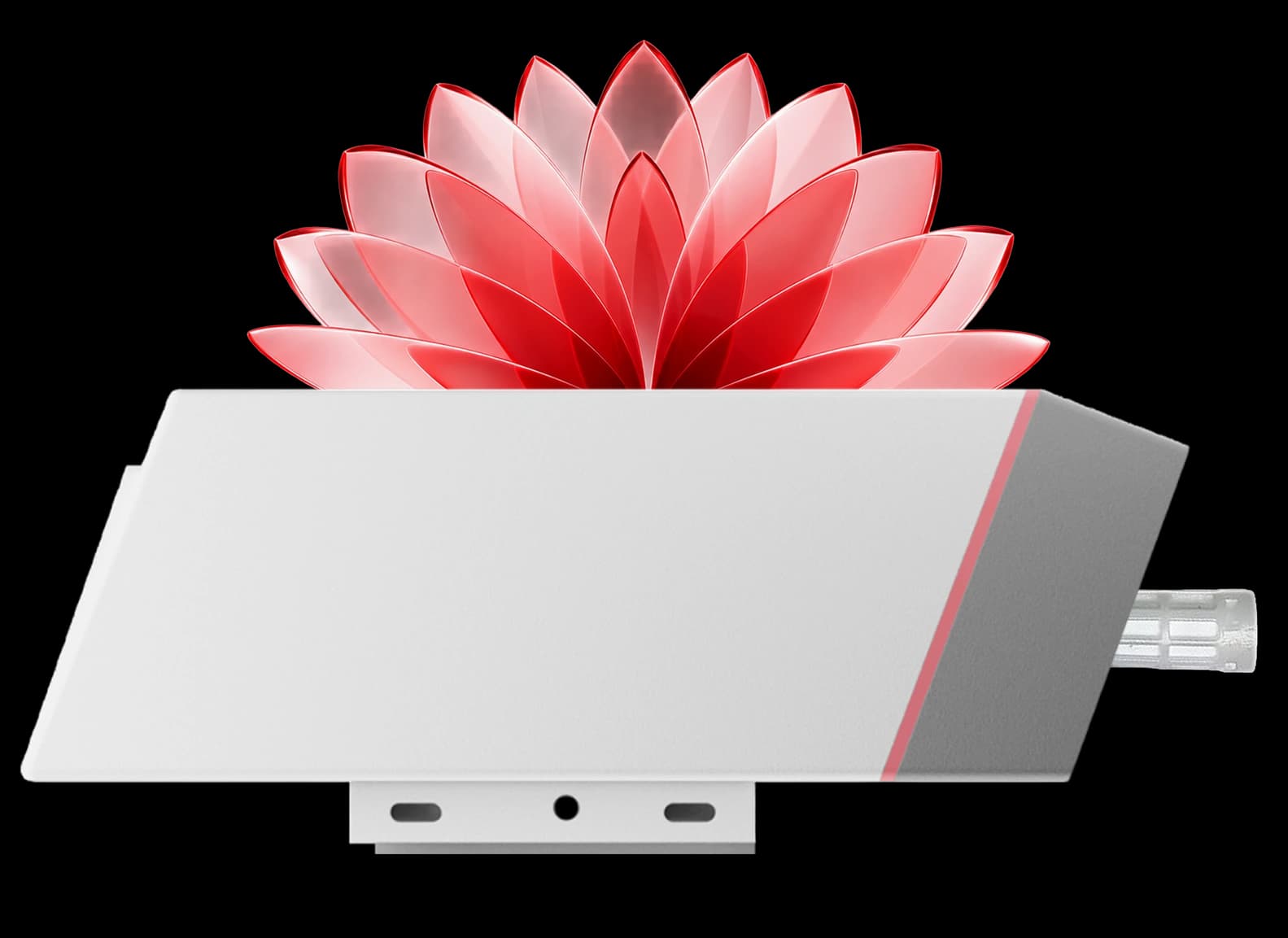
Each input channel is set independently in the app to a current loop, a voltage signal or a switch contact, and read at 12-bit resolution.
Readings are published as MQTT messages, or posted to an HTTPS endpoint, with TLS on port 8883. No vendor cloud sits in between.
It joins the Wi-Fi you already run as an ordinary client, on 2.4 or 5 GHz, with WPA2 or WPA3.
A selectable power output feeds the sensor and waits up to 2,000 ms for it to settle before each reading, so a loop-powered transmitter is energised only while it is measured.
A 19 Ah cell where there is Wi-Fi but no supply, estimated at about 2.5 years on 15-minute uploads with an externally powered sensor, or 9–36 V DC for continuous reporting.
Readings are stored through a Wi-Fi or server outage and forwarded when the connection returns.
Two triggers watch a chosen channel and publish immediately when the value leaves its minimum and maximum limits — including a loop that has fallen below 4 mA.
Name each channel, pick its signal type, press Check to see the live reading and test the upload, all from the Maya app over Bluetooth.
Designed and manufactured in Pune. WPC compliant and RoHS conforming, in an IP65 enclosure with an IP67 option.
In plain terms
How Do You Send a 4–20 mA Signal to MQTT over Wi-Fi?
The short answer
Wire the transmitter's 4–20 mA output to an analog to Wi-Fi converter. The converter measures the loop current, turns it into a number and publishes it as an MQTT message over the Wi-Fi network the site already has, so the reading arrives at your broker, cloud platform or SCADA with no signal cable, gateway or SIM. The pressure, level or flow transmitter you already own stays exactly where it is.
Analog inputs
- 4–20 mA
Up to two current-loop inputs
- 0–10 V
Up to two voltage inputs
- 12-bit
ADC resolution
Digital inputs
- 2 inputs
Up to two digital inputs
- High / low
Level read on each input
- Trigger
Publishes when the state leaves its limits
Sensor power
- Selectable
Power output to the connected sensor
- 0–2,000 ms
Warm-up before each reading
- ~100 µA
Converter current in sleep mode
MQTT
- MQTT
Any standard broker
- Port 8883
TLS, with server certificate validation
- HTTPS
Where there is no broker
Wi-Fi
- 2.4 / 5 GHz
IEEE 802.11 b/g/n/ac
- 2.4 / 5 GHz
Dual-band
- WPA2 / WPA3
With DHCP or static IP
Power
- 19 Ah
Battery variant
- ~2.5 years
Estimated at 15-minute uploads
- 9–36 V
DC-powered variant


MacSync WX1
The MacSync WX1 reads 4–20 mA, 0–10 V and digital inputs. It can power the transmitter only for the moment of measurement, which is what lets a loop-powered instrument run from the converter's battery where there is Wi-Fi but no supply.
Up to two 4–20 mA transmitters or two 0–10 V sensors, with each channel configured independently and read at 12-bit resolution.
A channel can instead read a contact as high or low, for float switches, alarm relays and pump run status.
A selectable power output feeds the connected sensor, with a warm-up time of 0 to 2,000 ms before each reading.
Publishes over MQTT, HTTP or HTTPS, with TLS on port 8883, server certificate validation and username and password sign-in.
IEEE 802.11 b/g/n/ac, dual-band 2.4 GHz and 5 GHz, WPA2-PSK and WPA3, DHCP or static IP.
Battery variant on a 19 Ah cell, estimated at about 2.5 years on 15-minute uploads, or a 9–36 V DC variant, in an IP65 enclosure with an IP67 option.
Also described as a 4–20 mA to Wi-Fi converter, a Wi-Fi analog input module, a 4–20 mA Wi-Fi transmitter or an analog to MQTT gateway. The same terminals serve RS485 Modbus instead, one mode at a time.
Two devices, one search term
Analog to Wi-Fi Converter or Wireless 4–20 mA Transmitter Pair?
Both get called a wireless 4–20 mA transmitter, and they do different jobs. One delivers the reading as data; the other rebuilds the electrical signal somewhere else. Picking the wrong one is the most common mistake in this category.
| Compare | Analog to MQTT converter — MacSync WX1 | Wireless 4–20 mA transmitter pair |
|---|---|---|
| What it does | Measures the signal and publishes the value as data | Takes a loop in at one unit and regenerates it at the other |
| What arrives at the other end | A named value on an MQTT topic or HTTPS endpoint | A physical 4–20 mA output for a PLC or display |
| Network it uses | The Wi-Fi already on site | Its own point-to-point radio link |
| How it scales | Add a converter at each instrument; all report to one broker | One receiver output for each transmitter |
| Where the reading ends up | A dashboard, historian, cloud platform or SCADA | One analog input card |
| Choose it when | You want readings from many instruments on one platform | A controller needs a physical 4–20 mA input |
The MacSync WX1 does not reproduce an analog output. If a PLC has to see a real current loop, a transmitter pair or a cable is the right tool.
Downloads
Everything You Need to Get Building
Datasheets, drawings, firmware, and tools — all in one place.
Engineered for
Built for the Plant Floor, Not the DIN Rail
Glass-filled nylon rated IP65 with an IP67 option, mounted on a wall or pole next to the transmitter rather than in a panel.
01 / 04
Applications
Where Is an Analog to Wi-Fi Converter Used?

Tank & Sump Level
Hydrostatic, radar and ultrasonic level transmitters on water, diesel and chemical tanks report to your broker without a cable back to the panel.
Read case studiesLine & Vessel Pressure (Pressure transmitters, Threshold alarms): Compressed air, steam, water and gas pressure, with an immediate upload when a limit is crossed.
Flow Meters with Analog Output (4–20 mA flow rate, Utilities): Electromagnetic and vortex flow meters that offer a 4–20 mA rate output but no network port.
Temperature Transmitters (RTD & thermocouple heads, Process): Head-mounted transmitters on ovens, reactors and heat exchangers, read as a standard current loop.
Pump Stations & Booster Sets (Pressure + run status, Digital input): One channel on the discharge pressure and one on the pump's run contact shows both what it is doing and whether it is working.
HVAC & Building Sensors (0–10 V, BMS): Duct pressure, CO₂, humidity and valve-position signals that are 0–10 V by convention, published to the BMS over the building Wi-Fi.
Water & Effluent Treatment (pH · DO · turbidity, ETP / STP): Analysers with 4–20 mA outputs, logged continuously for the plant record.
Air Compressors & Receivers (Receiver pressure, Trend): Receiver pressure trended through the day shows the leaks and over-pressure that waste energy.
Boilers & Steam Systems (Steam pressure, Feed-tank level): Steam pressure and feed-tank level from existing transmitters, without touching the boiler controls.
Storage Yards & Tank Farms (Battery powered, Inside Wi-Fi coverage): Tanks inside Wi-Fi coverage with no spare supply, each with its own battery-powered converter.
Cleanrooms & Laboratories (Differential pressure, 0–10 V): Room differential-pressure transmitters, logged with an alert the moment a room loses pressure.
Silos & Weighing (Load-cell transmitters, 4–20 mA): Silo and hopper weight from a load-cell transmitter's analog output.
Legacy Panels & Instruments (Retrofit, No PLC change): An instrument with a spare analog output can be brought online without reprogramming the PLC it already feeds.
Browse all 13 applications
01 / 13
Works with
4–20 mA and 0–10 V to MQTT, Without a Gateway or a Spare PLC Input
An analog input device that reads your transmitters and publishes straight to your broker over the Wi-Fi you already run.An analog input device that reads your transmitters and publishes straight to your broker over the Wi-Fi you already run.

Where it fits
From Tank Farms to Plant Rooms, Wherever a Transmitter Has No Network Port
Process Plants & Utilities
Pressure, level, flow and temperature transmitters across a plant that already has Wi-Fi coverage, brought onto one platform without pulling a signal cable from each.

Water, Tanks & Pump Rooms
Tank level, line pressure and pump run status in pump rooms and treatment plants, with an alert the moment a level or pressure leaves its limits.

Buildings, HVAC & Cleanrooms
The 0–10 V sensors of building services, from duct pressure to room differential pressure, published to the BMS over the building's own network.

Process Plants & Utilities
Pressure, level, flow and temperature transmitters across a plant that already has Wi-Fi coverage, brought onto one platform without pulling a signal cable from each.
Water, Tanks & Pump Rooms
Tank level, line pressure and pump run status in pump rooms and treatment plants, with an alert the moment a level or pressure leaves its limits.
Buildings, HVAC & Cleanrooms
The 0–10 V sensors of building services, from duct pressure to room differential pressure, published to the BMS over the building's own network.
Why Macnman
Do You Need a Gateway to Put a 4–20 mA Sensor on Wi-Fi?
No. The MacSync WX1 joins your existing Wi-Fi as an ordinary client and connects to the broker directly, so there is no gateway, hub or SIM between the transmitter and your platform. It measures the signal itself, on its own schedule, and stores the readings if the link is down.
Free planning tools
Size your deployment before you order the hardware
Free engineering calculators for coverage, range and battery life — built on measurements from our own deployments rather than textbook models, which is why the answers tend to be smaller and a good deal more useful. Nothing here quotes a range we have not actually achieved.
No sign-up, no email, nothing to install. More on the way for Wi-Fi and BLE.
Hardware
IP65 Enclosure for the Plant Floor, Battery or DC Powered
The MacSync WX1 is housed in glass-filled nylon rated IP65, with an IP67 option, and operates from −40 °C to +80 °C, so it mounts beside the instrument rather than inside a panel. The battery variant runs on a 19 Ah industrial cell where there is Wi-Fi but no spare supply; the powered variant takes 9–36 V DC for continuous reporting.

Battery life
How Long Does the Battery Last on Wi-Fi?
It depends on how often the converter connects, and on whether it has to power the sensor. These are estimates from the model behind the Macnman Wi-Fi battery life calculator, for the battery variant on its 19 Ah cell with one reading and one TLS connection per upload, and the sensor powered from its own supply.
| Upload interval | DHCP address | Static IP address |
|---|---|---|
| Every 5 minutes | About 0.9 years | About 1.4 years |
| Every 10 minutes | About 1.7 years | About 2.5 years |
| Every 15 minutes | About 2.5 years | About 3.5 years |
| Every 30 minutes | About 4.3 years | About 5.7 years |
| Every hour | About 6.7 years | About 8.2 years |
| 5-minute readings, uploaded hourly (sampling mode) | About 5.0 years | About 5.8 years |
Estimated, not guaranteed. Powering a loop-powered transmitter from the converter's battery shortens these figures by an amount that depends on the transmitter's current and warm-up time, and a weak Wi-Fi signal shortens them too. Send us the transmitter model and the interval for a realistic figure, or use the 9–36 V DC variant for reporting faster than every few minutes. Sampling mode stores readings and sends them together, so the converter pays for one Wi-Fi connection instead of twelve.
At a glance
MacSync WX1 — Key Specifications in Analog Mode
4–20 mA · 0–10 V
Inputs
plus digital, each channel set independently
12-bit
Resolution
about 0.005 mA per step on a current loop
MQTT · HTTPS
Protocols
TLS / SSL encrypted
2.4 / 5 GHz
Wi-Fi
dual-band · IEEE 802.11 b/g/n/ac
19 Ah
Power
battery, or 9–36 V DC
IP65
Ingress
IP67 optional variant
Features
Everything Built into One Analog to Wi-Fi Converter
Threshold Triggers
Two triggers publish immediately when a channel leaves its minimum and maximum limits.
Upload on an interval, on a limit, or as a stored batch of samples.
4–20 mA, 0–10 V & Digital Inputs
Each channel is set independently to a current loop, a voltage signal or a contact, and read at 12-bit resolution.
Battery or 9–36 V DC
A 19 Ah battery variant for points with no supply, or a DC-powered variant for continuous reporting.
Powers the Transmitter
A selectable power output with a 0–2,000 ms warm-up energises a loop-powered sensor only while it is read.
Dual-Band Wi-Fi
2.4 and 5 GHz on IEEE 802.11 b/g/n/ac, WPA2-PSK and WPA3, DHCP or static IP, with Wi-Fi Power Save Mode.
30,000 Records On-Board
Readings are stored through a Wi-Fi or server outage and forwarded when the link returns.
Macnman Maya App
Wi-Fi, broker, channels, triggers and a test upload, all from your phone.
MQTT, HTTPS & TLS
Any standard broker or HTTPS endpoint, on-premise or cloud, encrypted on port 8883.
Capabilities
On-Board Memory That Never Loses a Reading
Built-in memory stores 30,000 records through a Wi-Fi or server outage and forwards them automatically when the connection returns.

Architecture
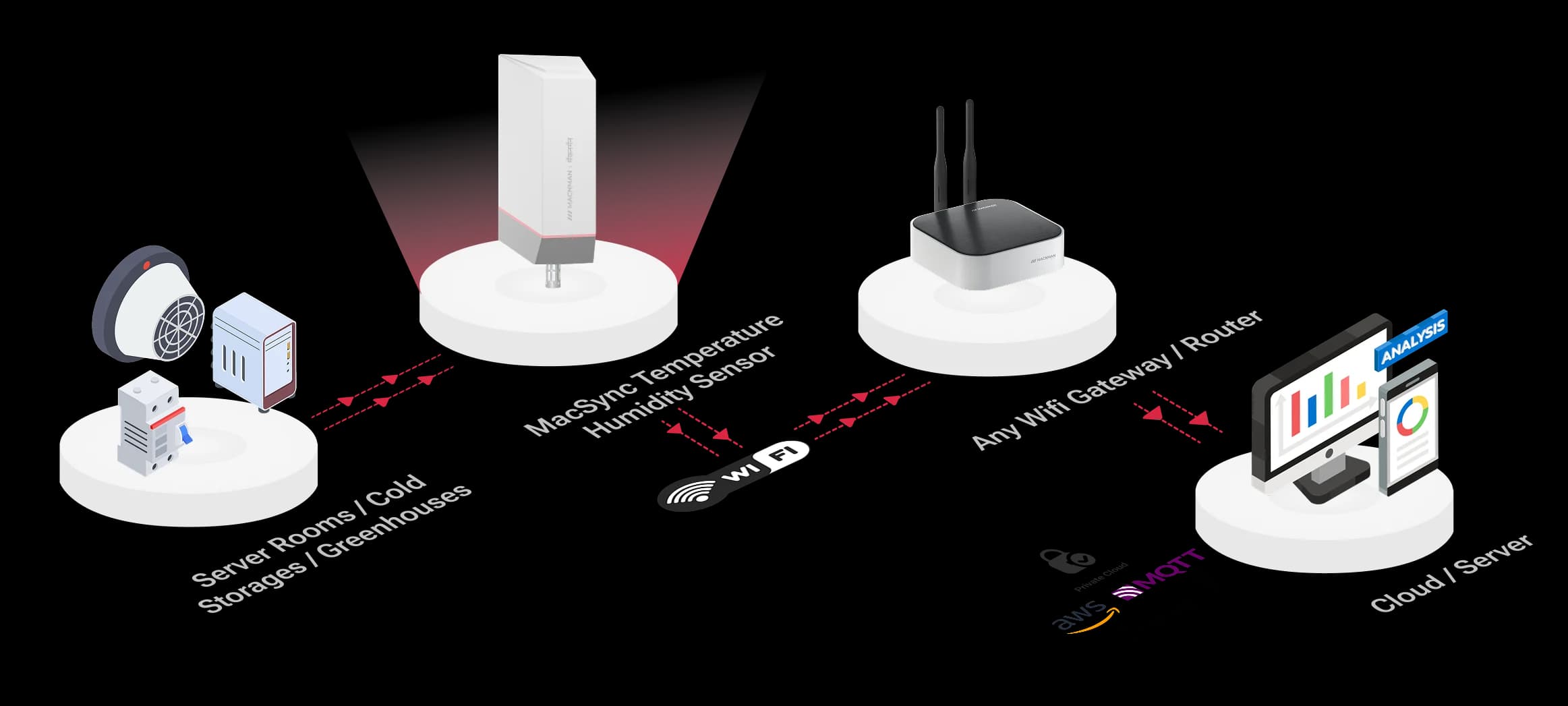
4–20 mA to MQTT over Wi-Fi — Network Architecture
Why it matters
Your Transmitters Already Speak 4–20 mA. Now They Can Reach the Cloud.
Most plants have years of analog instruments and good Wi-Fi, with nothing connecting the two. This closes that gap without a gateway, a spare PLC input or a new cable.
Why it matters
Most plants have years of analog instruments and good Wi-Fi, with nothing connecting the two. This closes that gap without a gateway, a spare PLC input or a new cable.
No new infrastructure
It joins the Wi-Fi you already run. There is no gateway to site, no SIM to manage and no signal cable to pull back to the control room.
No spare PLC input needed
The reading goes to your platform directly, so an instrument can be monitored without an analog card, a panel modification or a PLC program change.
Keeps IT comfortable
TLS encryption, outbound-only connections and a broker of your choosing, including one that never leaves the site.
Gaps do not become holes
A Wi-Fi dropout or a server restart is buffered on the device and forwarded later, so the history stays complete.
How it works
How Does an Analog to Wi-Fi Converter Work?
Step 1 of 5
Wire the transmitter to a channel
Two wires from the instrument to the converter. Choose a power output if the converter is to feed a loop-powered transmitter.
Set the channel in the app
In the Maya app, name the channel, choose 4–20 mA, 0–10 V or digital input, and set the warm-up time. Check shows the live reading.
Connect to Wi-Fi and the broker
Pick the network, enter the broker host, port and topic, and turn on TLS. A test upload confirms the path end to end.
Readings go out over MQTT
The converter measures on its schedule and publishes to your topic — or stores the readings if the link is down.
Your platform takes it from there
Scale the value to engineering units, then let dashboards, alerts and analytics run on it.
What lands on your broker
What Does the Converter Publish to Your MQTT Broker?
Integrators ask this first, so here it is. The converter publishes each set of readings to the topic you choose. Field names are the names you give each channel in the Maya app.
Reading — published to macsync/device001/data
{
  "deviceId": "device001",
  "timestamp": "2026-01-15T10:15:00Z",
  "Tank_Level_mA": 12.48,
  "Pump_Running": 1
}
Example message: one value per configured channel, under the name you gave it.
Scaling 4–20 mA to engineering units
value = (mA − 4) ÷ 16 × span + lower range

12.48 mA on a level transmitter ranged 0 to 5 m
= (12.48 − 4) ÷ 16 × 5 + 0
= 2.65 m
Apply the scaling in your platform, a broker rule or a Node-RED flow.
The reading is an illustrative example: the topic and channel names are yours to set. Ask us for the current payload reference before writing a parser.
Choosing a signal
4–20 mA, 0–10 V or Digital Input — Which Signal Should You Use?
Many instruments offer more than one output. The choice decides how far the cable can run, how the reading copes with electrical noise, and whether a broken wire can be told apart from a genuine zero.
| Compare | 4–20 mA current loop | 0–10 V voltage | Digital input |
|---|---|---|---|
| What it carries | A continuous measurement, as current | A continuous measurement, as voltage | An on or off state |
| Cable length | Long runs — current is unaffected by cable resistance | Short runs — voltage drops along the cable | Long runs for simple contacts |
| Electrical noise | Highly immune | More susceptible | Not an analog signal |
| Broken-wire detection | Yes — the reading falls below 4 mA | No — 0 V looks like a valid zero | Depends on how the contact is wired |
| Typical instruments | Pressure, level, flow and temperature transmitters | HVAC sensors, positioners, some analysers | Float switches, door contacts, alarm relays, pump run status |
| On the MacSync WX1 | Up to two inputs, 12-bit | Up to two inputs, 12-bit | Up to two inputs, read as high or low |
If an instrument offers both analog outputs, choose 4–20 mA for anything beyond a few metres of cable. The 4 mA "live zero" is the reason: a healthy loop never reads below it, so a lower value means a fault rather than a measurement. The NAMUR NE 43 recommendation formalises this by reserving currents at or below 3.6 mA and at or above 21 mA for fault signalling.
Choosing a network
Wi-Fi or LoRaWAN for Your Analog Sensors?
Macnman builds this converter for both networks, so the honest answer depends on where the instrument sits and how often you need its reading.
| Compare | MacSync WX1 — Wi-Fi | MacSync LX1 — LoRaWAN |
|---|---|---|
| Network it needs | The Wi-Fi already on site | A LoRaWAN gateway |
| Reach | Up to about 100 m indoors from an access point | Kilometres from a gateway |
| Route to your platform | Direct, over MQTT or HTTPS | Through a LoRaWAN network server |
| Battery life on the same 19 Ah cell | Shorter — each Wi-Fi connection costs more energy | Longer — a LoRaWAN transmission costs far less |
| Reporting rate | Frequent readings, limited mainly by power | Modest intervals and small messages |
| Choose it when | The instrument is inside Wi-Fi coverage and you want frequent data | Instruments are spread across a large site or beyond Wi-Fi reach |
Inside a plant, building or campus with good Wi-Fi, the WX1 is simpler: no gateway and no network server. Across a wide site, outdoors, or where Wi-Fi does not reach, the MacSync LX1 analog to LoRaWAN converter covers the distance with one gateway.
Reporting
Three Ways to Report, Chosen by What You Are Watching For.
A reading published on a fixed interval. Predictable data for trends and reports.
Note: Shorter intervals suit the DC-powered variant.
Two configurable triggers watch a chosen channel and publish immediately when the value leaves its minimum and maximum limits. Note: Use it for alarms: low level, high pressure, or a loop that has fallen below 4 mA.
The device takes several readings at a set gap, stores them, and sends them together as one upload. Note: Keeps the detail while cutting Wi-Fi wake-ups, which is what extends battery life.
Cloud & LNS
Publishes to Any MQTT Broker or HTTPS Endpoint
On-Premise, Private Cloud, AWS IoT Core & Azure IoT Hub
MacSync WX1 converters publish analog readings to any standard MQTT broker or HTTPS endpoint — a server on your own network, a private cloud, AWS IoT Core or Azure IoT Hub — with TLS encryption and no vendor platform in between.

Choosing a Wi-Fi analog input device
Comparing Wi-Fi Analog Input Devices — the Rows That Actually Matter
Most Wi-Fi analog input modules are DIN-rail parts for a powered panel. Ours is a sealed, battery-capable unit that sits beside the instrument. Neither is better in every row, so here are both, with our weaker rows left in.
| Compare | MacSync WX1 | Typical Wi-Fi analog I/O module | Why it matters |
|---|---|---|---|
| Inputs | 4–20 mA, 0–10 V or digital; up to two of a type | Three or four universal analog inputs | Our weaker row where several signals meet at one point |
| Resolution | 12-bit | 15- or 16-bit | Our weaker row; 12-bit is about 0.03% of a 4–20 mA span |
| Enclosure | IP65, IP67 optional; wall or pole mounted | IP20 to IP40, on a DIN rail in a panel | Decides whether it can sit beside the instrument |
| Power | 19 Ah battery or 9–36 V DC | 10–30 V DC | A battery unit goes where there is no supply |
| Powering the transmitter | Selectable output with a 0–2,000 ms warm-up | Usually a separate loop supply | One less power supply at the measuring point |
| Wi-Fi | Dual-band 2.4 and 5 GHz (802.11 b/g/n/ac), WPA3 | Often 2.4 GHz 802.11 b/g/n | Many plants reserve 2.4 GHz or require WPA3 |
| Protocols | MQTT, HTTP and HTTPS with TLS | MQTT, REST and Modbus TCP | Modbus TCP suits a SCADA that polls; MQTT suits brokers and cloud |
| Records stored on the device | 30,000 | Up to 140,000 on some loggers | Our weaker row for very long outages |
| Outputs | None | Often one or two digital outputs | Pair it with a controller if something has to be switched |
| Setup | Phone app over Bluetooth | A web page served by the device | No laptop or IP-address hunting on site |
| Made in | India (Pune), WPC compliant | Imported | Local support, spares and documentation |
MacSync figures are from its datasheet. The other column describes the common pattern across widely sold Wi-Fi analog input modules and loggers rather than any single product.
Installation
On the network in minutes, with nothing new to install.
Mount and wire
Fix the unit to a wall or pole near the instrument and connect the transmitter to a channel, observing polarity.
Set up the channel
Name it, choose the signal type and the power output, set the warm-up time, and press Check to compare the reading with the instrument's display.
Join Wi-Fi and the broker
Select the network, enter the MQTT host, port and topics, and enable TLS for an encrypted connection.
Test before you leave
Send Uplink checks connectivity, reports Wi-Fi signal strength and confirms the message reached the broker.
Range & reliability
Reliable Wi-Fi Connectivity, Built for Industrial Sites
Dependable 2.4 / 5 GHz Wi-Fi with 30,000-record on-board buffering through outages
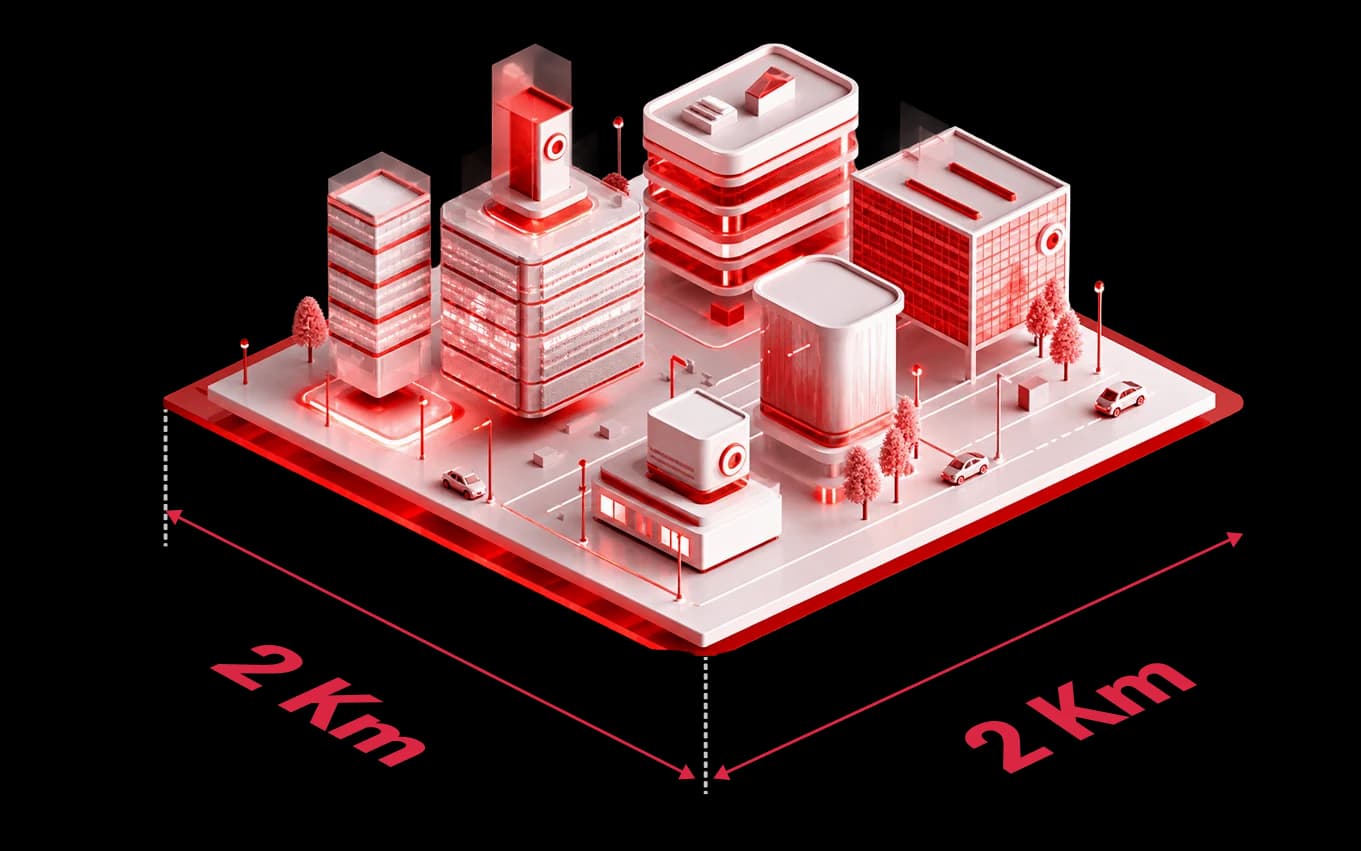
The MacSync WX1 is a dual-band 802.11 b/g/n/ac Wi-Fi device that works on both 2.4 GHz and 5 GHz, reaching up to about 100 m indoors from an access point depending on the building. The Maya app reports signal strength at the mounting point before you commit, and anything missed during a dropout is stored and forwarded.
FAQ
Frequently asked questions
Wire the transmitter's output to a channel on the MacSync WX1 and open the Maya app over Bluetooth. Set the channel's type to 4–20 mA, give it a name, and choose the power output and warm-up time if the converter is to power the transmitter. Then select the Wi-Fi network and enter the broker's host, port and topic. Check shows the live reading and Send Uplink confirms a message reached the broker. From then on the value is published on the schedule you set.
An analog to Wi-Fi converter is a device that measures an analog signal — usually 4–20 mA or 0–10 V from a pressure, level, flow or temperature transmitter — and sends the value over a Wi-Fi network to a server, broker or cloud platform. It replaces the signal cable back to a control room. The same device is described as a 4–20 mA to Wi-Fi converter, a Wi-Fi analog input module, a 4–20 mA Wi-Fi transmitter or an analog to MQTT gateway.
Each upload is published to the topic you set, for example macsync/device001/data, and carries one value for each configured channel under the name you gave it in the Maya app, such as Tank_Level. The sample on this page shows an example; ask us for the current payload reference before you write a parser.
Subtract 4 mA, divide by 16, and multiply by the instrument's span, then add its lower range value. For a pressure transmitter ranged 0 to 10 bar, a reading of 12 mA is (12 − 4) ÷ 16 × 10 = 5 bar. A level transmitter ranged 0 to 5 m reading 8 mA gives (8 − 4) ÷ 16 × 5 = 1.25 m. Apply the scaling in your platform, in a broker rule or in a Node-RED flow, so the dashboard shows bar, metres or litres rather than milliamps.
Yes. The MacSync WX1 supplies power to the connected sensor from a selectable power output and waits a configurable warm-up time of 0 to 2,000 ms before taking each reading, so the transmitter is energised only while it is being measured. Check that the available output level meets your transmitter's minimum supply voltage — send us the model and we will confirm. A sensor that needs a longer warm-up, or that must stay powered continuously, is better fed from an external supply with the 9–36 V DC variant.
Up to two 4–20 mA transmitters, or two 0–10 V sensors, or two contacts. Each channel is set independently in the app, so one can be a current loop and the other a contact. If more signals meet at one point, tell us what they are before ordering and we will confirm the combination; otherwise use one converter per instrument, or a transmitter with a Modbus output and the MacSync WX1 in RS485 mode.
Choose 4–20 mA whenever the cable is longer than a few metres or the environment is electrically noisy. Current is the same at every point in the loop, so cable resistance does not change the reading, and the 4 mA live zero lets you detect a broken wire. A 0–10 V signal is simpler and common on HVAC and building sensors, but it loses voltage along the cable and cannot distinguish a fault from a genuine zero. The MacSync WX1 reads both, so use whichever output the instrument provides.
On a 4–20 mA input the reading drops below 4 mA, which a healthy loop never does, so the fault is detectable. The NAMUR NE 43 recommendation treats currents at or below 3.6 mA and at or above 21 mA as fault signals rather than measurements. Set a trigger with a minimum limit on the channel and the converter publishes as soon as the current falls out of range, instead of reporting a misleading zero. A 0–10 V input cannot do this, because 0 V is also a valid reading.
A 12-bit converter divides the input range into 4,096 steps. On the 0–10 V input that is about 2.4 mV per step, and on the current input roughly 0.005 mA per step, or about 0.03% of the 16 mA span between 4 and 20 mA. For a 0–10 bar pressure transmitter that works out to steps of about 0.003 bar. Resolution is not the same as accuracy: it is the smallest change the device can register, while the accuracy of the whole chain also depends on the transmitter's own accuracy class and calibration.
Yes. A channel set to digital input reads a contact as high or low. Put a trigger on that channel and the converter publishes as soon as the state leaves the limits you set, rather than waiting for the next interval. That suits float switches, alarm relays and pump or generator run status, where what matters is knowing when something changes.
No, and it is worth knowing the difference before you buy. Point-to-point wireless 4–20 mA pairs take a loop signal in at one unit and regenerate an analog output at the other, so a PLC input sees a normal current loop. An analog to Wi-Fi converter instead delivers the value as data to a broker, dashboard or SCADA. If your controller needs a physical 4–20 mA input, a transmitter pair is the right tool; if you want readings from many instruments on one platform, this is.
Usually yes, but not without opening the loop once. A current input sits in series, so the loop has to be broken to insert it, which is best done during a planned stop. Every receiver in a loop adds burden, so the transmitter's supply must still cover its own minimum voltage plus all the inputs and the cable. Where the loop cannot be disturbed, or the two receivers must stay electrically separate, a signal splitter or isolator is the clean solution. Send us the loop details and we will check it before you order.
Any standard MQTT broker, such as Mosquitto, EMQX or HiveMQ, whether it runs in your own server room or in the cloud. You enter a hostname or an IP address, so a local broker on the plant network works exactly like a hosted one. The datasheet also lists AWS IoT Core, Microsoft Azure IoT Hub and Google Cloud, alongside on-premise servers, private cloud, REST APIs, webhooks, SCADA and BMS platforms. Where there is no broker, the device can post to an HTTP or HTTPS endpoint instead. The standard firmware signs in with a username and password, so a platform that expects a client certificate on every device needs the client-certificate firmware option, which is offered on orders of 1,000 devices or more.
Yes to TLS: turn it on in the MQTT settings and use port 8883 for an encrypted connection, with a toggle to validate the broker's server certificate. Plain MQTT on port 1883 remains available for a closed local network. In the standard firmware, authentication is by username and password. Client-certificate authentication (mutual TLS) and a change to the MQTT QoS level are firmware customisations, available on orders of 1,000 devices or more.
Nothing is lost. The MacSync WX1 keeps measuring and stores the readings in onboard memory, up to 30,000 records, then forwards them once the connection returns. At one record every five minutes that is roughly 100 days of cover.
Yes to both bands. The MacSync WX1 is dual-band and supports IEEE 802.11 b/g/n/ac, so it joins Wi-Fi 4 and Wi-Fi 5 access points, and connects to Wi-Fi 6 access points as an 802.11ac client since those remain backward compatible. In a plant, 2.4 GHz usually reaches further and passes through walls and machinery better, while 5 GHz has more clean channels where access points are close by. The battery variant uses Wi-Fi Power Save Mode between uploads to cut idle power.
With the sensor powered from its own supply, the Macnman Wi-Fi battery life calculator estimates about 0.9 years at 5-minute uploads, 2.5 years at 15 minutes, 4.3 years at 30 minutes and 6.7 years at hourly uploads on the 19 Ah cell, with DHCP and a TLS connection each time. A static IP raises those figures to about 3.5 years at 15 minutes and 8.2 years hourly. If the converter also has to power a loop-powered transmitter, the figures fall by an amount that depends on the transmitter's current and warm-up time, so send us both for a realistic estimate. For reporting every few seconds, choose the 9–36 V DC variant.
No. The converter joins your existing Wi-Fi as an ordinary client and talks to the broker directly. There is no gateway or hub to buy, no SIM and no monthly data plan per device.
Yes. The broker can be a machine on your local network, entered by IP address, so readings never have to leave the site. The device supports on-premise servers and private cloud as well as public platforms, which suits plants that need local data ownership or have no outbound internet access from the production network.
Choose Wi-Fi when the instrument sits inside good Wi-Fi coverage and you want frequent readings delivered straight to a broker, with no gateway or network server. Choose LoRaWAN when instruments are spread across a large site, outdoors or beyond the reach of Wi-Fi, or when battery life matters most: the MacSync LX1 analog to LoRaWAN converter reads the same signals and lasts longer on the same cell.
Yes. The same hardware includes an RS485 port that acts as a Modbus RTU master, for energy meters, flow meters, PLCs and any instrument with a serial output. The RS485 and analog inputs share the same terminals, so a unit runs in either RS485 mode or analog mode, not both at once. See the MacSync WX1 RS485 Modbus to Wi-Fi converter page for function codes, data types and register limits.
No. The MacSync WX1 carries no hazardous-area certification and must not be installed inside a classified hazardous area. For a transmitter located in one, mount the converter in the safe area and bring the loop out through a barrier or isolator matched to that transmitter, as you would for any safe-area receiver. Bear in mind that a barrier drops several volts, which the loop supply has to cover.
Six things. The device joins Wi-Fi as an ordinary client using WPA2-PSK or WPA3, on 2.4 or 5 GHz. It takes an address by DHCP or a static IP. It makes one outbound connection to the broker, on port 8883 for TLS or 1883 for plain MQTT, so no inbound port or port-forward is needed. Traffic can be encrypted with TLS and the broker's certificate validated. It signs in to the broker with a username and password; client-certificate authentication is a firmware option on orders of 1,000 devices or more. And the broker can sit inside your own network, so no data has to leave the site.
Yes. Macnman Technologies designs and manufactures the MacSync WX1 in Pune, Maharashtra. It is WPC compliant and conforms to the RoHS directive, and support comes directly from the engineering team in Indian Standard Time.
More from Macnman
What Else Do We Build at Macnman
 New
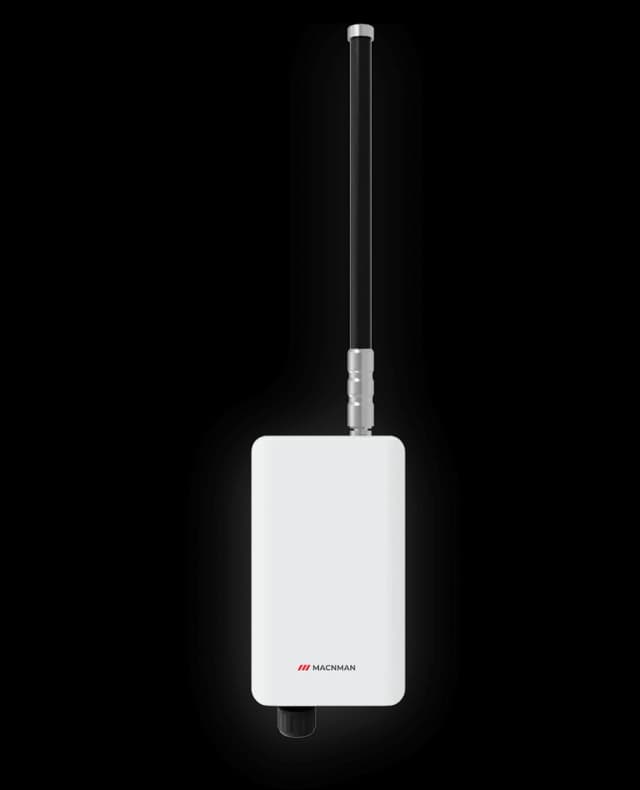
NewMaclink Gen-2
LoRaWAN Outdoor Gateways
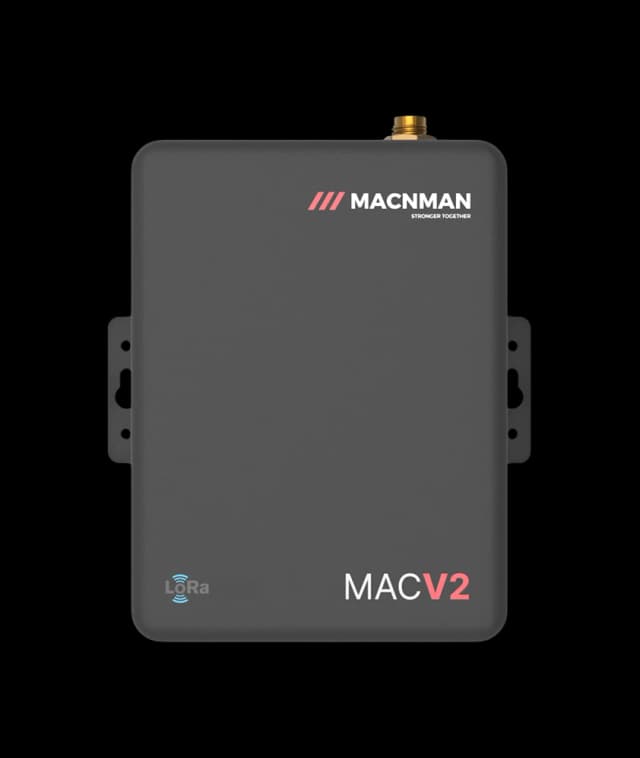
MacEdge 4G Mini Gateway
4G Lte Gateways
 Hot Selling
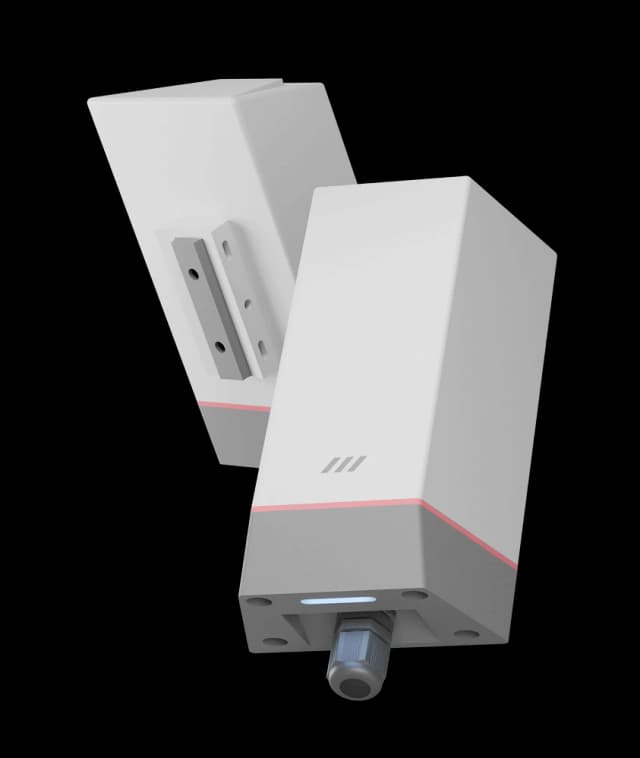
MacSync LX1
RS485 Modbus to LoRaWAN Converter
 New
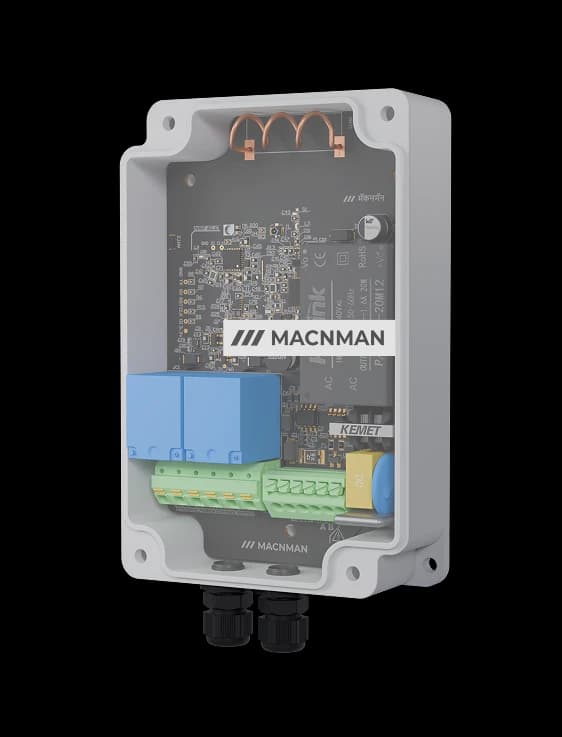
NewMacSet
RS485/Analog + Relay Output
 Hot Selling
Setu X
LoRaWAN Indoor Gateways
NewMaclink Gen-2
LoRaWAN Outdoor Gateways
MacEdge 4G Mini Gateway
4G Lte Gateways
Hot SellingMacSync LX1
RS485 Modbus to LoRaWAN Converter
NewMacSet
RS485/Analog + Relay Output
Hot SellingSetu X
LoRaWAN Indoor Gateways
Let‘s make it easy - reach out now!
Let’s bring it to life!
Let‘s Make it Easy
Reach Out Now


We are always ready
to help and
answer your
questions
Call
+91 7972856163
+91 9096830856
Location
Office-15 Bibwewadi, Pune, Maharashtra 411037
Get in Touch
Define your goals and all to value your time
Use of this website and purchase of Macnman products are subject to our Terms and Conditions.