
RS485/Analog Datalogger (MacSync) Reset Device
Reboot or factory reset the MacSync RS485 and analog LoRaWAN datalogger from the Maya app, with a video demo and step-by-step guide.
Reboot
How to Reboot your Macsync ? (Video Demo) :
Step-by-Step Configuration Guide :

Device Reboot
Performs a soft restart of the device.
This is useful for applying configuration changes or recovering from temporary issues without erasing any stored data or settings.
Factory Reset
How to Reboot your Macsync ? (Video Demo) :
Step-by-Step Configuration Guide :
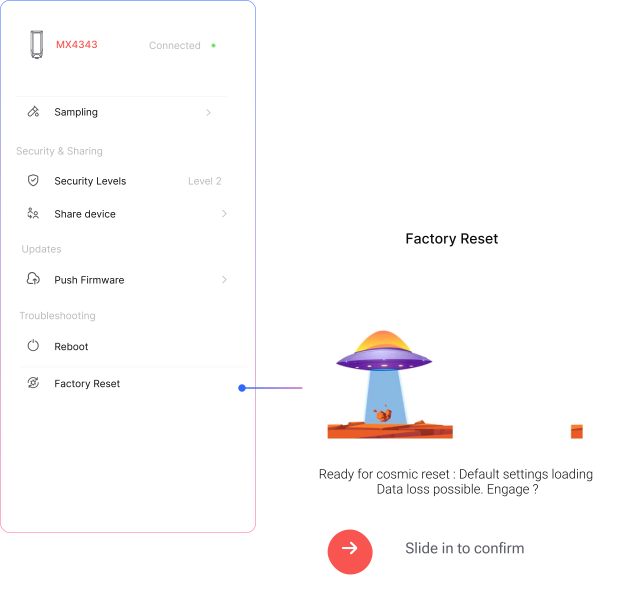
Factory Reset
Restores the device to its original factory settings.
All configurations, stored data, and paired connections will be erased.
Use this option with caution, especially in live deployments.
note
After a factory reset, the device must be reconfigured before it can resume operation.
Related Resources
- Datasheet: MacSync LX1 RS485 Modbus RTU and analog to LoRaWAN datalogger datasheet
- Start of this manual: RS485/Analog Datalogger (MacSync) Introduction
- Help: Contact Macnman support