
Power Options in MacSync
Inbuilt Battery
MacSync devices, including all Maya sensor nodes (CO2, temperature, humidity, air pressure, light, PM2.5, noise, and advanced soil sensors), are designed to operate directly using the built-in battery.
- To connect RS485 or analog sensors with the inbuilt battery:
- Follow the wiring specifications provided by your sensor’s manufacturer.
- Ensure power requirements match the MacSync’s supported limits.
Solar Panel Support
When connecting MacSync to a solar panel or external sensors (e.g., weather stations):
- Use an external junction connector.
- Follow the installation and connection guidelines provided by both MacSync and the sensor manufacturer to ensure safe and reliable operation.
External Power Supply
MacSync also supports direct external power input (12–24 V DC):
- Ensure wiring is done as per MacSync and the sensor manufacturer’s power and polarity specifications.
- This is ideal for installations where continuous power is available and high-frequency data logging is required.
Terminal Connections
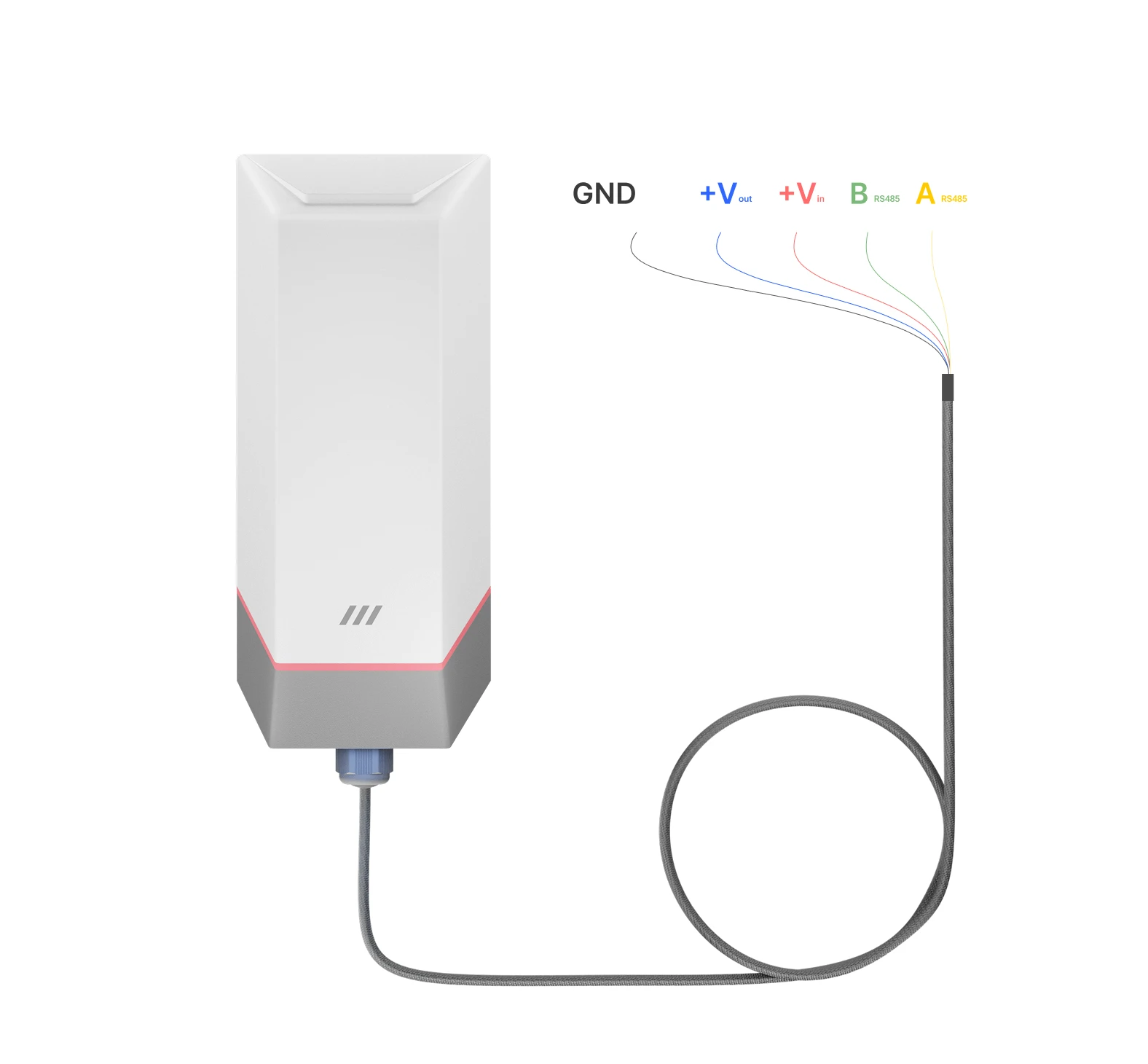
Connecting external power
MacSync can also be powered through a direct external DC source within a 12–24 V range. Ensure proper connection using a compatible terminal or jack, and always refer to both MacSync and sensor manufacturer specifications for safe operation.

Connecting External Sensors
-
Check Sensor Specifications
Ensure compatibility with MacSync's input requirements. -
Power Off the device
Turn off MacSync before making any connections. -
Attach Sensor Cables
Connect cables to the appropriate inputs on MacSync, following the sensor manufacturer’s pin configuration and power on device. -
Configure via Maya App
Power on MacSync and configure it using the Maya app to adjust settings as per your needs.
Connecting External Power Supply
-
Verify Power Supply
Confirm the power supply matches MacSync's 12-24 V requirement. Turn off both MacSync and the power source before connecting. -
Connect Power Cable , Insure safety
Turn off MacSync before making any connections.
Led Status

Device is connected with Maya app & Flashing Blue - OTA in progress.
Slow green blink - attempting to connect to the network.
Red blink
Modifying any confirmed parameters of MacSync.
Related Resources
- Datasheet: MacSync LX1 RS485 Modbus RTU and analog to LoRaWAN datalogger datasheet
- Start of this manual: RS485/Analog Datalogger (MacSync) Introduction
- Help: Contact Macnman support