
MacSet Mounting Options
Wall Mounting Procedure for MacSet
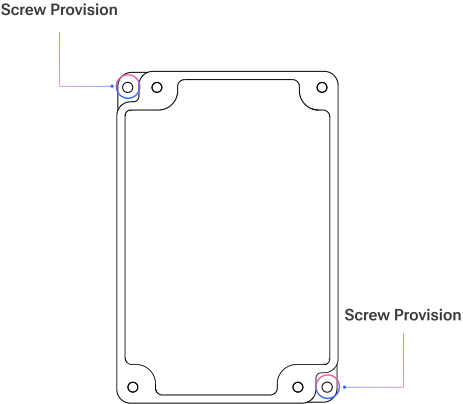
Follow these steps to securely mount the MacSet device using a standard wall mount:
1. Choose a Location
- Select a clean, flat wall surface at the required height.
- Ensure the location is free from moisture, direct sunlight, or heat sources.
2. Mark Mounting Holes
- Use the MacSet’s back plate or the mounting template to mark screw hole positions on the wall.
3. Drill Holes
- Drill holes at the marked positions (typically 6mm diameter).
- Use wall plugs if mounting on concrete or brick.
4. Fix the Mount
- Align the wall mount or device bracket with the drilled holes.
- Secure it using screws (2–4 depending on the design).
5. Attach the MacSet
- Slide or snap the MacSet device onto the mounted bracket until it locks securely.
6. Power and Test
- Connect the power supply or insert batteries as required.
- Verify the device is working by checking LED indicators or display activity.
Related Resources
- Datasheet: MacSet LX1 industrial LoRaWAN relay controller datasheet
- Datasheet: MacSet LX2 industrial LoRaWAN multi-IO controller datasheet
- Start of this manual: LoRaWAN® Controller (MacSet) Introduction
- Help: Contact Macnman support