
WiFi Datalogger (MacSync) Data Sampling & Uploading
WiFi Datalogger Data Sampling & Uploading — Macnman WiFi Datalogger (MacSync): Data Sampling & Upload Timings, Data Sampling Frequency, How does Sampling…
Data Sampling & Upload Timings
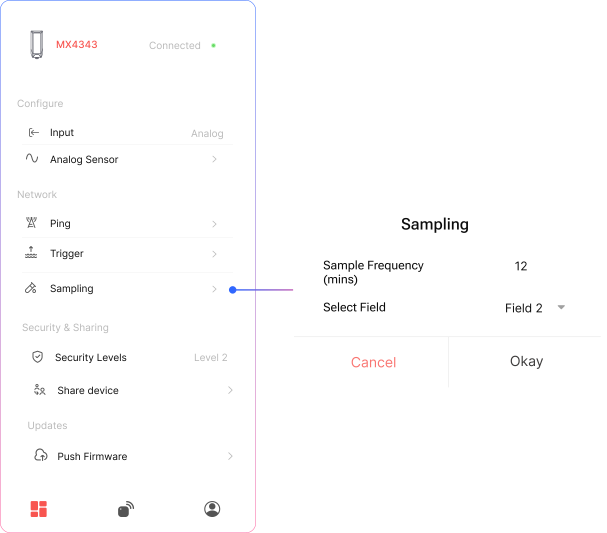
Data Sampling Frequency
Sampling allows the device to collect multiple sensor readings at user-defined intervals without immediately sending them to the server.
How does Sampling & Upload works:
- Set the sample count (e.g., 12 samples).
- Define the time gap between each sample (e.g., every 5 minutes).
- The device will collect the specified number of samples locally.
- Once all samples are collected, the device will send a single uplink containing the aggregated data.
This helps reduce network usage and power consumption while preserving detailed sensor trends.
Related Resources
- Datasheet: MacSync-WX1-PO RS485 and analog to Wi-Fi data logger datasheet
- Datasheet: MacSync-WX1-BO battery-operated RS485 and analog to Wi-Fi data logger datasheet
- Start of this manual: WiFi Datalogger (MacSync) Introduction
- Help: Contact Macnman support